
This website is a participant in the Amazon Services LLC Associates Program, an affiliate advertising program designed to provide a means for us to earn fees by linking to Amazon.com and affiliated sites.
The best projector resolution depends on how you plan to use it, but for most people, 1080p (Full HD) offers the ideal balance between quality and affordability, while 4K delivers the sharpest and most immersive experience.
Have you ever watched a movie on a projector and noticed it looked blurry or pixelated? That’s often due to choosing the wrong resolution. Resolution determines how clear, detailed, and vibrant your projected image appears—making it one of the most critical factors when buying or using a projector.
Whether you’re setting up a home theater, gaming room, or office presentation system, understanding resolution can save you from costly mistakes. From SVGA and 720p to 1080p and 4K UHD, each option serves a different purpose and environment.
Best for Home Theater, Gaming, and Portability (Top Projector Picks)
Choosing the right projector isn’t just about resolution—it’s about matching resolution, brightness, and use case. Below are three highly recommended projectors that align perfectly with different needs and resolutions.
Best for Home Theater: BenQ TH585 Full HD Projector
The BenQ TH585 is one of the best 1080p projectors for cinematic viewing. It delivers crisp Full HD visuals and strong brightness, making it ideal for movies and sports.
Why it’s a top pick
It balances sharp 1080p resolution, high brightness, and low input lag, making it perfect for immersive home theater experiences without the high cost of 4K models.
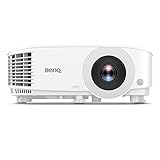
- NEW 2023 MODEL: Upgraded 3800 ANSI Lumens paired with an improved 15,000:1 contrast ratio (FOFO) when compared to its predecessor, TH585P.
- 1080P RESOLUTION: 1080p Full HD image quality with 3800 ANSI lumen for ultimate gaming experiences in well-lit environment, one of our best gaming projectors
Best for Gaming: BenQ X500i 4K Gaming Projector
The BenQ X500i is designed for gamers who want both high resolution and performance. It supports 4K visuals and low latency gameplay for smooth action.

- 4LED Light Engine: 4K BenQ HDR-PRO, Experience games in stunning clarity & detail, this 4K gaming projector showcases every pixel with precision & vibrancy. The Best…
- 4.2 ms Low Latency + 240 Hz Refresh: Experience gaming with zero latency with response times as quick as 4ms (1080p@240Hz). Ultra-responsive gaming with smooth…
Why it’s a top pick
Its 4K resolution combined with ultra-low input lag delivers sharp visuals and responsive gameplay, making it ideal for both competitive gaming and cinematic single-player experiences.
Best for Portability: XGIMI MoGo 2 Pro Portable Projector
The XGIMI MoGo 2 Pro is perfect for users who need a compact, travel-friendly projector without sacrificing image quality.

- Multi-angle Rotation: 120° Adjustable Angle. Easily switch your projected image from the wall to the ceiling.
Why it’s a top pick
It offers reliable 1080p resolution in a compact, lightweight design with smart features, making it perfect for outdoor movie nights, travel, and small spaces.
Related Products Worth Considering
- Epson Home Cinema Series (excellent brightness and color accuracy)
- Anker Nebula Cosmos 4K (great all-in-one streaming experience)
- Samsung Premiere (ultra-short throw premium option)
Understanding Projector Resolution and Why It Matters

Projector resolution refers to the number of pixels used to create an image, and it directly determines how sharp, detailed, and clear your projection looks. The higher the resolution, the more pixels are displayed—resulting in better image quality.
At its core, resolution is measured in width × height (for example, 1920 × 1080 for Full HD). This means more pixels are packed into the same screen space, improving clarity and reducing visible pixelation. If you’ve ever seen a grainy or blurry projection, chances are the resolution was too low for the screen size or viewing distance.
Common Projector Resolutions Explained
- SVGA (800 × 600): Basic quality, suitable for simple presentations
- XGA (1024 × 768): Slightly sharper, often used in classrooms
- 720p (HD): Entry-level for home entertainment
- 1080p (Full HD): Best balance of quality and affordability
- 4K UHD (3840 × 2160): Ultra-sharp, premium viewing experience
Each step up in resolution significantly improves image detail, especially on larger screens. For example, a 1080p projector looks great on a 100-inch screen, while 4K projectors excel on even larger displays where fine details matter.
Why Resolution Matters in Real Use
Resolution impacts more than just sharpness—it affects your entire viewing experience:
- Text clarity: Higher resolution makes presentations easier to read
- Image detail: Movies and photos appear more lifelike
- Screen size compatibility: Larger screens require higher resolution
- Eye comfort: Sharper images reduce strain during long viewing sessions
Common Mistake to Avoid
A common mistake is assuming brightness matters more than resolution. While brightness is important, low resolution cannot be fixed by increasing brightness. A bright but low-resolution projector will still look pixelated.
Choosing the Best Projector Resolution for Movies, Gaming, and Presentations
Choosing the right projector resolution depends heavily on what you plan to use it for. There’s no one-size-fits-all answer—movies, gaming, and presentations all have different requirements. The key is balancing resolution, screen size, and content quality.
Best Resolution for Movies (Home Theater)
For movies, 1080p (Full HD) is the minimum you should consider, while 4K UHD is the premium choice for cinematic detail.
1080p delivers sharp visuals and is widely supported by streaming platforms and Blu-ray content. It uses 1920 × 1080 pixels, offering clear, detailed images for most home setups.
However, if you want a truly immersive experience—especially on large screens—4K resolution provides four times the detail, making textures, colors, and fine details stand out.
Best choice:
- Budget → 1080p
- Premium home theater → 4K
Best Resolution for Gaming
Gaming is slightly different because performance matters as much as image quality.
- 1080p is ideal for fast-paced games due to lower input lag and smoother performance
- 4K offers stunning visuals but may require more powerful consoles or PCs
Modern gaming projectors balance both by offering 4K resolution with low latency, but they are typically more expensive. Experts recommend focusing on refresh rate and input lag alongside resolution for gaming setups.
Best choice:
- Competitive gaming → 1080p
- Immersive/story games → 4K
Best Resolution for Presentations and Office Use
For presentations, clarity of text and graphics is more important than ultra-high resolution.
- XGA or WXGA works for basic slides
- 1080p is ideal for professional presentations with detailed visuals
A Full HD projector ensures sharp text, readable spreadsheets, and clear charts, even in larger rooms. Many business projectors, like classroom models, use 1080p to deliver crisp visuals in bright environments.
Best choice:
- Basic presentations → XGA/WXGA
- Professional/business use → 1080p
Best Resolution for Outdoor and Casual Use
Outdoor viewing or casual use doesn’t always require the highest resolution.
- 1080p is typically recommended for outdoor movie nights
- Lower resolutions may appear blurry on large outdoor screens
Testing shows that 1080p provides a strong balance of clarity and affordability for outdoor setups, especially when paired with adequate brightness.
Common Mistakes When Choosing Projector Resolution (and How to Fix Them)
Even with a good budget, many people end up with poor image quality because of simple resolution mistakes. Understanding these common issues—and how to fix them—can dramatically improve your viewing experience without buying a new projector.
Mistake 1: Choosing Low Resolution for a Large Screen
A common error is using 720p or lower resolution on a large screen. This causes visible pixels, blurry edges, and poor detail.
How to fix it:
- Match resolution to screen size
- Use 1080p for screens up to 120 inches
- Choose 4K for larger or premium setups
Mistake 2: Ignoring Content Resolution
Your projector can only display what your content provides. Playing low-resolution videos on a high-end projector still results in poor quality.
How to fix it:
- Stream or download Full HD or 4K content
- Check streaming settings (e.g., Netflix, YouTube)
- Use high-quality HDMI cables and sources
Mistake 3: Confusing Brightness with Resolution
Many assume a brighter projector means a sharper image—but brightness (lumens) and resolution are completely different.
How to fix it:
- Treat resolution as clarity and brightness as visibility
- Choose both based on your environment
- Don’t compromise resolution just for higher lumens
Mistake 4: Using the Wrong Aspect Ratio
A mismatch between your projector resolution and content aspect ratio (like 4:3 vs 16:9) can stretch or distort the image.
How to fix it:
- Use native 16:9 resolution for movies and streaming
- Adjust projector settings to match content format
- Avoid forced stretching modes
Mistake 5: Sitting Too Close (or Too Far)
Viewing distance affects how resolution appears. Sitting too close makes pixels visible, even on high-resolution projectors.
How to fix it:
- Follow recommended viewing distances:
- 1080p: Sit at least 1.5–2.5× screen width
- 4K: Sit closer without noticing pixels
- Adjust seating based on screen size
Don’t Ignore Keystone and Focus Settings
Sometimes the issue isn’t resolution—it’s improper setup. Keystone distortion or poor focus can make even a 4K projector look blurry.
Quick fix checklist:
- Adjust manual or auto-focus
- Minimize keystone correction
- Position projector directly in front of the screen
How to Improve Projector Image Quality Without Upgrading Resolution
You don’t always need a higher resolution projector to get a better picture. In many cases, simple adjustments and setup improvements can dramatically enhance image clarity, brightness, and overall viewing quality.
Optimize Focus and Lens Settings
One of the quickest ways to improve image quality is proper focusing. Even a high-resolution projector will look blurry if it’s not correctly adjusted.
What to do:
- Use the manual focus ring or auto-focus feature
- Adjust until text and edges appear crisp
- Recheck focus after moving the projector
Control Ambient Light
Too much light in the room can wash out your image, making it appear dull and less detailed.
How to fix it:
- Use blackout curtains or blinds
- Turn off unnecessary lights
- Project in darker environments for better contrast
Even a 1080p projector can outperform a 4K one in a poorly lit room if lighting is controlled properly.
Position the Projector Correctly
Incorrect placement leads to distortion and reduced clarity.
Best practices:
- Align the projector directly with the screen center
- Avoid heavy keystone correction
- Keep the projector level and stable
Upgrade Your Screen (Not Just the Projector)
Your projection surface plays a huge role in image quality.
Better options include:
- Dedicated projector screens for sharper images
- ALR (Ambient Light Rejecting) screens for bright rooms
- Smooth white walls (if screens aren’t available)
Use High-Quality Input Sources
Low-quality input signals reduce image clarity regardless of projector resolution.
Improve your source quality by:
- Using HDMI instead of VGA
- Streaming in HD or 4K where available
- Avoiding compressed or low-bitrate content
Adjust Picture Settings
Fine-tuning your projector’s settings can significantly improve visuals.
Key settings to tweak:
- Contrast and brightness
- Sharpness (avoid over-sharpening)
- Color temperature and saturation
Clean the Lens and Maintain the Projector
Dust and smudges can reduce clarity over time.
Maintenance tips:
- Clean the lens with a microfiber cloth
- Ensure proper ventilation to avoid overheating
- Replace bulbs when brightness drops
Conclusion
Choosing the best projector resolution ultimately comes down to how you plan to use it, your screen size, and your budget. For most users, 1080p (Full HD) offers the perfect balance of clarity, performance, and affordability, making it the safest all-around choice. However, if you want the sharpest visuals and a truly immersive experience—especially for large screens—4K resolution is worth the investment.
It’s also important to remember that resolution alone doesn’t guarantee a great image. Factors like lighting, screen quality, positioning, and content resolution all play a major role in the final result. By avoiding common mistakes and optimizing your setup, you can significantly improve image quality without necessarily upgrading your projector.
Frequently Asked Questions About What Resolution Is Best for a Projector
Is 1080p good enough for a projector?
Yes, 1080p (Full HD) is more than good enough for most users. It provides sharp, detailed images for movies, gaming, and presentations. It’s especially ideal for screen sizes up to 120 inches.
For everyday use, 1080p offers the best balance between quality and price. Only consider upgrading if you want ultra-premium visuals or have a very large screen
Is 4K projector resolution worth it?
A 4K projector is worth it if you want the highest level of detail and plan to watch high-quality content on a large screen.
You’ll notice sharper textures, better depth, and improved realism. However, it comes at a higher cost, so it’s best for home theater enthusiasts or premium setups.
What resolution is best for outdoor projectors?
For outdoor use, 1080p resolution is recommended. It provides clear and detailed visuals even on larger screens.
Lower resolutions like 720p may look blurry outdoors, especially when projecting onto bigger surfaces.
Does higher resolution always mean better quality?
Not always. While higher resolution improves sharpness, other factors also matter, such as:
- Brightness (lumens)
- Contrast ratio
- Content quality
- Room lighting
A well-optimized 1080p setup can look better than a poorly set up 4K projector
Can I watch 4K content on a 1080p projector?
Yes, but it will be downscaled to 1080p, meaning you won’t get full 4K detail.
However, many 4K videos still look better on a 1080p projector because of improved color and compression quality.
What happens if I choose the wrong projector resolution?
Choosing the wrong resolution can result in:
- Blurry or pixelated images
- Poor text readability
- Reduced viewing experience
To fix this, match your resolution with your screen size, content, and viewing distance.
This website is a participant in the Amazon Services LLC Associates Program, an affiliate advertising program designed to provide a means for us to earn fees by linking to Amazon.com and affiliated sites.