
This website is a participant in the Amazon Services LLC Associates Program, an affiliate advertising program designed to provide a means for us to earn fees by linking to Amazon.com and affiliated sites.
A sewing pattern projector is a device that projects digital sewing patterns directly onto fabric or a cutting surface, allowing you to trace, mark, and cut pattern pieces without printing paper patterns. It helps sewists save paper, reduce printing costs, and work with digital patterns more conveniently.
Imagine opening a PDF sewing pattern on your computer and projecting it onto your cutting table at full scale. Instead of printing dozens of pages, assembling them, and taping them together, you can work directly from the projected outlines.
However, getting accurate results requires more than owning a projector. You need suitable projection equipment, the correct software settings, a stable mounting arrangement, and proper calibration to ensure that pattern pieces match their intended measurements.
In this guide, you’ll learn how a sewing pattern projector works, which equipment to consider, how to set it up, and how to troubleshoot common accuracy problems. Whether you’re a beginner exploring projector sewing or an experienced sewist looking to streamline your workflow, you’ll discover what you need to get started.
Best for Projecting Digital Sewing Patterns
Choosing the right equipment makes projector sewing easier, but the best setup depends on your cutting-table size, ceiling height, lighting, and budget. These three projector models are worth researching for a sewing workspace. Check the manufacturer’s specifications and mounting requirements before purchasing, particularly if you plan to install a projector overhead.
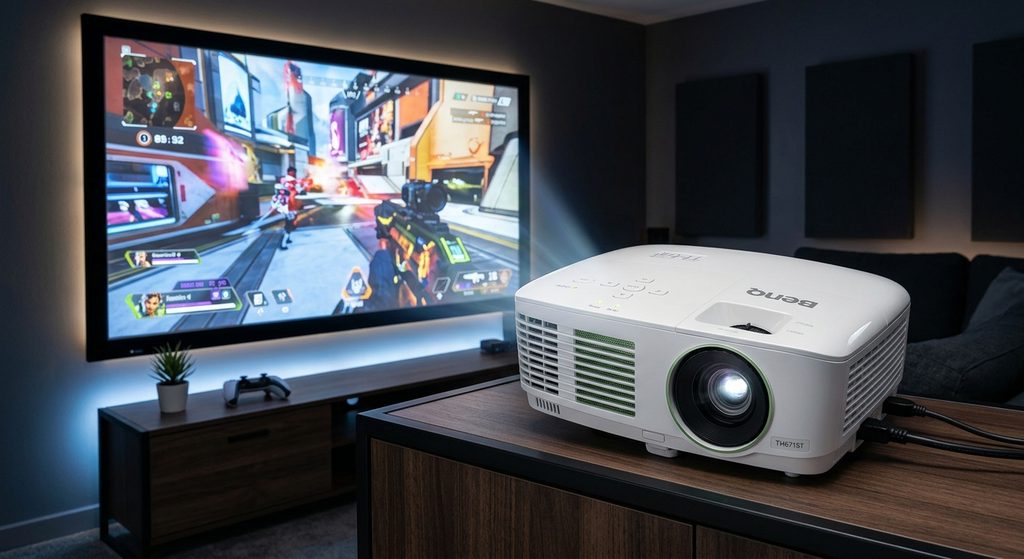
BenQ TH671ST — Best for Short-Throw Projection
The short-throw design helps project large pattern sections from limited distances, making it worth considering for compact sewing rooms with restricted mounting space and full-size digital patterns.
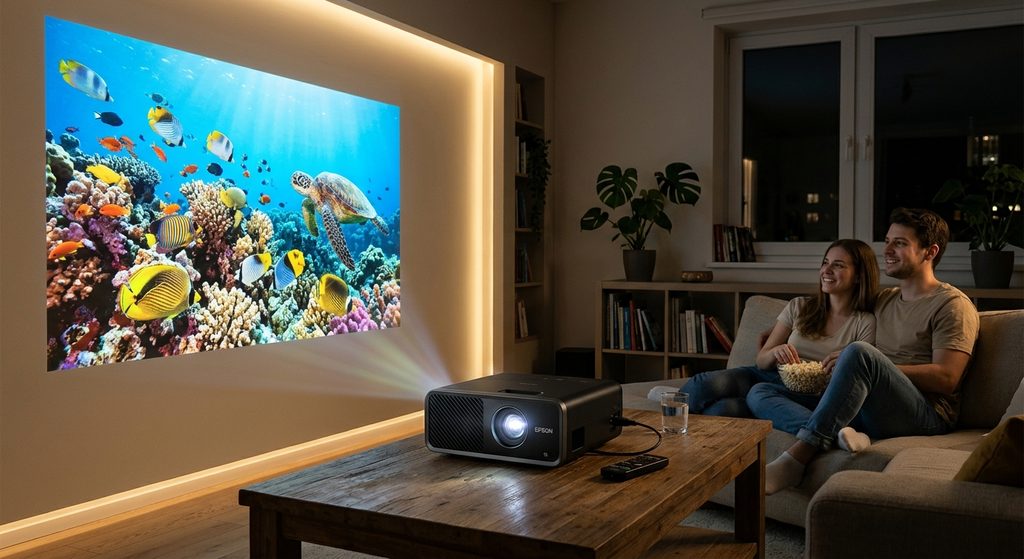
Epson EF-11 — Best for Compact Sewing Spaces
Its compact laser design suits sewists seeking a space-saving projection setup. Evaluate its image dimensions, focus across your table, and installation compatibility before using it for precision pattern cutting.
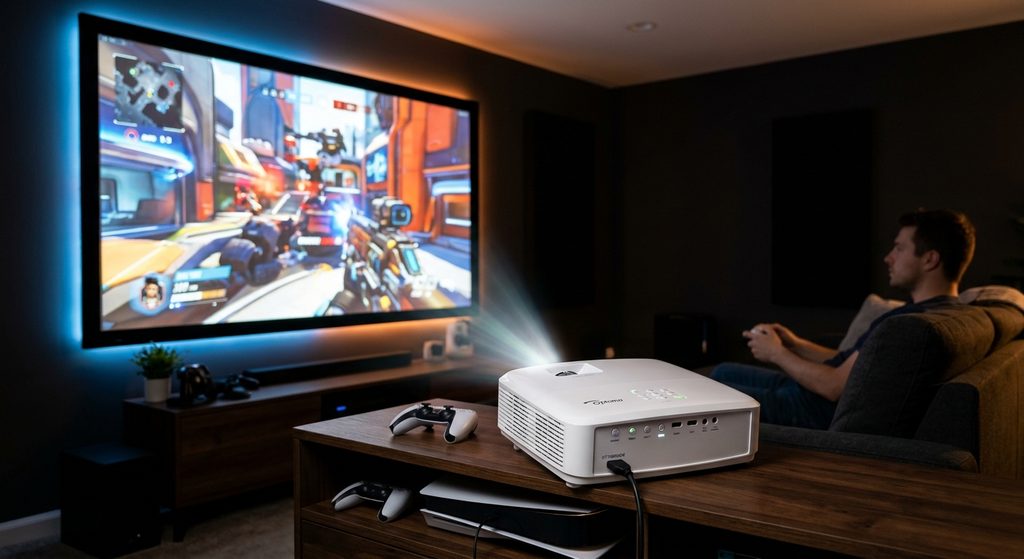
Optoma GT1080HDR — Best for Detailed Pattern Viewing
Its short-throw design and Full HD image make it a candidate for viewing pattern outlines, markings, and notches. Confirm the projection size, mounting orientation, and calibration accuracy for your workspace.
Related accessories: a stable ceiling or overhead mount, an HDMI cable, a laptop, a large cutting mat, pattern weights, and a rotary cutter. These help create a more practical projector sewing workflow.
The key buying tip is to check the throw ratio and available mounting distance before choosing a projector. A model with excellent image quality may still be unsuitable if it cannot cover enough of your cutting table.
How Does a Sewing Pattern Projector Work?
A sewing pattern projector works by displaying a digital sewing pattern onto fabric or a cutting table at its intended size. Instead of printing pattern pieces on paper, you open a compatible digital pattern on your computer and use a projector to display the outlines where you need them.
Most projector sewing setups include three essential components:
- A projector: Displays the digital pattern on your cutting surface.
- A computer or laptop: Opens the pattern file and runs compatible viewing or projection software.
- A stable mounting system: Positions the projector at a consistent distance and angle above the cutting table.
Understanding digital sewing patterns
Digital sewing patterns commonly come as PDF files. Some are designed for printing on multiple sheets of paper, while others include projector-specific layers, colored pattern lines, and markings that make direct projection easier.
You may need software that supports zooming, rotating, cropping, and displaying individual pattern sizes. Always check that your software preserves the pattern’s original scale.
Why calibration matters
Calibration ensures that the projected pattern matches its intended measurements. For example, if a pattern includes a 10-centimeter test square, measure that square after projection to confirm that it is exactly 10 centimeters on your cutting surface.
If the square measures incorrectly, adjust the software’s zoom or scaling settings before cutting. Also check that the projected image is square rather than distorted by an angled projector.
What happens during projector sewing?
Once the pattern is correctly calibrated, you position your fabric beneath the projection, identify the required pattern pieces, and mark or cut along their outlines. You can often switch between pattern sizes digitally without assembling new paper sheets.
Important: Projection accuracy depends on correct scaling, focus, alignment, and a suitable working surface. Never assume a pattern is full-size simply because the projected lines look clear.
How to Set Up a Sewing Pattern Projector Step by Step
Setting up a sewing pattern projector correctly is essential for accurate garment construction. A well-calibrated setup lets you view digital pattern pieces directly on your cutting table while reducing the time spent printing and assembling paper patterns.
Follow these steps to get started.
Step 1: Choose a suitable mounting position
Position the projector above your cutting table using a stable ceiling mount, overhead shelf, or other secure support compatible with your model. The mounting height and distance determine how much of the table the projector can cover.
A short-throw projector may be useful when ceiling clearance is limited. Check the manufacturer’s projection-distance specifications before deciding where to mount it.
Step 2: Connect your computer
Connect your laptop or computer to the projector using HDMI or another supported connection. Open your digital sewing pattern in compatible PDF-viewing or projector-pattern software.
Select the pattern size you need and hide unwanted sizes or layers when the file supports that feature.
Step 3: Adjust the image
Focus the projected image until the pattern lines and markings are clear. Position the projector so that the image falls evenly across the cutting area, minimizing distortion at the edges.
Avoid relying on digital keystone correction to fix a poorly positioned projector when precision matters. Physical alignment generally provides a better starting point for accurate measurements.
Step 4: Calibrate the pattern
Find a calibration square or measurement reference included with your pattern. Measure it using a ruler or measuring tape, then adjust the software’s scale until the projected dimensions match the stated measurements.
Repeat the check after changing the zoom, mounting position, or projection settings.
Step 5: Position your fabric
Smooth your fabric on the cutting table and secure it with pattern weights if necessary. Confirm that the fabric grain is aligned correctly, then position the desired pattern pieces over the material.
Trace or cut only after verifying the scale and checking that all required markings are visible.
Practical tip: Save your calibrated settings and mark your preferred projector position. This makes it easier to reproduce the same setup for future sewing projects.
How to Choose the Best Sewing Pattern Projector
Choosing the best sewing pattern projector depends on your cutting-table dimensions, available mounting height, room lighting, and the level of detail in your digital patterns. You do not necessarily need an expensive projector designed specifically for sewing; many standard home and office projectors can work when their specifications match your setup.
Check the native resolution
Native resolution determines how clearly the projector displays pattern outlines, notches, darts, and size markings. A projector with 1920 × 1080 native resolution (Full HD) is a good starting point for displaying fine pattern details.
Be careful with products advertised as supporting 1080p when their actual native resolution is lower.
Consider brightness
Brightness affects how easily you can see projected lines on your fabric. If you sew in a dim room, a moderately bright projector may be sufficient, while a brighter model can help in a room with more ambient light.
Look for brightness ratings expressed in ANSI lumens and consider how much light reaches your cutting table.
Understand throw ratio
The throw ratio determines how wide an image appears at a particular distance. A short-throw projector can display a large pattern area from a relatively short distance, making it useful in smaller sewing rooms.
Calculate the required distance using this formula:
\[ \text{Image width}=\frac{\text{Projection distance}}{\text{Throw ratio}} \]
For example, a projector with a 1.0:1 throw ratio positioned 1.5 metres above the table produces an image approximately 1.5 metres wide, subject to its optical specifications.
Evaluate focus and mounting options
Choose a projector that maintains clear focus across the entire projected area. A secure overhead mount helps keep the image aligned and reduces distortion.
Check connectivity and budget
HDMI connectivity makes it straightforward to connect a laptop. Before buying, compare the total cost of the projector, mount, cables, and any necessary software.
Common Sewing Pattern Projector Problems and How to Fix Them
Although a sewing pattern projector can simplify garment cutting, setup problems may affect pattern accuracy and visibility. Fortunately, most issues can be resolved by checking the projector’s position, software settings, focus, and connections.
Problem 1: The projected pattern is too large or too small
Incorrect scaling is one of the most important issues to resolve before cutting fabric.
How to fix it:
- Open the pattern in your PDF viewer or compatible projection software.
- Disable automatic page fitting or other scaling options.
- Adjust the zoom until the calibration square matches its specified measurement.
- Recheck the scale whenever you change the viewing settings.
Never cut fabric using a pattern that has not been verified with a ruler.
Problem 2: The pattern looks blurry
Blurry lines can make it difficult to distinguish cutting lines, notches, and other markings.
How to fix it:
- Adjust the focus control.
- Clean the projector lens using the manufacturer’s recommended method.
- Check that the projector is mounted within its specified focus range.
- Reduce excessive ambient light if it makes the pattern difficult to see.
If the centre is sharp but the edges remain blurry, check the projector’s alignment and optical limitations.
Problem 3: The pattern looks distorted
A projected square may appear wider at one end or unevenly shaped when the projector is angled incorrectly.
How to fix it:
- Position the projector perpendicular to the cutting surface.
- Adjust the mount rather than relying entirely on digital keystone correction.
- Recalibrate the pattern after making physical adjustments.
Problem 4: The projected lines are difficult to see
Light-colored fabric, bright room lighting, or low projector brightness can make pattern outlines less visible.
How to fix it:
- Dim unnecessary room lights.
- Increase projector brightness if the model permits it.
- Choose a suitable pattern-line color or contrast setting when supported.
- Test visibility on a small section of fabric before starting.
Problem 5: The projector will not display the pattern
Check the HDMI connection, selected input source, computer display settings, and PDF software. Restarting the devices may help resolve temporary connection problems.
Final accuracy check: Before cutting, verify the scale, grainline direction, pattern size, and placement of every required piece. A few minutes of checking can prevent costly fabric mistakes.
What Are the Benefits of Using a Sewing Pattern Projector?
A sewing pattern projector offers several advantages for home sewists, clothing designers, quilters, and small sewing businesses. By displaying digital patterns directly onto a cutting surface, it can simplify preparation and reduce the need for printed pattern sheets.
Saves time during pattern preparation
Traditional PDF sewing patterns often require printing multiple pages, trimming margins, and joining the sheets with tape. A projector sewing setup eliminates much of this preparation because you can display compatible digital patterns directly on your cutting table.
This is especially useful when working with complicated garments or patterns containing many pieces.
Reduces paper and printing costs
Printing large patterns consumes paper, ink, and sometimes money spent on commercial printing services. Projecting digital patterns can reduce these recurring expenses, although the initial cost of the projector, mount, and accessories must be considered.
You can also keep digital copies of your patterns organized on your computer.
Makes switching pattern sizes easier
Many digital sewing patterns include multiple sizes in one file. When the pattern supports selectable layers, you can display the size you need without printing an entirely new set of pattern pieces.
This can make it easier to work on different garments and accommodate different sizing requirements.
Helps organize a sewing workspace
A projector can reduce the need to store large paper pattern sheets and assembled pattern pieces. Digital files are convenient to organize by garment type, designer, size, and project.
However, keeping backup copies of purchased patterns is important, and you should follow the designer’s licensing terms.
Supports a more flexible sewing workflow
Projector sewing is useful for garments, accessories, and some quilting projects when suitable digital patterns are available. It can also make it easier to preview pattern placement before cutting.
Are there disadvantages? Yes. Projectors require a suitable mounting position, sufficient visibility, reliable calibration, and an initial investment. Some patterns may not be optimized for projection, so traditional paper patterns can remain useful.
Conclusion: Is a Sewing Pattern Projector Worth It?
A sewing pattern projector can transform the way you prepare digital sewing patterns by reducing paper use, simplifying pattern selection, and speeding up cutting preparation. With a suitable projector, compatible software, a stable mount, and accurate calibration, you can project full-size pattern outlines directly onto your cutting table.
Before purchasing equipment, compare native resolution, brightness, throw ratio, mounting requirements, and total setup cost. Most importantly, verify pattern measurements before cutting fabric to avoid sizing errors.
Whether you’re a beginner or an experienced sewist, projector sewing can be a practical addition to your workspace when it suits your sewing habits and available space.
Frequently Asked Questions About Sewing Pattern Projectors
Can you use any projector for sewing patterns?
Many standard projectors can work for sewing patterns if they provide adequate resolution, suitable projection dimensions, and reliable focus. However, you must be able to position the projector correctly and calibrate the image to the pattern’s intended measurements.
What is the best projector for sewing patterns?
The best model depends on your cutting-table size, mounting height, budget, and room lighting. Short-throw models can be helpful in compact spaces, while Full HD resolution can make detailed pattern markings easier to distinguish. Always compare specifications before buying.
Do I need special software for projector sewing?
Not always. A compatible PDF viewer may be sufficient for basic projection, but dedicated projector-pattern software can provide helpful features such as size-layer selection, pattern rotation, and scaling controls. Confirm that your chosen software supports your pattern files.
Can I project sewing patterns onto fabric?
Yes. You can project compatible digital patterns directly onto fabric placed on a flat cutting surface. Smooth the material, secure it if necessary, check the grainline, and verify the projected scale before cutting.
Does projector sewing save money?
It can reduce paper, ink, and printing costs, particularly for people who regularly use digital patterns. However, savings depend on the price of the equipment, accessories, electricity, and how frequently you sew.
Can I use a sewing pattern projector in a small room?
Yes. A short-throw projector may fit a small sewing space because it can create a relatively large image from a shorter distance. Check the manufacturer’s throw ratio and required image dimensions to ensure the projector covers your cutting area.
How do I ensure accurate pattern measurements?
Use a calibration square or another known measurement included in the pattern. Measure the projected reference with a ruler, adjust the scale, and repeat the measurement before cutting. Recalibrate after changing zoom or projector positioning.
Is projector sewing suitable for beginners?
Yes. Beginners can use projector sewing once they understand digital pattern files, calibration, and fabric placement. Start with a simple pattern and inexpensive test fabric to become familiar with the process before cutting material for a more complex garment.
This website is a participant in the Amazon Services LLC Associates Program, an affiliate advertising program designed to provide a means for us to earn fees by linking to Amazon.com and affiliated sites.