This website is a participant in the Amazon Services LLC Associates Program, an affiliate advertising program designed to provide a means for us to earn fees by linking to Amazon.com and affiliated sites.
The best mini projector for an Android phone is one that offers reliable wireless screen mirroring, sharp image quality, low input lag, and broad compatibility with Android devices. Models like the XGIMI MoGo 3 Pro, Nebula Capsule 3 Laser, and Samsung The Freestyle Gen 2 consistently rank among the top choices because they combine portability, built-in smart features, and excellent picture performance.
Imagine turning your living room, bedroom, backyard, or even a campsite into a giant entertainment screen using nothing more than your Android phone and a compact projector. Thanks to improvements in Wi-Fi connectivity, Android TV integration, and portable battery-powered designs, today’s mini projectors make streaming movies, gaming, video calls, and presentations incredibly convenient.
However, not every projector works equally well with Android smartphones. Some support native Google Cast, while others require apps or HDMI adapters. In this guide, you’ll discover the best mini projectors for Android phones, learn what features matter most before buying, and find recommendations that suit different budgets and entertainment needs.
Best for Android Phone Streaming
XGIMI MoGo 3 Pro
Why I picked it
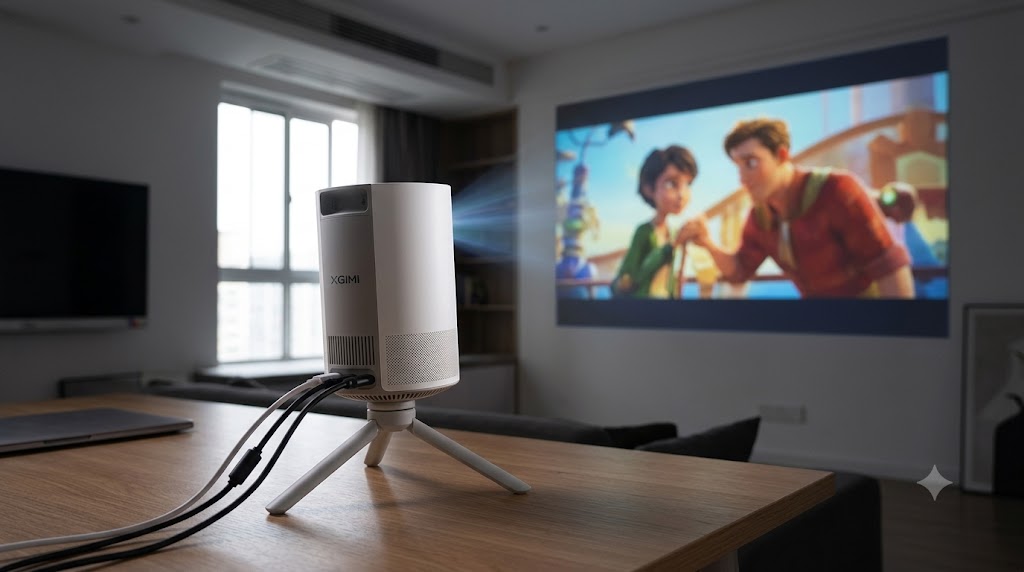
The XGIMI MoGo 3 Pro delivers excellent Full HD picture quality, Google TV, fast autofocus, automatic keystone correction, and seamless Android casting, making it an outstanding all-around mini projector.
Nebula Capsule 3 Laser
Why I picked it
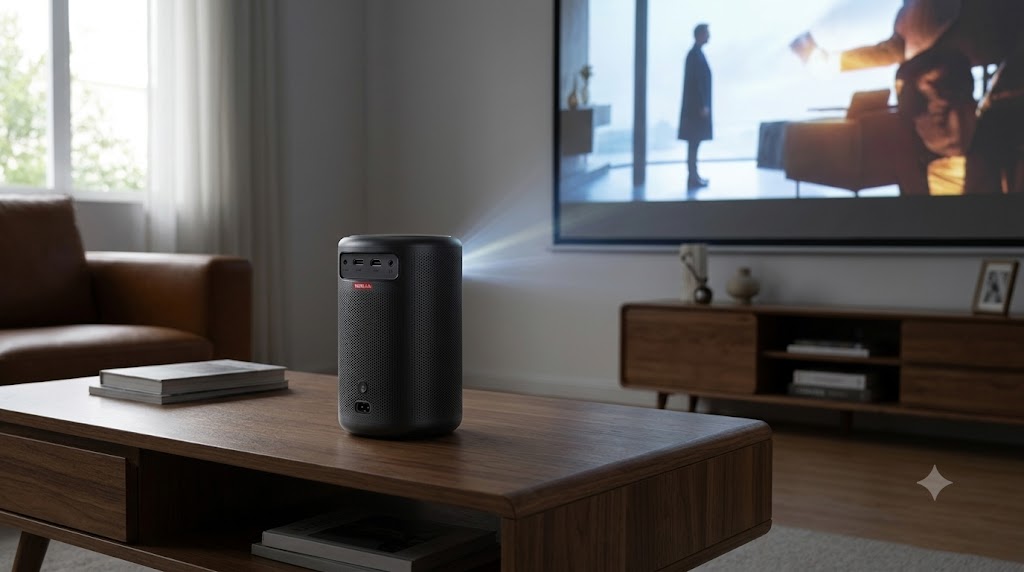
The Nebula Capsule 3 Laser combines laser brightness, compact portability, built-in battery life, Google TV, and reliable Chromecast support, making it perfect for Android users who travel frequently.
Samsung The Freestyle Gen 2
Why I picked it :
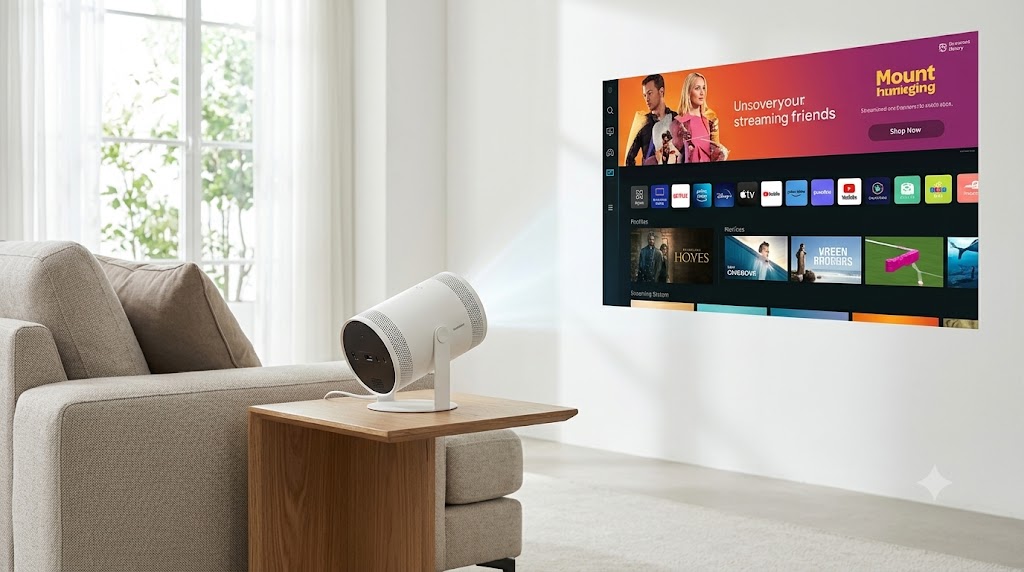
Samsung’s The Freestyle Gen 2 offers effortless setup, intelligent image adjustment, vibrant colors, Smart TV features, and excellent compatibility with Android phones through wireless screen sharing.
What Makes a Mini Projector the Best Choice for an Android Phone?
Choosing the best mini projector for an Android phone involves more than simply finding a compact device. The ideal projector should connect easily, deliver a bright and clear image, and provide a smooth streaming experience without requiring complicated setup procedures. Since Android phones vary by manufacturer and software version, compatibility is one of the most important factors to consider.
Wireless connectivity is often the biggest advantage. Many modern mini projectors support Google Cast (Chromecast built-in), Miracast, or dedicated companion apps that allow you to mirror your Android phone’s screen in just a few taps. This eliminates the need for extra cables and makes it convenient to stream videos, display photos, or give presentations.
Picture quality is another essential feature. Look for projectors with at least 1080p Full HD resolution, 300–500 ANSI lumens or higher for brighter viewing, and HDR support if available. These specifications help produce sharper images, better colors, and improved viewing experiences in dimly lit rooms.
Other features that improve usability include:
- Auto focus for quick image adjustments.
- Automatic keystone correction to square the image even when the projector is placed at an angle.
- Built-in speakers with Dolby Audio support for better sound.
- Wi-Fi 5 or Wi-Fi 6 connectivity for smoother wireless streaming.
- Bluetooth for connecting external speakers or headphones.
- Long-lasting LED or laser light sources rated for 20,000 hours or more.
Battery-powered models are especially useful if you plan to watch movies outdoors or while traveling. Likewise, projectors with built-in Google TV or Android TV let you access streaming apps directly, reducing your dependence on your phone.
Top 3 Best Mini Projectors for Android Phones Compared
Several mini projectors work exceptionally well with Android phones, but a few stand out because of their image quality, wireless connectivity, portability, and overall user experience. The three models below offer excellent performance for streaming, gaming, and everyday entertainment.
XGIMI MoGo 3 Pro
The XGIMI MoGo 3 Pro is an excellent choice for Android users who want premium performance in a compact design. It features Full HD (1080p) resolution, Google TV, Chromecast built-in, autofocus, and automatic keystone correction. The projector delivers vibrant colors and sharp images, making it suitable for movies, YouTube, and mobile gaming.
Best for:
- Home entertainment
- Streaming apps
- Outdoor movie nights
- Casual gaming
Nebula Capsule 3 Laser
The Nebula Capsule 3 Laser combines portability with impressive laser projection technology. Despite its soda-can-sized design, it produces a bright, crisp image and supports Google TV with Chromecast. Its built-in battery provides several hours of playback, making it ideal for travel or camping.
Best for:
- Travelers
- Camping trips
- Portable home theater
- Business presentations
Samsung The Freestyle Gen 2
The Samsung The Freestyle Gen 2 is designed for convenience. Its flexible stand projects images onto walls or ceilings, while automatic focus and keystone correction make setup effortless. Smart TV features and wireless Android screen mirroring provide a smooth viewing experience without additional accessories.
Best for:
- Bedrooms
- Apartments
- Family movie nights
- Smart home users
Quick Comparison
| Feature | XGIMI MoGo 3 Pro | Nebula Capsule 3 Laser | Samsung The Freestyle Gen 2 |
|---|---|---|---|
| Resolution | Full HD 1080p | Full HD 1080p | Full HD 1080p |
| Wireless Casting | ✅ Chromecast | ✅ Chromecast | ✅ Smart View & Casting |
| Battery | Optional external power | ✅ Built-in | External USB-C power |
| Auto Focus | ✅ | ✅ | ✅ |
| Auto Keystone | ✅ | ✅ | ✅ |
| Best For | Overall performance | Portability | Easy setup |
How to Connect an Android Phone to a Mini Projector.
Connecting an Android phone to a mini projector is usually quick and straightforward, especially if both devices support wireless screen mirroring. Most modern projectors include built-in Google Cast, Miracast, or Android TV, allowing you to stream content without extra cables. If your projector lacks wireless features, you can still connect using a compatible USB-C to HDMI adapter.
Method 1: Connect Wirelessly
Wireless casting is the easiest option for most Android users.
- Turn on your mini projector and connect it to the same Wi-Fi network as your Android phone.
- Open the projector’s Screen Mirroring, Chromecast, or Miracast feature.
- On your Android phone, open Settings > Connected Devices > Cast (the location may vary by manufacturer).
- Select your projector from the list of available devices.
- Accept any connection prompts, and your phone’s screen should appear on the projected display.
Method 2: Connect with an HDMI Adapter
If wireless casting isn’t available or you prefer a more stable connection:
- Use a USB-C to HDMI adapter that supports video output.
- Connect the adapter to your Android phone.
- Plug an HDMI cable between the adapter and the projector.
- Switch the projector to the correct HDMI input.
- Your phone’s display should automatically mirror to the projector.
Tips for the Best Experience
- Keep both devices updated with the latest firmware.
- Use a strong Wi-Fi signal for smoother wireless streaming.
- Rotate your phone to landscape mode for a larger viewing area.
- Lower ambient light to improve image quality.
- Connect a Bluetooth speaker if you want louder, richer sound.
Following these steps lets you enjoy movies, games, presentations, and photos on a much larger screen with minimal setup.
How to Choose the Best Mini Projector for Your Android Phone
Finding the best mini projector for your Android phone starts with understanding how and where you plan to use it. Whether you’re streaming movies at home, giving business presentations, or enjoying outdoor movie nights, the right features can make a significant difference in your overall experience.
Prioritize Native Android Compatibility
Look for projectors with Google TV, Android TV, Chromecast built-in, or Miracast support. These features allow you to mirror your Android phone wirelessly with minimal setup. Native compatibility also reduces the need for third-party apps or adapters.
Consider Brightness and Resolution
Image quality depends heavily on brightness and resolution.
Choose:
- At least 1080p Full HD resolution for crisp details.
- 400 ANSI lumens or more for indoor viewing.
- 700+ ANSI lumens if you occasionally watch in rooms with ambient light.
- HDR support for richer colors and improved contrast where available.
Check Portability and Battery Life
If you travel frequently or enjoy outdoor entertainment, a lightweight projector with a built-in battery is worth considering. Battery-powered models typically provide 2–3 hours of playback, enough for most movies.
Evaluate Audio Performance
While many mini projectors include built-in speakers, pairing them with a Bluetooth speaker or soundbar can greatly improve the viewing experience. If you prefer using headphones, ensure the projector supports Bluetooth audio output.
Look for Smart Convenience Features
Modern mini projectors often include features that simplify setup and daily use:
- Auto focus for consistently sharp images.
- Automatic keystone correction for proper image alignment.
- Obstacle avoidance and screen fit on premium models.
- Dual-band Wi-Fi (2.4GHz and 5GHz) for more reliable streaming.
- HDMI and USB ports for connecting gaming consoles, laptops, or streaming devices.
Choosing a projector that matches your viewing habits and Android device ensures better performance, fewer compatibility issues, and a more enjoyable entertainment experience for years to come.
Common Problems When Using a Mini Projector with an Android Phone and How to Fix Them
Although most modern mini projectors are designed to work seamlessly with Android phones, you may occasionally encounter connection or performance issues. Fortunately, many of these problems can be resolved with a few simple troubleshooting steps.
The Projector Doesn’t Detect Your Android Phone
If your phone doesn’t appear in the projector’s list of available devices, first verify that both devices are connected to the same Wi-Fi network. Also, ensure that screen mirroring or Chromecast is enabled on the projector and that your phone supports the casting method the projector uses.
Quick Fix:
- Restart both devices.
- Update the projector’s firmware and your phone’s software.
- Disable and re-enable Wi-Fi and Bluetooth.
Wireless Screen Mirroring Keeps Disconnecting
Frequent disconnections are usually caused by a weak Wi-Fi signal or network interference. Streaming high-resolution videos over a crowded network can also affect stability.
Quick Fix:
- Move the projector closer to the Wi-Fi router.
- Switch to a 5 GHz Wi-Fi network if supported.
- Close unused apps running on your Android phone.
No Sound During Playback
Sometimes the video appears correctly, but the audio continues playing through your phone instead of the projector.
Quick Fix:
- Select the projector as the audio output device.
- Increase the projector’s volume.
- Reconnect your Bluetooth speaker if you’re using one.
- Check the audio settings within your streaming app.
Black Screen When Streaming Netflix or Other Apps
Many streaming services use Digital Rights Management (DRM) to prevent unauthorized screen recording and mirroring. As a result, you may see a black screen while the audio continues playing.
Quick Fix:
- Use the projector’s built-in streaming apps if it includes Google TV or Android TV.
- Connect a certified streaming device, such as a Chromecast with Google TV or Android TV box, via HDMI.
- Ensure your streaming apps are updated to the latest version.
Blurry or Crooked Image
An unclear or uneven picture is often caused by incorrect projector placement or a dirty lens.
Quick Fix:
- Enable auto focus and automatic keystone correction.
- Adjust the projector so it faces the screen directly.
- Clean the lens with a soft microfiber cloth.
- Position the projector within its recommended throw distance for the sharpest image.
The best mini projector for an Android phone combines reliable wireless connectivity, sharp image quality, portability, and user-friendly features. Premium options like the XGIMI MoGo 3 Pro, Nebula Capsule 3 Laser, and Samsung The Freestyle Gen 2 stand out because they offer seamless Android compatibility, built-in smart platforms, and impressive picture performance for movies, gaming, presentations, and more. When choosing a projector, prioritize features such as Full HD resolution, adequate brightness, Chromecast or Miracast support, auto focus, and automatic keystone correction to ensure a hassle-free experience.
By selecting a projector that matches your viewing needs and following the setup and troubleshooting tips in this guide, you can enjoy a larger, more immersive display almost anywhere. Be sure to explore our related projector buying guides and setup tutorials to make the most of your home or portable entertainment system.
Frequently Asked Questions About What Is the Best Mini Projector for Android Phone?
Can I connect any Android phone to a mini projector?
Most modern Android phones can connect to a mini projector, but compatibility depends on the projector’s supported connection methods. Many projectors offer Google Cast, Miracast, or HDMI connectivity, while some Android phones may require a USB-C to HDMI adapter if wireless casting isn’t supported.
Do I need Wi-Fi to use a mini projector with my Android phone?
Not always. Wireless screen mirroring typically requires both devices to be connected to the same Wi-Fi network. However, you can also use a wired HDMI connection with a compatible USB-C adapter, which doesn’t require Wi-Fi.
What resolution is best for watching movies?
A projector with 1080p Full HD resolution provides excellent image quality for most users. If you want even sharper visuals and have the budget, a projector that supports 4K input or native 4K resolution offers an enhanced viewing experience.
Why won’t Netflix or Disney+ mirror from my Android phone?
Many streaming services use Digital Rights Management (DRM) to prevent unauthorized screen recording and wireless mirroring. If you see a black screen, use the projector’s built-in streaming apps or connect a compatible streaming device via HDMI.
How many lumens should a mini projector have?
For indoor use in a dark room, 300–500 ANSI lumens is generally sufficient. If you expect some ambient light, choose a projector with 700 ANSI lumens or more for a brighter, clearer picture.
Can I use Bluetooth speakers with a mini projector?
Yes. Most modern mini projectors support Bluetooth audio, allowing you to connect wireless speakers or headphones for better sound quality. Always verify Bluetooth output support before purchasing, as some models only support Bluetooth input.
Which mini projector is the best overall for Android phones?
For most users, the XGIMI MoGo 3 Pro is an excellent all-around choice because it offers Full HD resolution, Google TV, Chromecast built-in, autofocus, automatic keystone correction, and strong overall performance. The Nebula Capsule 3 Laser is ideal for travelers, while the Samsung The Freestyle Gen 2 is a great option for users who value quick setup and smart features.
This website is a participant in the Amazon Services LLC Associates Program, an affiliate advertising program designed to provide a means for us to earn fees by linking to Amazon.com and affiliated sites.