
This website is a participant in the Amazon Services LLC Associates Program, an affiliate advertising program designed to provide a means for us to earn fees by linking to Amazon.com and affiliated sites.
Yes, you can get mods on Meta Quest 2, but the process depends on the game you want to modify and whether the game officially supports modding.
Many Meta Quest 2 owners discover that mods can dramatically improve their VR experience by adding custom maps, new characters, gameplay enhancements, visual improvements, and entirely new content. Popular games like Beat Saber, Blade & Sorcery: Nomad, and Bonelab have thriving modding communities that continuously create fresh experiences for players.
However, installing mods on Meta Quest 2 isn’t always as simple as downloading a file. Some games support built-in mod managers, while others require sideloading tools and manual installation methods. Understanding the correct process is important because improper installations can cause crashes, performance issues, or compatibility problems.
Best for Meta Quest 2 Modding: Top Recommended Products
Meta Quest 2 Elite Strap with Battery
The Meta Quest 2 Elite Strap with Battery improves comfort during long modded gaming sessions. The additional battery life allows users to enjoy custom content longer without interruptions or frequent charging breaks.

- Extend your play time, maximise your comfort and keep your headset secure however much you move (Packaging may vary) Meta Quest packaging will continue to carry the…
- Play for longer with a built-in second battery that delivers up to double the play time between charges.
Anker USB-C to USB 3.0 Cable
This cable is ideal for connecting your headset to a PC when transferring mod files. Its reliable data transfer speeds help ensure smooth installation and management of Quest-compatible mods.
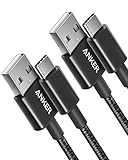
- The Anker Advantage: Join the 50 million+ powered by our leading technology.
- Enhanced Durability: Improved construction techniques and materials make a cable that lasts 5× longer.
KIWI Design Controller Grips
Modded games often involve intense movement and longer play sessions. These controller grips improve comfort, reduce hand fatigue, and provide better control during custom VR experiences.

- Secure Grip and Protection: Knuckle strap keeps Quest 3S/3 controllers secure; silicone cover protects against scratches and hazard
- Enhanced Comfort and Grip: Anti-slip texture reduces discomfort from sweat ; ideal for long gaming sessions; 1 cm extended grip ensures better comfort; especially…
What Are Mods on Meta Quest 2?
Mods, short for modifications, are user-created changes that alter a game’s original content or functionality. They can range from simple cosmetic changes to complete gameplay overhauls.
For Meta Quest 2 users, mods offer opportunities to customize games beyond what developers originally intended. This has helped create vibrant communities around several popular VR titles.
Common types of mods include:
- Custom maps
- New weapons
- Character skins
- Gameplay tweaks
- Visual enhancements
- Additional story content
- Quality-of-life improvements
For example, Beat Saber players often install custom songs and community-made maps. Meanwhile, Blade & Sorcery: Nomad users frequently download weapon packs, combat enhancements, and fantasy-themed content.
Which Meta Quest 2 Games Support Mods?
Not every Meta Quest 2 game allows modding, but several of the platform’s most popular titles have active communities that create and share custom content. Understanding which games support mods can save you time and help you avoid compatibility issues.
The most mod-friendly Quest games typically either provide official mod support or have established community tools that simplify the installation process. These games benefit from large player bases that continuously develop new content, keeping gameplay fresh long after the original release.
Some of the most popular mod-supported Meta Quest 2 games include:
Beat Saber
Beat Saber is arguably the most popular modded VR game. Players can install:
- Custom songs
- Community-created maps
- Visual enhancements
- New environments
- User interface modifications
Custom songs are especially popular because they allow players to expand their music library far beyond the official song packs.
Blade & Sorcery: Nomad
Blade & Sorcery: Nomad has one of the largest modding communities in VR.
Popular mods include:
- New weapons
- Magic abilities
- Character skins
- Combat improvements
- Fantasy and sci-fi content packs
Many players consider mods essential for getting the most out of the game.
Bonelab
Bonelab was designed with modding in mind and includes strong support for community-created content.
Common Bonelab mods include:
- Custom avatars
- New maps
- Vehicles
- Weapons
- Gameplay expansions
Contractors
This multiplayer shooter supports a wide range of community-created content.
Players frequently install:
- Custom maps
- Weapon packs
- Game modes
- Character models inspired by other franchises
Battle Talent
Battle Talent’s growing modding scene offers:
- Additional weapons
- Custom enemies
- Combat modifications
- New gameplay mechanics
Quick Comparison Table
| Game | Mod Support Level | Popular Mod Types |
|---|---|---|
| Beat Saber | Very High | Songs, maps, visuals |
| Blade & Sorcery: Nomad | Very High | Weapons, magic, combat |
| Bonelab | Very High | Avatars, maps, vehicles |
| Contractors | High | Maps, weapons, game modes |
| Battle Talent | Moderate-High | Weapons, enemies, mechanics |
How to Install Mods on Meta Quest 2 (Step-by-Step Guide)
Installing mods on Meta Quest 2 can be simple or advanced depending on the game. Some modern VR games include built-in mod managers, while others require manual file transfers. Before you begin, always verify that the mod is designed specifically for your game’s version and for Meta Quest compatibility. Many installation problems occur because users download PC-only mods that do not work on Quest.
Method 1: Install Mods Using an In-Game Mod Manager (Easiest Method)
Games such as Bonelab and newer versions of Blade & Sorcery: Nomad include integrated mod management systems that allow players to browse and install mods directly from within the game.
Step 1: Launch the Game
Open the game that supports built-in modding.
Step 2: Find the Mods Section
Navigate to the game’s main menu and look for:
- Mods
- Mod Manager
- Community Content
- Downloads
Step 3: Browse Available Mods
Search through categories such as:
- Weapons
- Maps
- Characters
- Avatars
- Gameplay Improvements
Step 4: Install the Mod
Select the desired mod and click:
- Install
- Download
- Subscribe
The game will automatically place the files in the correct folder.
Step 5: Restart the Game
Many mods activate after restarting the game.
Method 2: Install Mods Using a PC (Manual Installation)
This method works for many Quest-compatible games, including manually installed Blade & Sorcery: Nomad mods.
What You’ll Need
- Meta Quest 2 headset
- USB-C cable
- Windows PC or Mac
- Downloaded mod files
- File extraction software (such as ZIP extraction tools)
Step 1: Connect Your Quest 2 to Your Computer
- Turn on your headset.
- Connect it to your PC using a USB-C cable.
- Put on the headset.
- Accept the file access permission prompt.
The Quest storage should now appear on your computer.
Step 2: Download Compatible Mods
Only download mods specifically designed for:
- Meta Quest 2
- Meta Quest 3
- Blade & Sorcery: Nomad (not PC version)
- The exact game version you’re running
Quest versions often use different mods than PC VR versions.
Step 3: Extract the Files
Most mods arrive as ZIP or RAR archives.
- Right-click the downloaded file.
- Select Extract.
- Open the extracted folder.
Step 4: Locate the Game’s Mod Folder
Navigate through your Quest storage to the game’s mod directory.
For example, Blade & Sorcery: Nomad typically stores mods inside its game files under the Android data folders.
Step 5: Copy the Mod Folder
Drag the extracted mod folder into the game’s Mods directory.
Avoid placing ZIP files directly into the Mods folder unless the mod creator specifically instructs you to do so.
Step 6: Safely Disconnect and Launch the Game
After transferring the files:
- Eject the headset storage.
- Disconnect the USB cable.
- Launch the game.
- Verify that the new content appears.
Method 3: Install Mods Directly on Quest 2 Without a PC
Some games and tools allow mod installation directly from the headset itself. Community solutions such as file managers and supported in-game mod browsers can download and install content without connecting to a computer.
Typical workflow:
- Open the Quest browser.
- Download a Quest-compatible mod.
- Use a file management application.
- Move the files into the game’s Mods folder.
- Extract the archive if necessary.
- Launch the game and test the mod.
Important Safety Tips
- Download mods only from trusted modding communities.
- Read installation instructions carefully.
- Back up save files when possible.
- Remove outdated mods after game updates.
- Avoid installing PC-only mods on Quest versions
Common Problems When Installing Meta Quest 2 Mods and How to Fix Them
Even when you follow installation instructions carefully, Meta Quest 2 mods do not always work perfectly. Game updates, incorrect file placement, incompatible versions, and corrupted downloads are among the most common causes of mod-related issues. Fortunately, most problems can be resolved with a few troubleshooting steps.
Understanding these common issues can save hours of frustration and help you get back to enjoying your modded VR experience.
Problem 1: The Mod Doesn’t Appear in the Game
One of the most frequent complaints is that the mod installs successfully but never shows up in the game.
Common causes include:
- Incorrect installation folder
- Incomplete file extraction
- Unsupported game version
- Missing dependencies
How to fix it:
- Verify that the mod was extracted correctly.
- Confirm the folder is placed in the game’s Mods directory.
- Check that the mod supports your current game version.
- Restart both the game and the headset.
Problem 2: Game Crashes After Installing a Mod
Game crashes often occur when a mod is outdated or conflicts with another installed mod.
How to fix it:
- Remove recently installed mods.
- Test mods one at a time.
- Update the mod to the latest version.
- Check the mod creator’s compatibility notes.
If the game launches normally after removing a specific mod, that mod is likely causing the conflict.
Problem 3: Mods Stop Working After a Game Update
Game developers frequently release updates that change files mods rely on.
As a result, previously working mods may suddenly stop functioning.
How to fix it:
- Wait for the mod developer to release an update.
- Check community forums for compatibility patches.
- Temporarily disable outdated mods.
- Monitor official mod pages for announcements.
Problem 4: Quest 2 Is Not Detected by the Computer
If your computer cannot access the Quest 2 storage, transferring mods becomes impossible.
How to fix it:
- Use a data-capable USB-C cable.
- Accept the file access prompt inside the headset.
- Try a different USB port.
- Restart both devices.
Many charging-only cables do not support file transfers, which is a surprisingly common issue.
Problem 5: Missing Mod Dependencies
Some mods require additional files, frameworks, or libraries before they can function properly.
Signs of missing dependencies include:
- Invisible items
- Missing textures
- Error messages
- Game crashes during startup
How to fix it:
- Read the mod description carefully.
- Download all required companion files.
- Install dependencies before installing the main mod.
Quick Troubleshooting Checklist
Before assuming a mod is broken, check the following:
✔ Mod is designed for Meta Quest 2
✔ Mod matches your game version
✔ Files were fully extracted
✔ Correct folder location used
✔ Required dependencies installed
✔ Game restarted after installation
✔ No conflicting mods present
Are Meta Quest 2 Mods Safe and Legal to Use?
Meta Quest 2 mods are generally safe and legal to use when they come from trusted sources and comply with a game’s terms of service. However, not all mods are created equally, and understanding the potential risks is essential before modifying any VR game.
For most single-player games, developers either support modding or tolerate community-created content. In fact, some VR games have thriving modding communities that help extend the lifespan of the game by adding new maps, weapons, characters, and gameplay features.
When Mods Are Generally Safe
Mods are typically safe when they:
- Come from reputable modding communities
- Have positive user reviews
- Are actively maintained by developers
- Support your specific game version
- Do not require suspicious permissions
Before downloading any mod, take time to read installation instructions, user feedback, and compatibility notes.
Potential Risks of Modding
Although most mods are harmless, there are some risks users should be aware of.
These include:
- Game crashes
- Corrupted save files
- Performance issues
- Broken game features
- Incompatibility after updates
Downloading files from unknown websites can also expose your computer to malware or unwanted software.
How to Stay Safe While Modding
Follow these best practices to reduce risks:
- Download mods only from trusted communities.
- Read reviews and installation guides.
- Back up important save files.
- Keep your game updated.
- Remove outdated or unsupported mods.
- Scan downloaded files with antivirus software when using a PC.
Being cautious helps ensure that modding remains a fun and safe experience.
Are Mods Legal?
In most cases, yes. Installing mods for personal use is generally legal. However, legality can depend on:
- The game’s license agreement
- The type of modification
- Whether copyrighted content is involved
For example, creating custom content for personal gameplay is usually acceptable. Distributing copyrighted assets without permission may violate intellectual property laws.
Can Mods Get You Banned?
For most single-player Meta Quest 2 games, bans are uncommon when using standard gameplay mods.
However, users should avoid:
- Cheats in online multiplayer games
- Mods that provide unfair competitive advantages
- Software that bypasses security systems
- Unauthorized modifications that violate developer policies
Some multiplayer games actively monitor for cheating and may suspend accounts that use prohibited modifications.
Signs a Mod May Be Unsafe
Avoid mods that:
- Promise impossible features
- Require disabling security software
- Come from unknown file-sharing sites
- Request personal account information
- Lack installation instructions
If something seems suspicious, it’s usually best not to install it.
Conclusion
So, can you get mods on Meta Quest 2? Absolutely. Many popular VR games support mods either through built-in mod managers or manual installation methods, allowing players to customize their experiences with new maps, weapons, avatars, songs, and gameplay features. Games such as Beat Saber, Blade & Sorcery: Nomad, Bonelab, and Contractors have active modding communities that continually create fresh content.
The key to a successful modding experience is using compatible mods, following installation instructions carefully, and downloading files only from trusted sources. While occasional issues such as crashes or compatibility conflicts can occur, most problems can be resolved through basic troubleshooting.
Whether you’re looking to expand a favorite game or explore entirely new experiences, mods can unlock additional value from your Meta Quest 2 and keep your VR library exciting for years to come.
Frequently Asked Questions About Can You Get Mods on Meta Quest 2?
Can you install mods on Meta Quest 2 without a PC?
Yes, some Meta Quest 2 games allow mods to be installed without a PC. Certain games include built-in mod managers that let you browse, download, and install community-created content directly from the headset. Additionally, some users utilize file management apps on the Quest to manually move mod files. However, a PC is often the easiest option for managing larger mod collections and transferring files.
What games on Meta Quest 2 support mods?
Several popular Quest games support modding. The most notable examples include:
- Beat Saber
- Blade & Sorcery: Nomad
- Bonelab
- Contractors
- Battle Talent
The level of mod support varies by game, so always check the game’s documentation or community resources before downloading mods.
Can mods damage my Meta Quest 2?
Mods themselves generally do not damage the headset hardware. However, poorly made or incompatible mods can cause game crashes, performance issues, corrupted save files, or missing content. Downloading mods from trusted sources and following installation instructions significantly reduces these risks.
Why are my Meta Quest 2 mods not working?
The most common reasons include:
- The mod is outdated.
- The game was recently updated.
- Files were installed in the wrong folder.
- Required dependencies are missing.
- The mod was created for a different game version.
Checking compatibility requirements usually resolves the issue.
Are Meta Quest 2 mods free?
Most Meta Quest 2 mods are free to download and use. Many creators share their work through community modding platforms at no cost. Some developers may accept donations to support ongoing updates and development, but payment is usually optional.
Can you get banned for using mods on Meta Quest 2?
Using mods in single-player games rarely results in account penalties. However, mods that provide unfair advantages in multiplayer games can violate game rules and potentially lead to suspensions or bans. Always review the game’s policies before using mods online.
Do mods affect Quest 2 performance?
They can. Large texture packs, extensive content additions, or poorly optimized mods may reduce frame rates, increase loading times, or cause instability. Installing only well-maintained mods and avoiding excessive mod combinations can help maintain smooth performance.
What is the safest way to install Meta Quest 2 mods?
The safest approach is to:
- Download mods from reputable communities.
- Read user reviews and installation instructions.
- Back up important game saves.
- Verify compatibility with your game version.
- Remove outdated mods after major game updates.
Can a Projector Get a Virus?why you need to know
This website is a participant in the Amazon Services LLC Associates Program, an affiliate advertising program designed to provide a means for us to earn fees by linking to Amazon.com and affiliated sites.