
This website is a participant in the Amazon Services LLC Associates Program, an affiliate advertising program designed to provide a means for us to earn fees by linking to Amazon.com and affiliated sites.
Short throw projector tabletop gaming transforms an ordinary gaming table into an immersive digital playing surface for board games, Dungeons & Dragons (D&D), miniature battles, and interactive gaming experiences. Instead of relying entirely on printed maps, physical boards, or small computer screens, players can project detailed landscapes, battle maps, animations, and game environments directly onto their tabletop.
The best part is that a short throw projector can create a large image from a relatively short distance, making it particularly useful for gaming rooms, apartments, and dedicated tabletop setups where space is limited. With the right projector placement, screen surface, and gaming software, players can enjoy an engaging shared experience without bulky equipment hanging overhead.
Whether you are building a digital D&D table, creating interactive board game environments, or improving your miniature wargaming sessions, understanding how tabletop projection works will help you create a practical and visually impressive gaming setup.
Best for Short Throw Projector Tabletop Gaming
Choosing the right projector for tabletop gaming depends on image clarity, throw distance, brightness, input lag, and installation flexibility. A good short throw projector should display detailed maps, character tokens, gaming boards, and visual effects without requiring excessive space between the projector and table.
Here are three models worth considering for different tabletop gaming setups.
BenQ TH671ST

- INCLUDED – BenQ TH671ST Projector, remote, power cord, VGA cable, lens cover, user manual, 3-year warranty, and H&A ceiling mount for easy setup.
- SUPERIOR IMAGE QUALITY – Enjoy Full HD 1080P resolution with 3000 ANSI lumens, projecting clear, vibrant visuals for immersive gaming and home theater experiences.
Best for casual tabletop gaming
- Native resolution: 1080p Full HD
- Brightness: 3,000 ANSI lumens
- Throw ratio: 0.69–0.83:1
- Input lag: 16.7 ms at 1080p/60Hz
- Connectivity: Dual HDMISource: BenQ US+1
Why we picked it?
Its 0.69–0.83 throw ratio, 3,000 ANSI lumens, Full HD resolution and 16.7-ms input lag make it a practical choice for detailed maps and responsive casual play in dim gaming rooms.
The BenQ TH671ST is a useful option for gamers who want to project digital board games, D&D maps, and miniature battle environments. Its short throw lens helps create a large image without placing the projector far away.
Optoma GT2000HDR
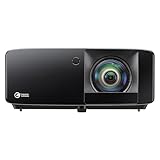
- Brightness Of 4200 ISO Lumens
- IP6X-Rated Dust Protection

Best for compact gaming spaces
- Native resolution: 1080p Full HD
- Brightness: 3,500 lumens
- Throw ratio: 0.496:1
- Light source: Laser
- Input lag: 8.6 ms at 1080p/120HzSource: Optoma USA+1
Why we picked it ?
Its 0.496:1 throw ratio, 3,500-lumen laser light source, Full HD image and 8.6-ms input lag at 1080p/120Hz suit compact gaming spaces and frequent use with minimal lamp maintenance over time.
The Optoma GT2000HDR is particularly interesting for tabletop gaming setups where projector placement is restricted. Its laser light source also reduces the need for routine lamp replacement, making it appealing for frequent gaming sessions.
ViewSonic LS560WH
Best for flexible installation

- Short Throw LED Projector: Experience crisp visuals with native WXGA (1280x800p) resolution and a 0.5 throw ratio; providing professional-grade clarity for dynamic…
- Vibrant Images with Ambient Lighting: Ensure content remains sharp and readable in environments with moderate light thanks to 3,000 ANSI lumens; preventing visuals…
- Native resolution: WXGA (1280 × 800)
- Brightness: 3,000 ANSI lumens
- Throw ratio: 0.49:1
- Light source: LED
- Input latency: 16 msSource: ViewSonic
Why we picked it ?
Its 0.49:1 throw ratio, 3,000 ANSI lumens, lamp-free LED design and 16-ms input latency offer flexible installation and clear projection for casual tabletop sessions in smaller rooms without lamp changes.
The ViewSonic LS560WH is worth considering for gaming tables used for digital maps, educational games, and casual multiplayer activities. Its short throw design and flexible installation options make it a practical alternative, although its WXGA resolution is lower than the Full HD alternatives.
Related Products and Accessories for Tabletop Gaming
A projector alone does not create a complete tabletop gaming experience. Consider these additional products:
- Projector ceiling mount: Holds the projector securely above the gaming table.
- Matte white gaming table surface: Provides a consistent surface for projected maps and game boards.
- Mini PC or gaming laptop: Runs tabletop applications such as virtual tabletop software.
- Wireless keyboard and mouse: Makes it easier to control maps, characters, and game environments.
- Bluetooth speaker: Adds background music, sound effects, and atmospheric audio.
- HDMI cable or wireless HDMI transmitter: Connects your gaming computer to the projector.
Important buying consideration: These three projectors are general-purpose short throw models, not dedicated tabletop projection systems. Before purchasing, calculate the projected image size at your intended mounting height. A standard short throw projector may produce an image much larger than your gaming table.
How Short Throw Projectors Work for Tabletop Gaming
A short throw projector creates a large image from a relatively short distance, making it suitable for tabletop gaming environments where traditional projector placement may be impractical. Instead of positioning the projector several feet away, you can mount it above or near the gaming table and direct the image onto its surface.
Most short throw projectors use specialized lenses that spread projected light across a wider area over a shorter distance. Their throw ratio determines how far the projector must be positioned to produce a particular image width. For example, a projector with a 0.5:1 throw ratio generally needs approximately 2.5 feet of distance to produce a 5-foot-wide image.
For tabletop gaming, this arrangement offers several advantages:
- Space efficiency: You can create a large gaming surface without dedicating an entire room to projector placement.
- Detailed game environments: Digital maps, character tokens, terrain, and grid layouts become visible across the table.
- Shared gameplay: Multiple players can view the same projected environment simultaneously.
- Flexible installation: You can use ceiling mounts, overhead shelves, or suitable tabletop mounting arrangements.
However, projector placement requires careful planning. If the projector is positioned too low, players may cast shadows while reaching across the table. Mounting it overhead can minimize this problem, although you must ensure the installation is secure and properly aligned.
You should also consider brightness and resolution. A Full HD projector generally provides sufficient detail for most digital maps, while adequate brightness helps maintain visibility when ambient lighting cannot be completely eliminated.
Ultimately, the goal is to create a clear, evenly illuminated gaming surface that everyone around the table can comfortably see.
Benefits of Using a Short Throw Projector for Tabletop Gaming
Using a short throw projector for tabletop gaming can make traditional board games and role-playing sessions more interactive, visually engaging, and customizable. Instead of depending entirely on printed maps and physical game boards, players can transform a standard table into a dynamic digital gaming environment.
Here are some important benefits.
Creates Immersive Gaming Environments
One of the biggest advantages is the ability to display detailed digital environments directly onto the gaming table. Dungeons, forests, battlefields, cities, and fantasy landscapes can become part of the playing experience.
For Dungeons & Dragons players, this means dungeon masters can display different locations as characters explore the game world. Visual environments can make storytelling more engaging and help players understand their surroundings.
Saves Space in Small Gaming Rooms
Traditional projectors often require considerable distance to produce large images. Short throw models overcome this limitation, making them suitable for apartments, dedicated gaming rooms, and compact tabletop arrangements.
Makes Games More Customizable
Digital projection allows players to change maps, backgrounds, grids, and game layouts without purchasing additional physical boards. You can switch between different gaming environments using compatible software.
Improves Multiplayer Experiences
Everyone sitting around the table can view the same projected gaming environment. This makes it easier to follow character movements, understand battle positions, and participate in collaborative gameplay.
Reduces Dependence on Printed Materials
Instead of printing multiple maps and repeatedly purchasing physical game boards, players can display digital resources whenever needed. However, physical dice, miniatures, cards, and tokens can still complement the projected environment.
Overall, a short throw projector offers flexibility and creativity, making tabletop gaming more engaging while helping players get more functionality from their gaming space.
How to Set Up a Short Throw Projector for Tabletop Gaming
Setting up a short throw projector for tabletop gaming requires careful positioning, proper alignment, and compatible gaming equipment. The objective is to create a clear digital playing surface without obstructing players or producing unwanted shadows.
Follow these steps to build your setup.
Choose the Right Gaming Table
Start with a flat, stable table that provides enough room for your gaming accessories, miniatures, dice, and projected images. A matte white or light-colored surface generally works well because it reflects projected light evenly.
Avoid highly reflective or glossy surfaces because they can create glare and reduce image visibility.
Calculate the Projector Placement
Check the projector’s throw ratio before deciding where to install it. A short throw projector with a 0.5:1 ratio needs approximately 2.5 feet of projection distance to produce a 5-foot-wide image.
Position the projector so that the projected image fits within the usable gaming area.
Install the Projector Securely
An overhead ceiling mount or a sturdy shelf can keep the projector away from players’ hands and reduce shadows. Ensure that the mounting hardware supports the projector’s weight and that ventilation openings remain unobstructed.
Connect Your Gaming Device
Connect a laptop, desktop computer, or compatible mini PC through HDMI. You can then run tabletop applications such as:
- Foundry Virtual Tabletop
- Roll20
- Owlbear Rodeo
- Tabletop Simulator
Check each application’s compatibility with your operating system and preferred display arrangement.
Adjust the Image and Test Gameplay
Turn on the projector and adjust its focus, image size, brightness, and alignment. Use the projector’s native resolution whenever possible for sharper maps and readable text.
Finally, load a sample battle map and place miniatures on the table. Check whether players can reach across the surface without creating distracting shadows.
A successful setup should provide an evenly projected image, comfortable viewing angles, and enough physical space for everyone to participate.
Best Games and Software for Short Throw Projector Tabletop Gaming
The right tabletop gaming software can turn a short throw projector into an interactive gaming surface for board games, role-playing adventures, and miniature battles. By connecting a computer to your projector, you can display digital maps, character tokens, terrain, and virtual game boards directly onto the table.
Here are some popular games and software options to consider.
Dungeons & Dragons (D&D)
D&D is an excellent choice for projector-based tabletop gaming. Players can explore projected dungeons, forests, castles, and battlefields while using physical miniatures and dice.
A projected map helps the dungeon master illustrate different locations and makes combat encounters easier to follow.
Foundry Virtual Tabletop
Foundry VTT offers customizable maps, character sheets, dynamic lighting, fog of war, and interactive game elements. It is particularly suitable for groups that want extensive control over their digital gaming environment. Foundry Virtual Tabletop+1
Owlbear Rodeo
Owlbear Rodeo is a lightweight virtual tabletop focused on maps and tokens. Its straightforward interface makes it useful for projecting tactical battle maps without needing an unnecessarily complicated setup. Tomeus+1
4. Tabletop Simulator
Tabletop Simulator – Simurgh on Steam
Tabletop Simulator offers a 3D environment for playing board games, card games, and other tabletop experiences. It is particularly interesting for gamers who want to explore digital versions of physical games.
Which should you choose?
- For D&D campaigns, consider Foundry VTT.
- For simple projected maps, try Owlbear Rodeo.
- For 3D board game experiences, consider Tabletop Simulator.
- For a combination of physical miniatures and digital environments, use a virtual tabletop application alongside your preferred physical accessories.
Remember that not every virtual tabletop is designed specifically for direct tabletop projection. Test the display orientation, scaling, and controls before hosting a full gaming session.
Common Challenges and Solutions When Using a Short Throw Projector for Tabletop Gaming
Although short throw projectors offer exciting possibilities for tabletop gaming, certain technical challenges can affect the overall experience. Understanding these problems beforehand can help you create a more reliable gaming setup.
Shadows Blocking the Projected Image
Shadows are among the most common problems with tabletop projection. When players reach across the table to move miniatures, roll dice, or adjust game pieces, their hands can block the projector’s light.
Solution: Mount the projector overhead whenever possible. Alternatively, position it at an angle that minimizes interference from players’ hands and bodies.
Poor Image Visibility
Ambient lighting can wash out projected maps, making character tokens, grid lines, and smaller details difficult to see.
Solution: Choose a projector with sufficient brightness and reduce unnecessary room lighting. A matte white projection surface can also improve image visibility.
Incorrect Image Alignment
An improperly positioned projector can produce distorted images, uneven borders, or projected maps that extend beyond the gaming table.
Solution: Measure the table before installation and calculate the required projection distance. Use optical lens adjustments where available, rather than relying excessively on digital keystone correction.
Blurry Maps and Small Text
Low resolution or incorrect focus can make gaming maps difficult to read, particularly when they contain detailed terrain, character names, and grid coordinates.
Solution: Consider a Full HD projector or better. Adjust the focus carefully and use the projector’s native resolution for sharper results.
Overheating and Cable Management
Projectors need adequate ventilation, especially during extended gaming sessions. Poorly arranged cables can also become tripping hazards or interfere with gameplay.
Solution: Keep ventilation openings clear, follow the manufacturer’s operating recommendations, and secure cables away from players’ movement areas.
Addressing these challenges before your gaming session helps create a more comfortable, reliable, and immersive tabletop gaming experience.
Conclusion
Short throw projector tabletop gaming offers an exciting way to transform traditional gaming tables into immersive digital environments. Whether you enjoy Dungeons & Dragons, miniature battles, board games, or interactive adventures, a suitable projector can make your gaming sessions more engaging and customizable.
The key is choosing a projector with an appropriate throw ratio, sufficient brightness, and suitable resolution. You should also consider mounting arrangements, projection surfaces, and compatible virtual tabletop software.
Models such as the BenQ TH671ST, Optoma GT2000HDR, and ViewSonic LS560WH provide different options worth considering.
With thoughtful installation and the right accessories, you can create a tabletop gaming setup that combines physical game pieces with impressive digital visuals.
Frequently Asked Questions About Short Throw Projector Tabletop Gaming
Can you use a short throw projector for tabletop gaming?
Yes. A short throw projector is an excellent option for tabletop gaming because it can display large digital maps, battlefields, grids, and gaming environments from a relatively short distance. You can use it with Dungeons & Dragons, miniature wargames, and compatible virtual tabletop applications.
What is the best projector for a D&D gaming table?
The best projector depends on your table dimensions, available mounting space, brightness requirements, and budget. The BenQ TH671ST and Optoma GT2000HDR are options worth considering because they combine Full HD resolution with short throw projection.
How far should a short throw projector be from a gaming table?
The distance depends on the projector’s throw ratio and the desired image width. For example, a projector with a 0.5:1 throw ratio generally needs approximately 2.5 feet to produce a 5-foot-wide image. Always consult the manufacturer’s projection calculator before mounting it.
Can I project D&D maps directly onto a table?
Yes. You can connect a laptop or mini PC running software such as Foundry Virtual Tabletop or Owlbear Rodeo. The projector displays the digital map on the table, allowing players to use physical miniatures, dice, and other accessories alongside the projected environment.
Do I need a special tabletop projection screen?
Not necessarily. A smooth, matte white surface can work well for tabletop projection. However, a dedicated projection surface may provide more consistent image quality and easier cleaning.
Can you use a short throw projector with physical miniatures?
Yes. You can combine projected digital maps with physical miniatures, dice, terrain pieces, and character tokens. This hybrid approach is particularly popular for role-playing games and miniature battles because it combines digital environments with traditional tabletop interaction.
Is a short throw projector better than a standard projector for tabletop gaming?
A short throw projector is often more practical for smaller gaming rooms because it produces a large image from a shorter distance. However, the best choice depends on your available space, table dimensions, and installation requirements. RTINGS.com+1
Can I use a projector for interactive tabletop gaming?
Yes, but ordinary projection does not automatically provide touchscreen functionality. Interactive features require compatible hardware and software, such as touch sensors or specialized interactive projection systems. Epson Support+1
What resolution is best for tabletop gaming?
Full HD (1920 × 1080) is a good starting point for most tabletop gaming applications. It provides sufficient detail for digital maps, character tokens, and grid layouts. Higher resolutions can be beneficial when displaying particularly detailed environments or smaller text.
Does tabletop gaming projection work in a brightly lit room?
It can, but bright ambient lighting reduces image contrast and makes projected details harder to see. Choose a sufficiently bright projector, minimize direct lighting on the table, and use an appropriate matte projection surface for better visibility.
This website is a participant in the Amazon Services LLC Associates Program, an affiliate advertising program designed to provide a means for us to earn fees by linking to Amazon.com and affiliated sites.