
This website is a participant in the Amazon Services LLC Associates Program, an affiliate advertising program designed to provide a means for us to earn fees by linking to Amazon.com and affiliated sites.
Projector lag when watching movies or gaming is usually caused by input delay, slow processing, or incorrect settings—and it can be fixed by optimizing your projector, source device, and connections.
Have you ever noticed your movie audio playing before the lips move, or your game responding a split second too late? That frustrating delay can completely ruin immersion. Whether you’re using a projector for home theater or gaming, lag is one of the most common issues users face.
The best part is that projector lag isn’t always a hardware limitation. In many cases, it’s caused by settings like image processing, resolution mismatches, or poor connection types. Even small adjustments can dramatically improve performance.
Best for Fixing Projector Lag
Best for Gaming & Movies:
- BenQ TH685 Gaming Projector
Low input lag (as low as 8ms) makes it ideal for fast-paced gaming and smooth movie playback without noticeable delays or motion blur issues.
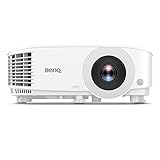
- NEW 2023 MODEL: Upgraded 3800 ANSI Lumens paired with an improved 15,000:1 contrast ratio (FOFO) when compared to its predecessor, TH585P.
- 1080P RESOLUTION: 1080p Full HD image quality with 3800 ANSI lumen for ultimate gaming experiences in well-lit environment, one of our best gaming projectors
- Epson Home Cinema 2250
Offers excellent image processing and frame interpolation, reducing lag while maintaining high-quality visuals for both streaming content and console gaming.

- 4K PRO-UHD (1) — An amazing 4K experience utilizing advanced processing for resolution enhancement, color and image processing; HDR10 (2) and HLG support produce…
- Bright Picture — 2,800 lumens of color and white brightness (6) deliver a bright, vivid picture in a variety of lighting conditions
- Optoma UHD38 Projector
Designed specifically for gamers, it supports high refresh rates and ultra-low latency, ensuring responsive gameplay and minimal lag during action scenes.

- True 4K Ultra HD
- Lag-Free Gaming

What Causes Projector Lag?
Projector lag occurs when there is a delay between the input signal and what is displayed on the screen. This delay is known as input lag.
One of the most common causes is image processing. Many projectors enhance visuals using features like motion smoothing or noise reduction. While this improves picture quality, it adds processing time.
Another major factor is connection type. Using outdated cables or wireless connections can slow down signal transmission. HDMI is the fastest and most reliable option.
Resolution mismatches also contribute to lag. If your projector and source device are not aligned (for example, 4K output on a 1080p projector), the system must scale the image, causing delays.
Common causes of projector lag include:
- Image enhancement settings (motion smoothing, HDR processing)
- Slow or wireless connections
- Resolution and refresh rate mismatches
- Older projector hardware
- Streaming latency from apps or devices
In gaming, lag is even more noticeable because every millisecond matters. A delay of even 30–50ms can impact performance in competitive games.
How to Reduce Input Lag on Your Projector (Step-by-Step Fixes)
Reducing projector lag requires a combination of proper settings, optimized connections, and device adjustments. The goal is to minimize processing time and ensure the fastest signal delivery possible.
Start by enabling Game Mode on your projector. This setting disables extra image processing features, significantly reducing input lag. Most modern projectors include this option specifically for gaming and fast video playback.
Next, adjust your projector’s image settings. Turn off features like motion smoothing, keystone correction, and noise reduction. While these improve visuals, they introduce delays that affect performance.
Follow these steps to reduce lag effectively:
- Enable Game Mode in your projector settings
- Disable image enhancements (motion smoothing, HDR tone mapping, etc.)
- Use a high-speed HDMI cable instead of wireless connections
- Match resolution and refresh rate between your projector and source device
- Connect devices directly (avoid AV receivers if possible)
Another important fix is optimizing your source device. On gaming consoles like the PlayStation 5 or Xbox Series X, enable performance mode to prioritize frame rate over graphics quality.
If you’re using a streaming device such as Amazon Fire TV Stick 4K, ensure it’s set to the correct resolution and refresh rate to avoid unnecessary scaling delays.
Best Settings for Gaming and Movies to Eliminate Lag
Optimizing your projector settings is one of the fastest ways to eliminate lag and improve overall viewing performance. The right configuration ensures minimal delay while maintaining good image quality.
For gaming, the priority is responsiveness. You should always enable Game Mode, which reduces input lag by bypassing heavy image processing. Lowering resolution to 1080p and increasing refresh rate (if supported) can also improve responsiveness.
For movies, the goal shifts slightly toward visual quality while keeping lag minimal. You can allow limited processing features, but avoid anything that introduces noticeable delay.
Here are the best settings to use:
Gaming Settings (Low Latency Focus)
- Enable Game Mode
- Set resolution to native (preferably 1080p for lower lag)
- Use high refresh rate (60Hz or 120Hz if supported)
- Turn off:
- Motion smoothing
- Noise reduction
- Dynamic contrast
- Enable performance mode on consoles like PlayStation 5 and Xbox Series X
Movie Settings (Balanced Performance)
- Use Cinema or Standard Mode
- Keep motion smoothing OFF or LOW
- Enable HDR only if lag is minimal
- Use frame interpolation cautiously
- Sync audio manually if needed
Another overlooked factor is your streaming device. Devices like Amazon Fire TV Stick 4K should be configured to match your projector’s native resolution and frame rate to prevent lag from scaling.
Wired vs Wireless Connections: Which Is Better for Reducing Lag?
When it comes to reducing projector lag, your connection type plays a critical role. In almost every case, wired connections outperform wireless ones in speed, stability, and overall responsiveness.
A wired setup—typically using HDMI—delivers data directly from your source device to the projector with minimal interference. This results in faster signal transmission and significantly lower input lag.
Wireless connections, on the other hand, rely on Wi-Fi signals. These are prone to interference, buffering, and compression delays, especially in environments with multiple connected devices.
Wired Connections (Best for Low Lag)
- Use high-speed HDMI cables for direct signal transfer
- Provides consistent and stable performance
- Ideal for gaming and high-quality movie playback
- Works seamlessly with consoles like PlayStation 5 and Xbox Series X
Wireless Connections (Convenient but Slower)
- Includes screen mirroring and casting
- May introduce latency and buffering delays
- Dependent on Wi-Fi strength and network traffic
- Common with devices like Amazon Fire TV Stick 4K when streaming over Wi-Fi
If you must use wireless, ensure you’re on a 5GHz Wi-Fi network and keep the projector close to the router. This reduces interference and improves signal speed.
When to Upgrade Your Projector for Better Performance
Sometimes, projector lag isn’t something you can fully fix with settings or connections—especially if the hardware itself is outdated. Knowing when to upgrade can save you time and frustration.
Older projectors often have higher native input lag due to slower processors and outdated display technology. Even after optimizing settings, they may still struggle with fast-moving content or gaming responsiveness.
If you’re using a projector that wasn’t designed for gaming or modern streaming, upgrading to a newer model can make a significant difference.
Signs It’s Time to Upgrade
- Input lag remains noticeable even in Game Mode
- No dedicated low-latency or gaming mode available
- Limited resolution or refresh rate support (e.g., stuck at 30Hz)
- Poor HDMI compatibility (older versions like HDMI 1.4)
- Frequent lag during streaming or fast-action scenes
Modern projectors like the BenQ TH685 Gaming Projector are specifically designed for low input lag and smooth performance. Similarly, the Optoma UHD38 Projector supports high refresh rates and ultra-fast response times, making it ideal for both gaming and movies.
Upgrading doesn’t just reduce lag—it also improves brightness, color accuracy, and overall viewing experience.
What to Look for in a New Projector
- Input lag below 30ms (ideally under 16ms for gaming)
- Support for 1080p at 60Hz or higher
- HDMI 2.0 or newer
- Dedicated Game Mode or low-latency settings
Conclusion
Fixing projector lag when watching movies or gaming comes down to optimizing settings, improving connections, and understanding your hardware limits. By enabling Game Mode, disabling unnecessary image processing, and using a wired HDMI connection, you can significantly reduce input delay.
We also explored how matching resolution and refresh rates, along with optimizing devices like the PlayStation 5 or Amazon Fire TV Stick 4K, can improve performance. If lag persists despite these fixes, upgrading to a modern low-latency projector may be the best solution.
Ultimately, small adjustments can make a big difference. With the right setup, you can enjoy smooth visuals, perfectly synced audio, and responsive gameplay.
Frequently Asked Questions About How to Fix Projector Lag When Watching Movies or Gaming
Why is my projector lagging when watching movies?
Projector lag during movies is often caused by image processing features like motion smoothing or HDR enhancement. These settings improve visuals but add delay. Disabling them can reduce lag instantly.
What is a good input lag for a projector?
A good input lag for projectors is under 30ms for casual use and under 16ms for gaming. Projectors like the BenQ TH685 Gaming Projector are designed to meet these low-latency standards.
Does HDMI reduce projector lag?
Yes, HDMI significantly reduces lag compared to wireless connections. A direct HDMI connection ensures faster signal transmission and minimizes delays, especially when using devices like PlayStation 5.
Can Wi-Fi cause projector lag?
Yes, Wi-Fi can introduce latency due to signal interference, buffering, and compression. Streaming devices like the Amazon Fire TV Stick 4K may experience lag if the network is slow or unstable.
How do I fix audio delay on my projector?
To fix audio delay, you can:
- Enable audio sync (lip-sync) settings
- Use external speakers with adjustable delay
- Connect audio directly to the source device instead of the projector
Is projector lag worse for gaming than movies?
Yes, lag is more noticeable in gaming because it affects real-time input response. Even small delays can impact gameplay, while movies are less sensitive unless audio and video are out of sync.
Do all projectors have lag?
Yes, all projectors have some level of lag. However, modern models with Game Mode and faster processing significantly reduce it, making the delay almost unnoticeable.
This website is a participant in the Amazon Services LLC Associates Program, an affiliate advertising program designed to provide a means for us to earn fees by linking to Amazon.com and affiliated sites.