
This website is a participant in the Amazon Services LLC Associates Program, an affiliate advertising program designed to provide a means for us to earn fees by linking to Amazon.com and affiliated sites.
Yes, Meta Quest 2 controllers need batteries to function. Each controller uses a single AA battery, meaning the headset itself is rechargeable, but the controllers rely on replaceable batteries for power.
Have you ever been ready to jump into a VR game only to discover that one controller suddenly stopped working? It’s a common experience among Meta Quest 2 owners. Unlike many modern gaming controllers that use built-in rechargeable batteries, the Meta Quest 2 Touch controllers are designed to operate with standard AA batteries, making them easy to power and maintain.
Understanding how these controllers are powered can help you avoid unexpected interruptions, extend battery life, and troubleshoot common issues. In this guide, you’ll learn what batteries the controllers use, how long they last, how to replace them correctly, and what to do when battery-related problems occur. You’ll also discover some of the best battery options available for Meta Quest 2 users who want longer play sessions and fewer battery changes.
Best for Powering Meta Quest 2 Controllers
Energizer Ultimate Lithium AA Batteries
These batteries deliver exceptional longevity and consistent power output. They last significantly longer than alkaline batteries, making them ideal for frequent Meta Quest 2 gamers who want fewer replacements.

- Energizer Double A Lithium batteries are the world’s longest lasting AA batteries.
- These AA Energizer batteries power your most critical devices, great for smart home devices, outdoor surveillance systems, digital cameras, Blink outdoor cameras…

Panasonic Eneloop Pro AA Rechargeable Batteries
Eneloop Pro batteries offer excellent recharge cycles and reliable performance. They reduce long-term battery costs while providing dependable power for extended VR gaming sessions throughout the year.

- EXTREMELY POWERFUL NiMH RECHARGEABLE BATTERIES: eneloop pro AA high capacity Ni-MH pre-charged rechargeable battery deliver up to 2600mAh typical, 2500mAh minimum
- LONG LASTING PERFORMANCE: Recharge eneloop pro AA rechargeable batteries up to 500 times
Duracell Coppertop AA Batteries
Duracell Coppertop batteries provide dependable performance and widespread availability. They offer a good balance between affordability, battery life, and consistent controller operation for casual players.
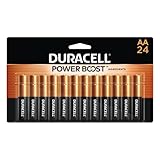
- COMPATIBLE WITH HUNDREDS OF EVERYDAY DEVICES: Works with TV remotes, children’s toys, gaming controllers (Nintendo, Wii), smoke detectors, baby monitors, digital…
- 12-YEAR STORAGE GUARANTEE: Every Duracell Coppertop AA battery is guaranteed to remain ready for up to 12 years in storage. Stock up with confidence.
What Batteries Do Meta Quest 2 Controllers Use?
Meta Quest 2 Touch controllers are powered by one AA battery per controller. This means a complete pair requires two AA batteries to operate.
The decision to use replaceable batteries was intentional. Unlike built-in rechargeable batteries that eventually degrade, AA-powered controllers allow users to instantly restore power by replacing the battery.
Several battery types work well with Meta Quest 2 controllers:
- Standard alkaline AA batteries
- Lithium AA batteries
- Rechargeable NiMH AA batteries
- High-capacity rechargeable AA batteries
Most users find that alkaline batteries provide sufficient performance for everyday gaming. However, players who spend many hours in VR often prefer rechargeable batteries because they reduce ongoing costs.
Another advantage is convenience. If your controller battery dies during gameplay, replacing a battery takes less than a minute compared to waiting for a rechargeable controller to charge.
How Long Do Meta Quest 2 Controller Batteries Last?
Battery life is one of the strongest features of Meta Quest 2 Touch controllers. Because they use efficient tracking technology and low-power wireless communication, a single AA battery can often last for weeks or even months depending on usage patterns.
For most users, standard alkaline AA batteries provide between 20 and 40 hours of active gameplay. Premium lithium batteries can last even longer, sometimes delivering significantly more playtime before replacement becomes necessary. Rechargeable AA batteries typically offer slightly shorter runtimes per charge but make up for it through repeated use.
Several factors affect controller battery life:
- Frequency of VR gaming sessions
- Intensity of controller movement
- Battery quality and capacity
- Environmental temperature
- Controller firmware efficiency
Heavy gamers who play daily may replace or recharge batteries every few weeks. Casual users who play only on weekends may find that batteries last several months.
The Meta Quest operating system makes battery monitoring easy. You can view the remaining battery percentage for each controller directly from the headset interface. Checking battery levels regularly helps prevent unexpected shutdowns during gameplay.
Signs Your Controller Batteries Are Running Low
Watch for these common indicators:
- Tracking becomes less responsive.
- Buttons occasionally fail to register.
- Controllers disconnect unexpectedly.
- Low-battery warnings appear inside VR.
- Controller vibration feels weaker than normal.
Replacing batteries promptly when these symptoms appear can prevent interruptions and maintain optimal tracking performance.
Tips to Extend Battery Life
To maximize battery longevity:
- Remove batteries if storing the headset for extended periods.
- Use high-quality batteries from reputable brands.
- Keep controllers in a moderate-temperature environment.
- Update controller and headset firmware when available.
- Use rechargeable batteries if you play frequently.
How to Replace Batteries in Meta Quest 2 Controllers
Replacing batteries in Meta Quest 2 controllers is a quick and straightforward process that takes less than a minute per controller. Knowing how to do it correctly helps prevent connection issues and ensures your controllers continue working reliably.
Each Touch controller contains a battery compartment hidden beneath the grip cover. The cover is designed to stay secure during gameplay while still allowing easy access when it’s time to replace the battery.
Step-by-Step Instructions
- Turn off or set aside your headset.
- This prevents accidental inputs while changing batteries.
- Locate the battery cover.
- Hold the controller firmly by the grip.
- Find the battery compartment cover on the handle.
- Slide the cover downward.
- Apply gentle pressure using your thumb.
- The cover should move downward and come loose.
- Remove the old battery.
- Take out the existing AA battery.
- Inspect the compartment for dust or corrosion.
- Insert a new AA battery.
- Match the positive (+) and negative (-) ends with the markings inside the compartment.
- Incorrect installation can prevent the controller from powering on.
- Reattach the battery cover.
- Slide it back into place until it clicks securely.
- Check controller functionality.
- Turn on the headset and verify that the controller reconnects properly.
Common Mistakes to Avoid
Many battery-related issues stem from simple installation errors. Avoid these common mistakes:
- Installing the battery backward.
- Mixing old and new batteries.
- Combining different battery brands.
- Using damaged batteries.
- Forcing the battery cover closed.
When to Replace Both Batteries
Although each controller operates independently, replacing both batteries at the same time offers several advantages:
- Consistent controller performance.
- Balanced battery levels.
- Fewer interruptions during gameplay.
- Easier maintenance schedule.
Can You Use Rechargeable Batteries in Meta Quest 2 Controllers?
Yes, you can use rechargeable AA batteries in Meta Quest 2 controllers, and many experienced VR users consider them one of the best long-term power solutions. Meta Quest 2 Touch controllers are compatible with most standard NiMH (Nickel-Metal Hydride) rechargeable AA batteries, making them a cost-effective and environmentally friendly alternative to disposable batteries.
If you play VR regularly, rechargeable batteries can save a significant amount of money over time. Instead of purchasing new batteries every few weeks or months, you simply recharge and reuse the same set hundreds of times.
Benefits of Rechargeable Batteries
Rechargeable batteries offer several advantages for Meta Quest 2 owners:
- Lower long-term operating costs.
- Reduced environmental waste.
- Convenient battery replacement.
- Reliable performance during extended gaming sessions.
- Availability in high-capacity options.
Many players keep two sets of rechargeable batteries on hand. One set powers the controllers while the other remains fully charged and ready for use. When batteries run low, swapping them takes only a few seconds.
Potential Drawbacks to Consider
Although rechargeable batteries work well, they are not perfect for every user.
Some limitations include:
- Higher upfront purchase cost.
- Slightly lower voltage than alkaline batteries.
- Need for a compatible battery charger.
- Performance varies by battery quality.
Low-quality rechargeable batteries may lose charge quickly or provide inconsistent performance. Investing in reputable brands generally produces better results and longer battery lifespan.
Recommended Rechargeable Battery Features
When shopping for rechargeable batteries for Meta Quest 2 controllers, look for:
- AA size compatibility.
- NiMH chemistry.
- High capacity (2000mAh–2500mAh or greater).
- Low self-discharge technology.
- Hundreds of recharge cycles.
These features help ensure consistent controller tracking and longer gaming sessions between charges.
Rechargeable vs Disposable Batteries
| Feature | Rechargeable AA | Disposable AA |
|---|---|---|
| Initial Cost | Higher | Lower |
| Long-Term Cost | Lower | Higher |
| Reusable | Yes | No |
| Environmental Impact | Lower | Higher |
| Convenience | Requires Charging | Instant Replacement |
Best Practices for Rechargeable Battery Users
To maximize battery life and performance:
- Charge batteries fully before first use.
- Use matched pairs from the same brand and capacity.
- Store batteries in a cool, dry place.
- Avoid overcharging with low-quality chargers.
- Replace batteries that no longer hold a charge effectively.
Are Rechargeable Batteries Worth It?
For occasional VR players, disposable batteries may be sufficient. However, for users who play several times each week, rechargeable batteries are usually the more economical choice. After multiple recharge cycles, the savings can quickly exceed the initial purchase cost while reducing the number of batteries sent to landfills.
As a result, rechargeable AA batteries have become one of the most popular accessories among dedicated Meta Quest 2 owners.
Why Meta Quest 2 Controllers May Not Work Even With New Batteries
Installing fresh batteries usually resolves controller power issues, but sometimes a Meta Quest 2 controller still refuses to turn on, connect, or track properly. When this happens, the problem may not be the batteries themselves. Several hardware and software factors can prevent the controllers from functioning correctly.
Before assuming the controller is defective, it’s worth checking a few common causes that can often be fixed in minutes.
Incorrect Battery Installation
One of the most common issues is improper battery placement. Even a brand-new AA battery will not power the controller if the positive (+) and negative (-) ends are installed incorrectly.
Check the battery compartment and verify that:
- The battery orientation matches the markings.
- The battery is seated securely.
- The compartment cover is fully closed.
Removing and reinstalling the battery can sometimes restore proper contact.
Dirty or Damaged Battery Contacts
Battery terminals inside the controller can accumulate dirt, dust, or minor corrosion over time. This can interfere with the electrical connection between the battery and the controller.
Signs of contact-related problems include:
- Controller powers on intermittently.
- Frequent disconnects.
- Controller only works when squeezed or moved.
Use a clean, dry microfiber cloth to gently wipe the contacts. If corrosion is visible, the controller may require professional servicing.
Controller Pairing Issues
Sometimes the controller has power but is no longer paired correctly with the headset.
You can often resolve this by:
- Opening the Meta Quest settings menu.
- Navigating to Devices or Controllers.
- Removing the affected controller.
- Pairing it again through the Meta Quest app.
Re-pairing refreshes the wireless connection and often resolves detection issues.
Software or Firmware Problems
Outdated firmware can occasionally cause tracking or connectivity issues. Keeping the headset updated ensures compatibility with the controllers and improves overall stability.
Check for:
- Headset software updates.
- Controller firmware updates.
- Restart requirements after updates.
Many users find that a simple headset reboot restores controller functionality.
Tracking Environment Issues
A controller may appear non-functional when the real problem is tracking.
Meta Quest 2 tracking can struggle when:
- The room is too dark.
- Direct sunlight enters the play area.
- Reflective surfaces confuse sensors.
- Camera lenses are dirty.
Improving lighting conditions and cleaning the headset cameras can often restore accurate controller tracking.
Quick Troubleshooting Checklist
If your controller doesn’t work despite having new batteries:
✓ Verify battery orientation.
✓ Try a different battery brand.
✓ Clean battery contacts.
✓ Restart the headset.
✓ Re-pair the controller.
✓ Update headset software.
✓ Improve room lighting.
✓ Test the controller in another VR application.
Conclusion
Meta Quest 2 controllers do require batteries, with each controller powered by a single AA battery. While standard alkaline batteries work well for most users, lithium batteries can provide longer runtimes, and rechargeable AA batteries offer significant long-term savings for frequent VR players.
Understanding how to replace batteries correctly, monitor battery levels, and troubleshoot common power-related issues can help prevent interruptions during gameplay. In many cases, controller problems that appear to be battery failures are actually caused by pairing issues, software glitches, or tracking environment problems.
For the best experience, consider using high-quality batteries and keeping a spare set available. If you’re a regular VR gamer, investing in rechargeable AA batteries can reduce costs and minimize waste over time.
Frequently Asked Questions About Do Meta Quest 2 Controllers Need Batteries?
Do Meta Quest 2 controllers come with batteries?
Yes. New Meta Quest 2 controllers typically include pre-installed AA batteries, allowing you to use the controllers immediately after setup. However, battery life will vary depending on how long the device has been stored before purchase.
Can Meta Quest 2 controllers be recharged directly?
No. Meta Quest 2 controllers do not have built-in rechargeable batteries or charging ports. To recharge them, you must use rechargeable AA batteries and an external battery charger.
How many batteries do Meta Quest 2 controllers need?
Each controller requires one AA battery. Since the headset comes with two controllers, you need a total of two AA batteries for normal operation.
What type of battery lasts the longest in Meta Quest 2 controllers?
Lithium AA batteries generally provide the longest battery life. They often outlast standard alkaline batteries and perform well during extended gaming sessions.
Are rechargeable batteries safe for Meta Quest 2 controllers?
Yes. Quality NiMH rechargeable AA batteries are safe and widely used in Meta Quest 2 controllers. Many VR enthusiasts prefer them because they reduce long-term battery costs.
Why does my controller show low battery even after replacement?
This can happen if the battery is installed incorrectly, the battery contacts are dirty, the battery is defective, or the controller requires re-pairing with the headset.
How can I check controller battery levels?
You can view battery percentages directly within the Meta Quest interface. Battery status is usually displayed in the quick settings menu or device settings section.
Should I replace both controller batteries at the same time?
While not required, replacing both batteries together helps maintain consistent performance and makes battery management easier.
Can dead batteries affect controller tracking?
Yes. As batteries become depleted, controller tracking, vibration feedback, and responsiveness may become inconsistent before the controller shuts down completely.
How long do Meta Quest 2 controller batteries usually last?
Most users can expect approximately 20–40 hours of gameplay from quality alkaline batteries. Battery life varies depending on battery type, usage habits, and controller activity levels.
Can a Projector Get a Virus?why you need to know
This website is a participant in the Amazon Services LLC Associates Program, an affiliate advertising program designed to provide a means for us to earn fees by linking to Amazon.com and affiliated sites.