
This website is a participant in the Amazon Services LLC Associates Program, an affiliate advertising program designed to provide a means for us to earn fees by linking to Amazon.com and affiliated sites.
Why is your projector fan so loud? The most common reason is overheating, which forces the fan to spin faster to cool internal components.
A noisy projector fan can quickly ruin your movie night or presentation. You might notice a constant humming, buzzing, or even a loud whirring sound that wasn’t there before. While some fan noise is normal, excessive noise usually signals an underlying issue that needs attention.
Projectors rely heavily on cooling systems to prevent heat damage. When airflow is restricted, filters are clogged, or the room temperature is high, the fan works overtime. Over time, this not only increases noise but can also reduce your projector’s lifespan.
Best for Quiet Projector Performance
Top Picks for Reducing Projector Fan Noise
- Epson Home Cinema 2250 Projector
This projector features an efficient cooling system with eco mode support, reducing fan noise significantly while maintaining excellent brightness and image quality for home entertainment setups.
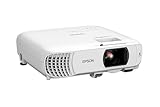
- HOME THEATER PROJECTOR — Bring your entertainment experience to the next level; With detailed 1080p images and fast data processing, the Epson Home Cinema…
- ULTRA BRIGHT IMAGES — 4,000 Lumens of Color Brightness (IDMS rated) and 4,000 Lumens of White Brightness (ISO Rated)¹; Wall projector for tv and movies delivers…

- BenQ HT2050A Projector
Known for its low-noise operation, this model uses optimized airflow design and smart fan control, making it ideal for quiet movie nights and immersive viewing experiences.
No products found.
- ViewSonic PX701HD Projector
Offers a balanced combination of high performance and quiet operation, thanks to advanced cooling technology that minimizes fan noise without sacrificing brightness or reliability.
No products found.
Overheating: The number 1 Cause of Loud Projector Fans
Overheating is the most common reason your projector fan becomes loud. When internal temperatures rise, the fan speeds up to prevent damage.
Projectors generate a lot of heat, especially during extended use. If the heat isn’t properly dissipated, the cooling system compensates by increasing fan speed. This results in noticeable noise.
Several factors can contribute to overheating:
- Poor ventilation: Placing the projector in tight spaces restricts airflow.
- High ambient temperature: Warm rooms make cooling more difficult.
- Blocked vents: Objects or walls too close to the projector can trap heat.
In many cases, overheating is avoidable with simple adjustments. For example, ensuring at least a few inches of clearance around the projector can significantly improve airflow.
Additionally, using Eco Mode reduces brightness slightly but lowers heat output and fan speed. This is one of the easiest ways to reduce noise instantly.
If ignored, overheating can shorten the lifespan of your projector’s lamp or internal components. Addressing it early not only reduces noise but also protects your investment.
Dust and Dirty Filters: Hidden Noise Triggers
Dust buildup is one of the most overlooked reasons your projector fan becomes loud. Over time, dust accumulates in filters and vents, restricting airflow and forcing the fan to work harder.
When airflow is blocked, heat gets trapped inside the projector. As a result, the fan increases speed to compensate, creating that loud, constant noise you hear.
This issue is especially common in environments with:
- Carpets or fabric furniture that trap and release dust
- Open windows where outdoor particles enter
- Infrequent cleaning routines
Fortunately, this is one of the easiest problems to fix. Regular maintenance can dramatically reduce fan noise and improve performance.
Here’s how to clean your projector safely:
- Turn off and unplug the projector completely.
- Locate the air filter (check your user manual if unsure).
- Remove the filter carefully.
- Use compressed air or a soft brush to remove dust.
- Reinstall the filter securely before powering on.
If the filter is heavily clogged or worn out, replacing it is often more effective than cleaning. Many modern projectors even alert you when it’s time for maintenance.
Keeping your projector clean not only reduces noise but also improves image quality and extends the device’s lifespan.
Fan Wear and Internal Component Issues
Sometimes, a loud projector fan isn’t about dust or overheating—it’s simply wear and tear. Like any mechanical part, projector fans degrade over time, especially with frequent use.
As the fan ages, its bearings can wear out. This often leads to unusual noises such as grinding, rattling, or high-pitched whining. Unlike normal airflow noise, these sounds are sharper and more irregular.
Internal components can also contribute to the problem. If parts become loose or misaligned, they may vibrate when the fan is running. This vibration amplifies noise and can make the projector sound louder than usual.
Here are common signs of fan or internal issues:
- Rattling or clicking sounds during operation
- Noise that persists even after cleaning
- Sudden increase in loudness without overheating
- Intermittent buzzing or vibration
Unfortunately, this isn’t always a DIY fix. Opening a projector can void warranties and expose sensitive components to damage.
What you can do:
- Check if your projector is still under warranty
- Contact a certified technician for inspection
- Replace the fan if it’s worn out (cost-effective in many cases)
Ignoring these issues can lead to complete fan failure, which may cause overheating and permanent damage.
Addressing worn components early ensures quieter performance and prevents costly repairs down the line.
Projector Settings That Affect Fan Noise
Not all projector fan noise is caused by hardware issues—sometimes, it’s simply your settings. Many modern projectors automatically adjust fan speed based on brightness, resolution, and performance modes.
Higher performance settings generate more heat, which forces the fan to spin faster. This is why your projector may sound louder during bright scenes or high-resolution playback.
One of the easiest ways to reduce noise is by adjusting built-in settings. Small tweaks can make a noticeable difference without affecting your viewing experience too much.
Key settings that impact fan noise:
- Brightness Mode: High brightness increases heat output and fan speed
- Eco Mode: Reduces lamp power, lowering both heat and noise
- Resolution Settings: Higher resolutions can increase processing load
- Dynamic or Performance Modes: Often prioritize image quality over quiet operation
Simple adjustments to try:
- Switch to Eco Mode for quieter operation
- Lower brightness slightly in dark rooms
- Turn off unnecessary performance enhancements
- Use standard resolution if ultra-high resolution isn’t needed
These changes not only reduce noise but also extend the lifespan of your projector lamp and internal components.
If your projector still runs loudly even on lower settings, it may indicate a deeper issue like airflow blockage or hardware wear.
Room Environment and Placement Tips for Quieter Operation
Your projector’s surroundings play a bigger role in fan noise than you might think. Even a perfectly functioning projector can become noisy if placed in a poor environment.
When airflow is restricted or heat builds up in the room, the cooling system has to work harder. This leads to increased fan speed and noticeable noise. Proper placement can significantly reduce this strain.
Key environmental factors to consider:
- Ventilation space: Always leave at least 20–30 cm of space around vents
- Room temperature: Cooler rooms help reduce overheating
- Surface stability: Uneven surfaces can cause vibrations and amplify noise
- Enclosures or cabinets: These trap heat and restrict airflow
Simple adjustments can make a big difference. For instance, placing your projector on an open, flat surface allows heat to dissipate naturally. Ceiling mounting is another great option, as it improves airflow and keeps the device away from dust-prone areas.
Practical tips for quieter operation:
- Avoid placing the projector near walls or tight corners
- Use a well-ventilated room or add a fan/AC if needed
- Keep it away from heat sources like windows or electronics
- Consider acoustic panels to absorb sound in home theater setups
Optimizing your environment not only reduces noise but also enhances overall performance and longevity.
Conclusion
A loud projector fan is usually a sign of overheating, dust buildup, aging components, or suboptimal settings and placement. The good news is that most of these issues are easy to fix with simple adjustments like cleaning filters, improving ventilation, or switching to Eco Mode.
By maintaining your projector regularly and optimizing your environment, you can significantly reduce noise while extending the device’s lifespan. Small changes—like proper placement or routine cleaning—can make a noticeable difference in both performance and comfort.
If noise persists despite these fixes, it may be time to inspect internal components or consult a professional technician.
Frequently Asked Questions About Why Is My Projector Fan So Loud?
. Is it normal for a projector fan to be loud?
Yes, some level of fan noise is completely normal because projectors generate heat and need cooling. However, if the noise becomes unusually loud or changes suddenly, it often indicates an issue like overheating or dust buildup.
How can I make my projector fan quieter?
You can reduce noise by switching to Eco Mode, cleaning air filters, improving ventilation, and lowering brightness settings. These adjustments reduce heat, which in turn lowers fan speed and noise levels.
How often should I clean my projector filter?
It’s recommended to clean the filter every 1–3 months, depending on usage and environment. Dusty environments may require more frequent cleaning to maintain proper airflow and prevent loud fan operation.
Why is my projector still loud after cleaning it?
If cleaning doesn’t solve the problem, the issue could be worn-out fan components, internal damage, or high-performance settings. In such cases, a professional inspection may be necessary.
Does Eco Mode reduce projector quality?
Eco Mode slightly reduces brightness but usually doesn’t significantly impact image quality, especially in dark rooms. It’s a great way to reduce noise and extend lamp life.
Can a loud fan damage my projector?
The noise itself doesn’t cause damage, but the underlying issue—like overheating—can. Ignoring it may lead to reduced lifespan or component failure.
When should I replace my projector fan?
If you hear grinding, rattling, or persistent loud noise despite maintenance, it’s likely time to replace the fan. A technician can confirm and safely perform the replacement.
Can a Projector Get a Virus?7 reasons why?
This website is a participant in the Amazon Services LLC Associates Program, an affiliate advertising program designed to provide a means for us to earn fees by linking to Amazon.com and affiliated sites.