This website is a participant in the Amazon Services LLC Associates Program, an affiliate advertising program designed to provide a means for us to earn fees by linking to Amazon.com and affiliated sites.
Yes, Meta Quest does give off radiation, but it is non-ionizing electromagnetic radiation (EMF), the same type emitted by smartphones, Wi-Fi routers, Bluetooth devices, laptops, and many other wireless electronics. This form of radiation does not have enough energy to damage DNA or directly cause cancer, and Meta Quest headsets are designed to meet international safety standards for radio frequency (RF) exposure.
As virtual reality becomes more popular for gaming, fitness, education, and work, many users naturally wonder whether wearing a wireless headset close to their face for extended periods is safe. Questions about radiation are understandable, especially since Meta Quest uses Wi-Fi, Bluetooth, tracking cameras, and multiple wireless components.
This guide explains exactly what kind of radiation Meta Quest emits, how much exposure users receive, how it compares to everyday devices, what scientific research currently says, and practical ways to minimize exposure while enjoying VR safely. By the end, you’ll have a clear, evidence-based understanding of the facts rather than myths surrounding Meta Quest radiation.
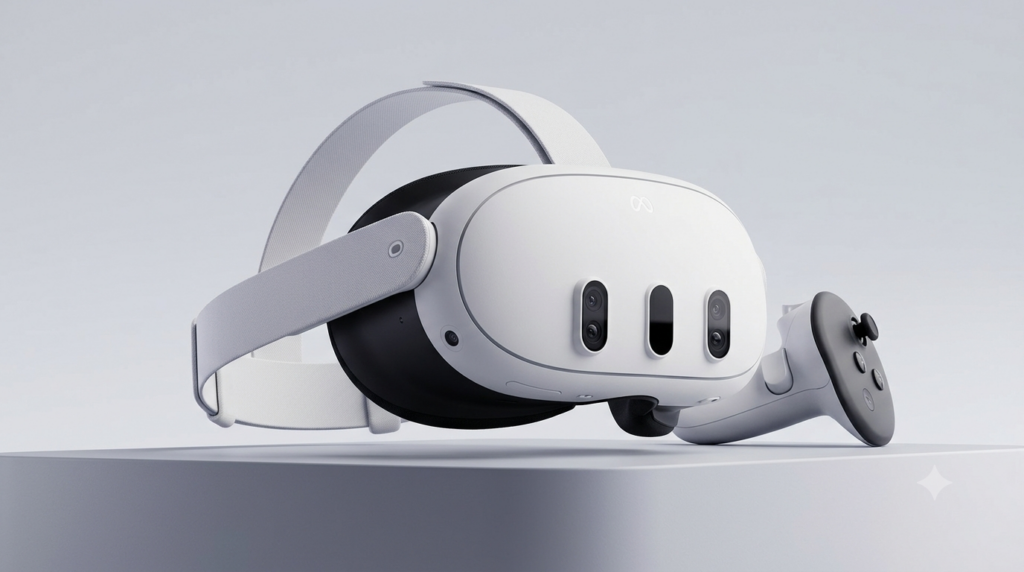
Best for Safe and Comfortable Meta Quest VR Use
Meta Quest 3
Why we picked it
Meta Quest 3 delivers excellent mixed reality performance, faster processing, improved pancake lenses, and updated wireless technology while complying with recognized RF safety standards for comfortable, everyday VR experiences.
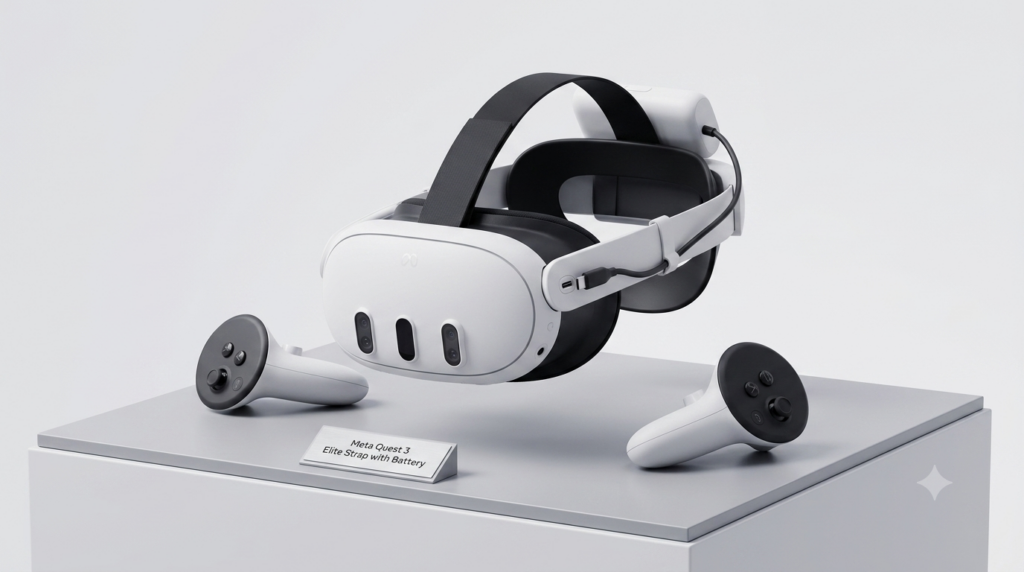
Meta Quest 3 Elite Strap with Battery
Why we picked it
The Elite Strap with Battery improves weight distribution, reduces facial pressure during long sessions, extends playtime, and provides a more comfortable overall fit without affecting the headset’s RF emissions.
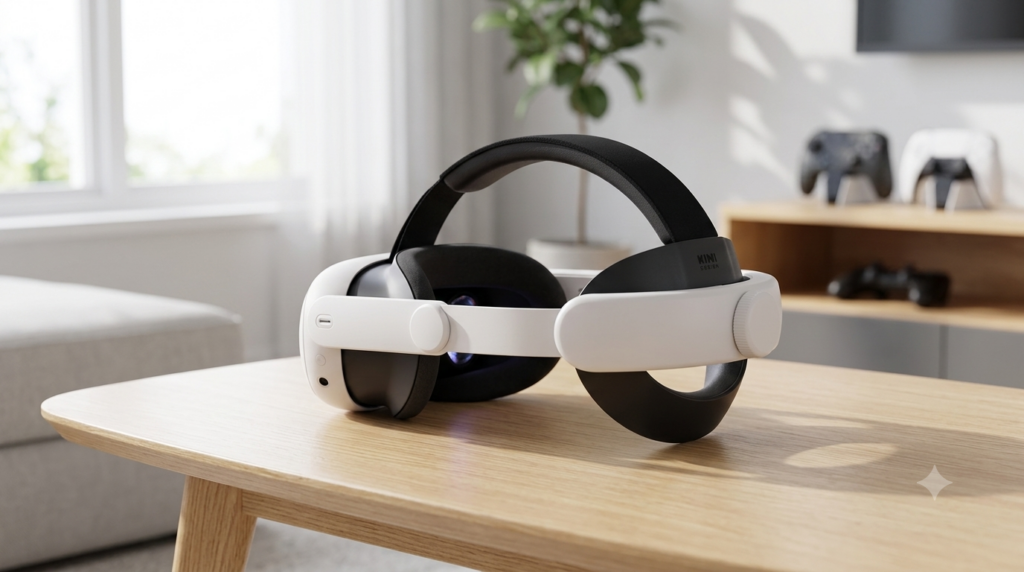
KIWI Design Comfort Head Strap for Meta Quest 3
Why we picked it
This popular third-party head strap enhances comfort through better balance and cushioning, making longer VR sessions less fatiguing while maintaining full compatibility with the Meta Quest
What Kind of Radiation Does Meta Quest Give Off?
Many people hear the word radiation and immediately think of harmful nuclear radiation or X-rays. Fortunately, that is not the type of radiation produced by a Meta Quest headset. Instead, Meta Quest emits non-ionizing electromagnetic radiation, which is considered significantly lower in energy than ionizing radiation.
Non-ionizing radiation is generated whenever wireless communication occurs. Since Meta Quest relies on Wi-Fi and Bluetooth for internet connectivity, controller communication, multiplayer gaming, and software updates, it naturally emits small amounts of radio frequency (RF) energy during operation.
The headset’s cameras, display panels, sensors, and processors also generate tiny electromagnetic fields as part of normal electronic operation. These emissions are expected in virtually every modern electronic device.
Examples of devices that emit similar non-ionizing radiation include:
- Smartphones
- Wi-Fi routers
- Bluetooth headphones
- Smartwatches
- Wireless keyboards and mice
- Tablets
- Laptops
- Smart TVs
Importantly, international health organizations distinguish non-ionizing radiation from ionizing radiation because they affect the body differently.
| Radiation Type | Examples | Can Damage DNA? |
|---|---|---|
| Ionizing | X-rays, Gamma rays, UV-C | Yes |
| Non-Ionizing | Wi-Fi, Bluetooth, Radio waves, Meta Quest | No evidence at normal consumer exposure levels |
Meta Quest must also comply with regulatory RF exposure limits before being sold in many markets. These limits are designed with substantial safety margins to help ensure consumer devices remain within accepted exposure thresholds during normal use.
How Much Radiation Does Meta Quest Emit Compared to Other Everyday Devices?
Many prospective and current VR users wonder whether wearing a Meta Quest headset against their face exposes them to more radiation than using a smartphone or laptop. The reassuring answer is that Meta Quest’s radio frequency (RF) emissions are generally comparable to other common wireless electronics and are regulated to remain within established safety limits.
Like smartphones, Meta Quest uses Wi-Fi and Bluetooth radios to communicate with networks, controllers, accessories, and online services. The headset automatically adjusts its transmission power based on signal quality. For example, when you’re close to your Wi-Fi router, it typically uses less power than it would when the signal is weak.
One important measurement used by regulators is the Specific Absorption Rate (SAR), which estimates how much RF energy the body absorbs from a wireless device. Manufacturers must demonstrate that their products comply with the SAR limits established by regulatory agencies before they can be sold in many countries. Meeting these limits means the device has been tested under standardized conditions and found to operate within accepted exposure thresholds.
Here’s how Meta Quest compares with other everyday wireless devices:
| Device | Uses Wireless Signals? | Typical Distance from Body | RF Exposure Level |
|---|---|---|---|
| Meta Quest headset | Yes (Wi-Fi & Bluetooth) | Worn on the head | Regulated within SAR limits |
| Smartphone | Yes (Cellular, Wi-Fi & Bluetooth) | Held against ear or in hand | Often higher during phone calls |
| Wi-Fi router | Yes | Several feet away | Continuous but distance reduces exposure |
| Laptop | Yes (Wi-Fi & Bluetooth) | On lap or desk | Low during normal use |
| Smartwatch | Yes (Bluetooth & Wi-Fi on some models) | Worn on wrist | Very low |
| Wireless earbuds | Yes (Bluetooth) | In the ears | Low and regulated |
It’s also helpful to remember that distance plays a major role in RF exposure. Wireless signals become weaker as you move farther from their source. While a Meta Quest headset is worn on your head, its wireless components are designed to operate efficiently without exceeding regulatory limits.
Several factors can influence RF emissions during use, including:
- Wi-Fi signal strength
- Active downloads or software updates
- Multiplayer online gaming
- Bluetooth accessories connected
- Streaming content wirelessly
- Background network activity
For most users, the overall RF exposure from a Meta Quest headset remains similar to the exposure experienced from other wireless consumer electronics used daily. Current scientific evidence has not established that RF exposure from devices operating within regulatory limits causes adverse health effects, though research into long-term wireless technology continues as a standard scientific practice.
Is Meta Quest Radiation Safe? What Scientific Research Says
Scientific research to date indicates that Meta Quest radiation is considered safe when the headset is used as intended. This is because the device emits non-ionizing radio frequency (RF) energy, which differs fundamentally from ionizing radiation such as X-rays or gamma rays. Non-ionizing RF waves do not carry enough energy to break chemical bonds or directly damage DNA.
Before a Meta Quest headset reaches consumers, it must comply with RF exposure regulations established by government agencies and international organizations. These standards are based on extensive scientific research and include conservative safety margins designed to protect users of all ages under normal operating conditions.
Researchers have studied the health effects of RF energy from wireless devices for decades. While scientists continue to investigate long-term exposure as technology evolves, the current body of evidence has not demonstrated consistent or convincing proof that RF emissions from compliant consumer electronics cause harmful health effects.
Several factors contribute to this scientific consensus:
- Meta Quest uses low-power Wi-Fi and Bluetooth radios.
- RF exposure must remain below established regulatory limits.
- The headset automatically manages wireless power based on communication needs.
- Consumer electronics undergo compliance testing before being marketed.
- Ongoing research continues to monitor potential long-term effects.
That said, some users may experience eye strain, motion sickness, headaches, or facial discomfort after extended VR sessions. These issues are commonly associated with prolonged screen use, display brightness, headset fit, or virtual reality motion—not with RF radiation itself.
To improve comfort during longer VR sessions:
- Take a 10–15 minute break every hour.
- Adjust the headset for a secure but comfortable fit.
- Keep lenses clean and correctly aligned with your eyes.
- Stay hydrated, especially during active VR games.
- Stop using the headset if you experience persistent dizziness or discomfort.
- Use the headset in a well-ventilated, obstacle-free area.
It’s also important to distinguish scientific uncertainty from evidence of harm. Researchers continue studying wireless technologies because ongoing evaluation is a normal part of public health research. Continuing research does not necessarily mean existing consumer devices are unsafe; rather, it helps ensure safety recommendations remain up to date as new technologies emerge.
How to Reduce RF Exposure and Use Meta Quest Safely Every Day
Although current scientific evidence indicates that Meta Quest headsets operate within established RF safety limits, some users prefer to minimize their overall exposure to radio frequency (RF) energy as a personal choice. Fortunately, there are several practical steps you can take without sacrificing your virtual reality experience.
One of the easiest ways to reduce RF transmissions is to maintain a strong Wi-Fi connection. When your headset is close to your router and receives a stable signal, it generally requires less transmission power to send and receive data. Likewise, disconnecting Bluetooth accessories you are not actively using can reduce unnecessary wireless communication.
Equally important is practicing healthy VR habits. Regular breaks help reduce eye strain, motion sickness, and fatigue, making your sessions more enjoyable regardless of RF exposure.
Practical Tips for Safe Meta Quest Use
- Keep your headset updated. Software updates often improve wireless performance and power efficiency.
- Play near your Wi-Fi router. A stronger signal may allow the headset to communicate using lower transmit power.
- Turn off unused wireless features. Disconnect Bluetooth accessories when they are no longer needed.
- Limit unnecessary background downloads. Pause large updates if you’re not using online features.
- Take breaks every 45–60 minutes. Rest your eyes and allow your body to readjust to the real-world environment.
- Ensure a proper headset fit. A well-adjusted headset reduces pressure on your face and improves visual clarity.
- Use your play area safely. Keep the space free of furniture, cables, pets, and other obstacles.
- Follow the manufacturer’s safety guidance. Read the user manual and observe age recommendations and usage instructions.
Common Myths About Meta Quest Radiation
| Myth | Fact |
|---|---|
| VR headsets emit dangerous nuclear radiation. | Meta Quest emits non-ionizing RF energy similar to Wi-Fi and Bluetooth devices. |
| Wearing the headset causes harmful radiation buildup. | There is no evidence that RF energy from compliant consumer devices accumulates in the body. |
| Meta Quest emits more radiation than all other electronics. | Its RF emissions are comparable to many everyday wireless devices and must comply with regulatory limits. |
| Radiation is the main cause of VR headaches. | Headaches are more commonly linked to eye strain, motion sensitivity, poor headset fit, dehydration, or extended play sessions. |
Developing healthy VR habits not only supports comfort but also helps you get the most from your headset. By combining sensible usage practices with an understanding of how wireless technology works, you can enjoy immersive experiences with greater confidence.
Conclusion
Meta Quest headsets do emit radiation, but it is non-ionizing radio frequency (RF) radiation—the same type used by Wi-Fi, Bluetooth, and many other everyday wireless devices. Based on current scientific evidence and established regulatory testing, Meta Quest headsets are designed to operate within accepted RF exposure limits for normal consumer use. While researchers continue to study wireless technologies over the long term, there is no consistent evidence that RF emissions from compliant VR headsets pose a health risk during intended use.
For the best VR experience, focus on healthy habits such as taking regular breaks, maintaining a comfortable headset fit, staying hydrated, and using the headset in a safe play area. Understanding the difference between ionizing and non-ionizing radiation can help separate facts from myths and allow you to enjoy virtual reality with greater confidence.
Frequently Asked Questions About Does Meta Quest Give Off Radiation
Does Meta Quest emit harmful radiation?
Meta Quest emits non-ionizing radio frequency (RF) radiation, which is the same type of electromagnetic energy produced by Wi-Fi routers, Bluetooth devices, and smartphones. Unlike ionizing radiation, it does not have enough energy to damage DNA or cells directly. Meta Quest headsets are tested to meet established RF exposure standards before being sold, making them suitable for normal consumer use when operated according to the manufacturer’s instructions.
Is Meta Quest radiation the same as X-rays?
No. X-rays are a form of ionizing radiation, which carries enough energy to alter atoms and damage biological tissue. Meta Quest uses non-ionizing RF radiation, which is much lower in energy and is commonly used for wireless communication technologies such as Wi-Fi and Bluetooth.
Can wearing a Meta Quest headset every day affect my health?
Current scientific evidence has not found consistent proof that everyday use of compliant VR headsets causes health problems due to RF radiation. However, extended VR sessions may lead to temporary eye strain, motion sickness, headaches, or fatigue. Taking regular breaks, ensuring the headset fits correctly, and staying hydrated can help reduce these effects.
Does Meta Quest emit more radiation than a smartphone?
Not necessarily. Both devices use Wi-Fi and Bluetooth, while smartphones also use cellular networks. During activities such as voice calls, smartphones may transmit at higher power than a VR headset. Both product categories must comply with regulatory RF exposure limits.
How can I reduce RF exposure while using Meta Quest?
If you’d like to minimize RF exposure as an extra precaution, you can:
- Play close to your Wi-Fi router for a stronger signal.
- Disconnect Bluetooth accessories you aren’t using.
- Keep your headset updated for optimal wireless efficiency.
- Pause unnecessary downloads or background network activity.
- Follow recommended VR safety practices and take breaks every 45–60 minutes.
Should children use Meta Quest?
Parents should follow the manufacturer’s recommended age guidelines and supervise younger users. Children may be more susceptible to eye strain, discomfort, or motion sickness during extended VR sessions. Limiting playtime, encouraging regular breaks, and ensuring a proper headset fit can help create a more comfortable experience.
Overall, current research supports that Meta Quest headsets, when used as intended and within regulatory standards, provide a safe way to enjoy virtual reality while continuing to benefit from ongoing scientific monitoring of wireless technologies.
Can a Projector Get a Virus?why you need to know
This website is a participant in the Amazon Services LLC Associates Program, an affiliate advertising program designed to provide a means for us to earn fees by linking to Amazon.com and affiliated sites.