
This website is a participant in the Amazon Services LLC Associates Program, an affiliate advertising program designed to provide a means for us to earn fees by linking to Amazon.com and affiliated sites.
Retracting a large pull down projector screen is simple when you release the locking mechanism correctly, guide the screen upward gently, and avoid letting it snap back into the housing.
Many projector screens are designed with a spring-loaded retraction system that makes storing the screen quick and convenient. However, forcing the screen upward, pulling it at the wrong angle, or releasing it too quickly can damage the spring mechanism, wrinkle the screen material, or even cause the screen to become stuck.
Whether you have a manual pull-down projector screen installed in a home theater, classroom, conference room, church, or outdoor entertainment area, understanding the correct retraction process helps extend its lifespan and ensures smooth operation every time.
This guide explains exactly how to retract a large pull down projector screen safely, what to do if it won’t roll back properly, common mistakes to avoid, and maintenance tips to keep your screen operating like new. By following these straightforward steps, you’ll protect your investment and enjoy years of reliable performance.
Best for Retracting Large Pull Down Projector Screens
Choosing a projector screen with a dependable spring-loaded roller and durable locking mechanism makes everyday operation much easier. The following manual pull down screens are known for smooth retraction, sturdy construction, and long-term reliability.
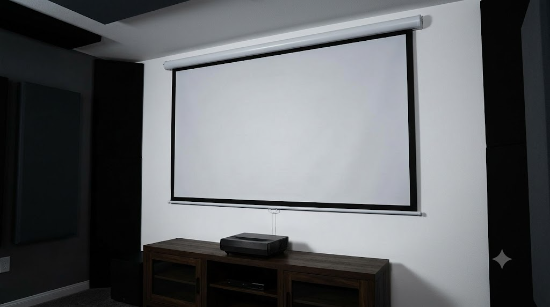
Elite Screens Manual B Series
The Elite Screens Manual B Series is an excellent choice for homeowners, schools, and offices looking for a dependable manual projection screen. Its high-quality spring roller provides controlled retraction, while the multi-position auto-lock system allows you to stop the screen at various viewing heights. The durable MaxWhite screen material also delivers bright, accurate images for movies, presentations, and gaming.
Why we picked it
The Elite Screens Manual B Series combines a reliable spring-loaded roller, multiple locking positions, and durable construction, making it one of the easiest manual projector screens to retract safely and consistently.
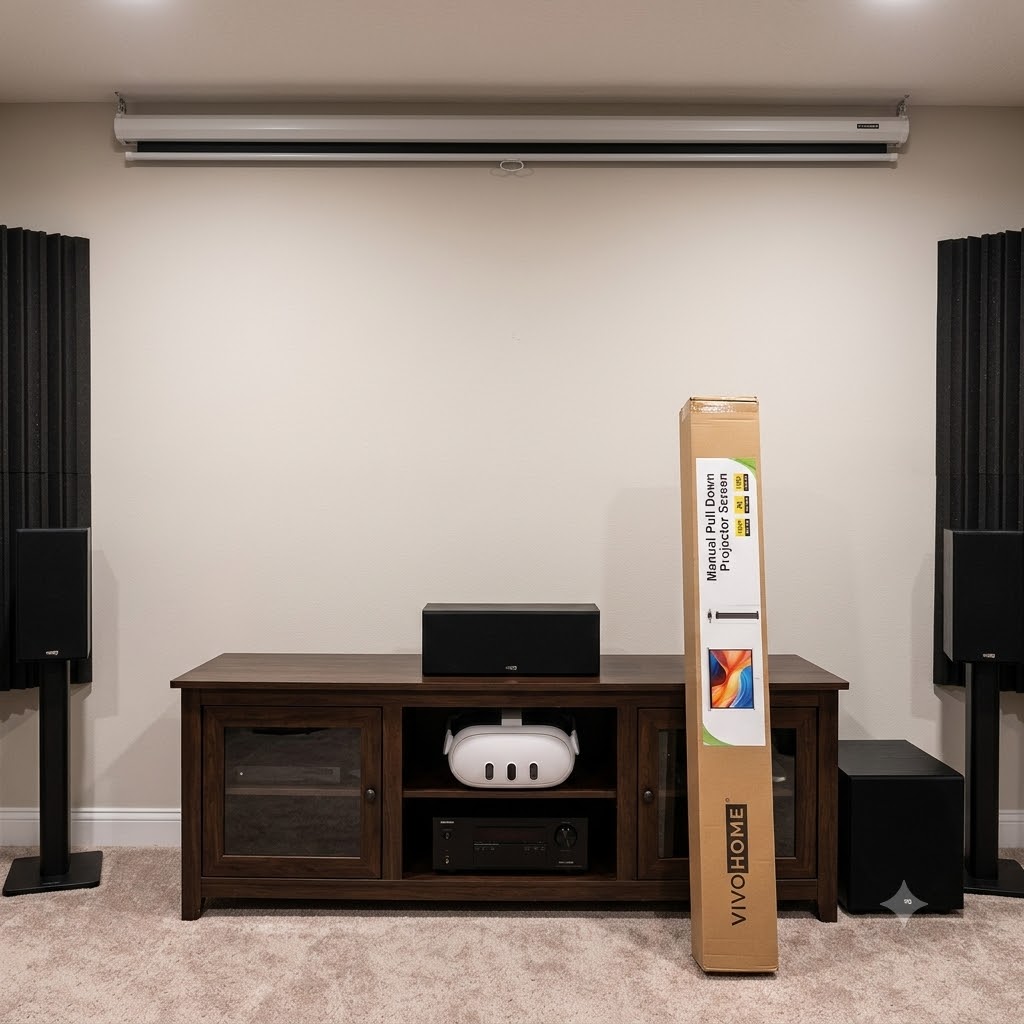
VIVOHOME Manual Pull Down Projector Screen
The VIVOHOME Manual Pull Down Projector Screen offers excellent value without sacrificing performance. Its sturdy metal casing protects the internal roller, and the smooth retraction mechanism is designed for frequent use in classrooms, offices, and home theaters. Installation is straightforward, and the screen remains stable even after repeated operation.
Why we picked it
Its dependable locking mechanism, durable housing, and smooth rolling action make the VIVOHOME screen an affordable option for users who frequently raise and retract their projector screen.
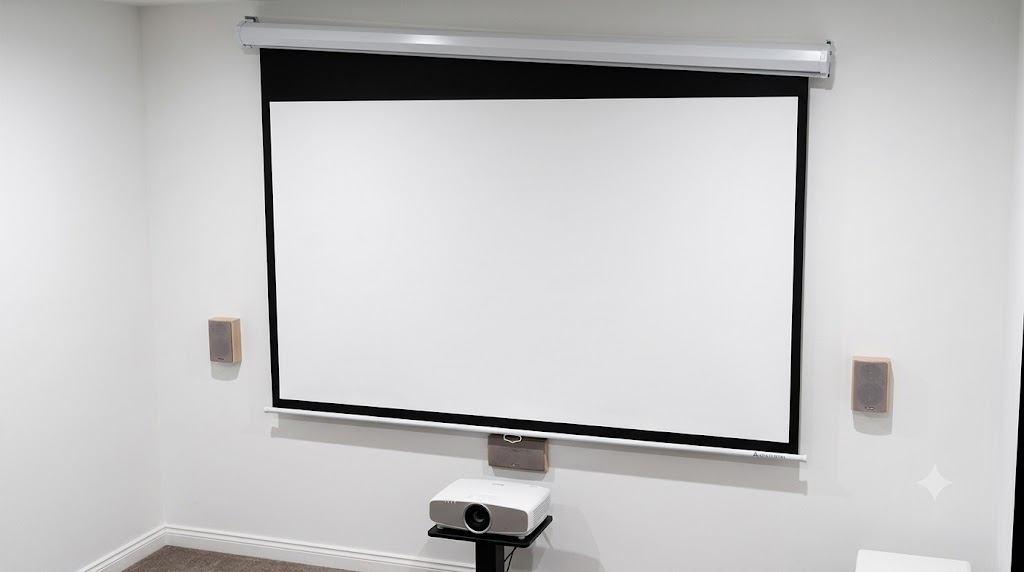
Akia Screens Manual Pull Down Projection Screen
The Akia Screens Manual Pull Down Projection Screen is designed with a precision spring roller that promotes even retraction and minimizes screen wrinkles. Its premium viewing surface supports high-definition content while maintaining consistent tension during everyday use.
Why we picked it
The Akia manual screen delivers smooth, controlled retraction with a durable roller system that helps reduce uneven rolling, making it ideal for home theaters and professional presentation spaces.
| Product | Why We Recommend It |
|---|---|
| Elite Screens Manual B Series Pull Down Projector Screen | Its reliable auto-lock and slow spring retraction mechanism make it one of the easiest manual screens to retract safely while reducing wear on the internal spring over years of regular use. |
| VIVOHOME Manual Pull Down Projector Screen | Built with a durable casing and dependable locking system, this screen retracts smoothly with minimal effort, making it ideal for classrooms, offices, and home theaters that see frequent use. |
| Akia Screens Manual Pull Down Projection Screen | The high-quality spring roller offers controlled retraction and consistent locking positions, making everyday operation easier while helping prevent accidental snapping that can damage the screen material. |
How Does a Large Pull Down Projector Screen Retract?
A large pull down projector screen retracts using a spring-loaded roller mechanism housed inside the metal casing. When you pull the screen down, the internal spring becomes tensioned and stores energy. Once the locking mechanism is released, that stored energy rewinds the screen smoothly back onto the roller.
Most manual projector screens feature an auto-lock system that holds the screen at multiple viewing heights. When you pull the screen down slightly beyond its locked position, the mechanism disengages the lock, allowing the spring to retract the screen. Instead of letting the screen snap upward, you should always guide it gently with both hands to prevent unnecessary strain on the spring and screen material.
The basic retraction process works as follows:
- Pull the screen downward about 1–2 inches (2.5–5 cm).
- Feel or listen for the locking mechanism to release.
- Maintain a firm grip on the screen handle.
- Allow the spring to roll the screen upward gradually.
- Guide the screen evenly until it rests completely inside the housing.
Several factors can affect how smoothly the screen retracts, including:
- Age of the internal spring
- Dust or debris inside the roller housing
- Uneven pulling that causes the screen to track off-center
- Damaged or worn locking components
- Excessive force during previous use
Understanding how the retraction mechanism works helps you recognize when something is functioning normally and when it may require maintenance or repair. A properly operating projector screen should retract in a controlled, consistent motion without jerking, stopping midway, or slamming into the casing.
Step-by-Step Guide to Retracting a Large Pull Down Projector Screen Safely
Retracting a large pull down projector screen correctly helps protect the spring mechanism, prevents wrinkles or tears, and extends the life of the screen. Although most manual screens operate similarly, always consult your manufacturer’s instructions if your model has unique features or maintenance requirements.
Step 1: Clear the Area Around the Screen
Before retracting the screen, make sure there are no chairs, tables, decorations, or people directly beneath it. This prevents accidental contact with the screen as it rolls upward and ensures you have enough space to guide it safely.
Take a quick look at the screen surface for visible damage, such as loose edges or deep creases. If you notice anything unusual, retract the screen slowly to avoid making the problem worse.
Step 2: Grip the Handle Firmly
Stand centered beneath the screen and hold the pull handle with one or both hands. Keeping the screen level reduces the chance of uneven retraction, which can cause the material to roll crookedly onto the internal tube.
Avoid pulling from one corner, as this places unnecessary stress on the fabric and roller mechanism.
Step 3: Release the Locking Mechanism
Pull the screen downward approximately 1 to 2 inches (2.5–5 cm) beyond its current locked position. You should feel or hear a slight click as the locking mechanism disengages.
Once released, do not let go of the handle immediately. The spring is designed to rewind the screen and can retract it much faster than expected.
Step 4: Guide the Screen Upward Slowly
Allow the spring-loaded roller to do the work while you gently guide the screen upward. Maintain a steady grip so the screen rolls back evenly without twisting or snapping into the housing.
A controlled retraction helps:
- Protect the internal spring from excessive wear
- Prevent wrinkles and edge curling
- Reduce stress on the mounting brackets
- Minimize noise during operation
- Keep the screen aligned on the roller
Step 5: Verify Proper Storage
When the screen reaches the casing, confirm that it is fully retracted and sits flush inside the housing. The handle should rest securely without hanging down, and the screen should disappear evenly into the case.
If the screen stops before fully retracting or appears uneven, avoid forcing it. Lower it again and repeat the process slowly. Persistent issues may indicate a worn spring, misaligned roller, or locking mechanism that requires adjustment or replacement.
Why Your Large Pull Down Projector Screen Won’t Retract (and How to Fix It)
A pull down projector screen that refuses to retract can be frustrating, but the cause is often something simple. In many cases, the problem is related to the locking mechanism, spring tension, or improper operation rather than a major mechanical failure. Identifying the issue early can help you restore normal function and prevent additional damage.
Common Causes and Solutions
The Locking Mechanism Is Still Engaged
If the screen remains locked in place, the release mechanism may not have disengaged.
How to fix it:
- Pull the screen down an additional 1–2 inches (2.5–5 cm).
- Listen or feel for the locking click.
- Guide the screen upward slowly once the lock releases.
The Spring Has Lost Tension
Over years of regular use, the internal spring can weaken, causing the screen to retract slowly or stop before reaching the housing.
How to fix it:
- Consult the manufacturer’s manual to determine whether the spring tension can be safely adjusted.
- If the spring is worn or damaged, replacing the spring assembly or roller may be the best long-term solution.
Dust and Debris Are Affecting the Roller
Dust buildup inside the housing can interfere with smooth operation and increase friction.
How to fix it:
- Wipe the screen casing with a soft, dry cloth.
- Remove loose dust from accessible areas without inserting tools into the roller housing.
- Keep the installation area clean to reduce future buildup.
The Screen Is Rolling Unevenly
If one side retracts faster than the other, the fabric may become skewed on the roller.
How to fix it:
- Lower the screen completely.
- Retract it again while keeping even pressure on the center handle.
- Avoid pulling from one corner during normal use.
When to Seek Professional Repair
Some problems require more than basic troubleshooting. Consider professional repair or replacement if you notice:
- The spring makes loud grinding or popping noises.
- The screen repeatedly jams despite proper operation.
- The fabric has torn away from the roller.
- The housing or mounting brackets are bent or loose.
- The screen retracts extremely fast or not at all, indicating a possible spring failure.
Addressing these issues promptly can help prevent further wear and may extend the usable life of your projector screen. Regular maintenance and careful handling remain the best ways to ensure smooth, reliable retraction for years to come.
Common Mistakes to Avoid When Retracting a Large Pull Down Projector Screen
Proper handling is one of the easiest ways to extend the life of a large pull down projector screen. While these screens are designed for repeated use, certain habits can wear out the spring mechanism, damage the screen material, or lead to costly repairs. Avoiding the following mistakes will help keep your screen operating smoothly for years.
Letting the Screen Snap Back
One of the most common mistakes is releasing the handle completely after unlocking the screen. The spring mechanism can pull the screen upward very quickly, causing it to slam into the housing.
This sudden impact may:
- Weaken the internal spring over time.
- Damage the locking mechanism.
- Create wrinkles or edge curling.
- Increase noise during operation.
Instead, always guide the screen upward with a steady grip until it is fully retracted.
Pulling the Screen at an Angle
Pulling from one side instead of the center handle can cause the screen fabric to wind unevenly around the roller. Over time, this may result in crooked retraction, stretched edges, or permanent creases.
For the best results, stand directly in front of the screen and pull straight down from the center.
Forcing a Stuck Screen
If the screen does not retract after releasing the lock, avoid yanking or forcing it upward. Excessive force can damage the spring assembly or tear the screen material.
Instead:
- Lower the screen completely.
- Try releasing the lock again with a gentle downward pull.
- Inspect for visible obstructions or signs of damage.
- Consult the user manual if the problem persists.
Ignoring Routine Maintenance
Dust, moisture, and prolonged exposure to sunlight can gradually affect both the screen surface and the roller mechanism. Neglecting regular cleaning may reduce performance and shorten the screen’s lifespan.
A simple maintenance routine includes:
- Dusting the housing every few weeks.
- Cleaning the screen surface with manufacturer-approved methods.
- Keeping the screen dry when not in use.
- Inspecting mounting brackets for stability.
- Operating the screen gently during every use.
By avoiding these common mistakes, you can minimize wear on the internal components, maintain a smooth retraction mechanism, and preserve excellent image quality. Consistent care not only reduces the likelihood of repairs but also helps your projector screen remain reliable for home theaters, classrooms, offices, and outdoor movie nights.
Maintenance Tips to Keep Your Pull Down Projector Screen Retracting Smoothly
Routine maintenance is one of the best ways to ensure your large pull down projector screen continues to retract smoothly and delivers excellent image quality. A few simple habits can reduce wear on the spring mechanism, prevent premature damage, and extend the screen’s service life.
Clean the Screen and Housing Regularly
Dust and dirt can accumulate on both the screen surface and the metal casing over time. Wipe the housing with a soft microfiber cloth and clean the screen only with methods recommended by the manufacturer. Avoid using abrasive cleaners, paper towels, or harsh chemicals, as these can scratch or discolor the projection surface.
Operate the Screen Gently
Always lower and retract the screen using the center handle. Guiding the screen slowly back into the housing prevents unnecessary stress on the spring-loaded roller and reduces the risk of the fabric rolling unevenly.
For the longest lifespan:
- Release the locking mechanism gently.
- Never let the screen snap back into the casing.
- Keep the screen level while lowering or retracting it.
- Avoid pulling from the corners.
- Stop using the screen if you hear unusual grinding or popping noises.
Store the Screen in a Suitable Environment
Environmental conditions play an important role in preserving your projector screen. Excessive humidity can encourage mold or mildew, while prolonged exposure to direct sunlight may fade or weaken the screen material.
To protect your investment:
- Keep the room dry and well-ventilated.
- Avoid installing the screen near heating or cooling vents.
- Retract the screen when it is not in use.
- If using the screen outdoors, allow it to dry completely before storing it.
Perform Periodic Inspections
Inspect the screen every few months for signs of wear, including loose mounting brackets, wrinkles, frayed edges, or inconsistent retraction. Catching small issues early often prevents more expensive repairs later.
If the screen begins retracting unevenly or fails to lock properly despite regular maintenance, it may be time to inspect the roller assembly or contact the manufacturer for replacement parts or service. With consistent care, most quality pull down projector screens can provide many years of dependable performance.
Conclusion
Retracting a large pull down projector screen correctly is a simple task that can significantly extend the life of your equipment. By releasing the locking mechanism properly, guiding the screen upward instead of letting it snap back, and performing routine maintenance, you can keep the spring mechanism and screen material in excellent condition.
If your screen fails to retract smoothly, start with basic troubleshooting such as checking the lock, cleaning the housing, and inspecting for visible damage before considering repairs. With consistent care and proper handling, your projector screen can continue to deliver reliable performance and a high-quality viewing experience for years to come.
For more projector tips, explore our related guides on cleaning projector screens, fixing common projector screen problems, and choosing the right projector screen for your space.
Frequently Asked Questions About How to Retract a Large Pull Down Projector Screen
How do you retract a large pull down projector screen?
To retract a large pull down projector screen, hold the center handle firmly, pull the screen down slightly—usually about 1–2 inches (2.5–5 cm)—to release the locking mechanism, and then guide it upward slowly as the spring-loaded roller rewinds it. Never let the screen snap back into the housing, as this can damage the spring and screen material over time.
Why won’t my pull down projector screen retract?
A projector screen may fail to retract because the locking mechanism is still engaged, the internal spring has lost tension, the roller is obstructed by dust or debris, or the screen has become misaligned on the roller. Start by lowering the screen fully and attempting the release again. If the problem persists, inspect the screen for visible damage or consult the manufacturer’s instructions.
Is it safe to let the projector screen roll up by itself?
No. Although the spring mechanism is designed to retract the screen, allowing it to snap back freely can strain the internal components and create wrinkles or tears in the screen fabric. Always guide the screen upward with a controlled grip until it is fully stored.
How often should I clean and inspect my projector screen?
For most home and office environments, lightly dust the screen housing every few weeks and inspect the screen every three to six months. If the screen is used outdoors or in dusty locations, more frequent cleaning and inspections can help maintain smooth operation and image quality.
Can a pull down projector screen be repaired if it stops retracting?
Yes, many issues can be repaired. Minor problems such as dust buildup, loose mounting hardware, or a sticking lock are often easy to resolve. However, if the spring assembly has failed, the roller is damaged, or the screen fabric has separated from the roller, replacement parts or professional repair may be required. In some cases, replacing an older screen may be more cost-effective than extensive repairs.
Can a Projector Get a Virus?why you need to know
This website is a participant in the Amazon Services LLC Associates Program, an affiliate advertising program designed to provide a means for us to earn fees by linking to Amazon.com and affiliated sites.
