This website is a participant in the Amazon Services LLC Associates Program, an affiliate advertising program designed to provide a means for us to earn fees by linking to Amazon.com and affiliated sites.
The Fujifilm Instax Mini instant camera is a compact camera that prints credit-card-sized photographs within minutes, making it a popular choice for parties, travel, scrapbooks, and everyday memories. Unlike a smartphone camera, which stores pictures digitally, an Instax Mini camera produces physical photos you can hold, share, and display.
Whether you are buying your first Instax camera or trying to solve problems with an existing one, understanding its features and operation can help you get better results. From loading Instax Mini film to taking clear pictures, several simple techniques can make a noticeable difference in your photographs.
In this guide, you will learn how the Fujifilm Instax Mini instant camera works, which accessories are worth considering, how to troubleshoot common issues, and how to care for your camera. You will also discover practical tips for improving photo quality and answers to frequently asked questions about Instax Mini cameras.
Best for Fujifilm Instax Mini Instant Camera Photography
These three products can help you capture instant photographs, keep your film supply ready, and protect your printed memories. They are useful additions for beginners, travelers, and anyone who enjoys collecting physical photographs.
Best for beginners and everyday photography
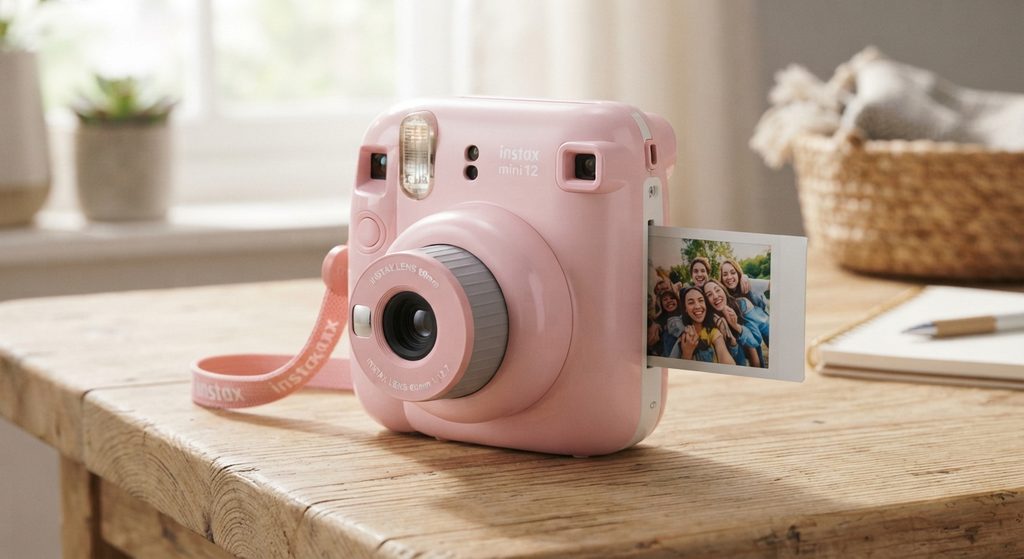
The Instax Mini 12 offers automatic exposure, a selfie mirror, and close-up mode, making it easy for beginners to capture portraits, celebrations, and spontaneous memories.
Fujifilm Instax Mini Instant Film
Best for printing instant photographs
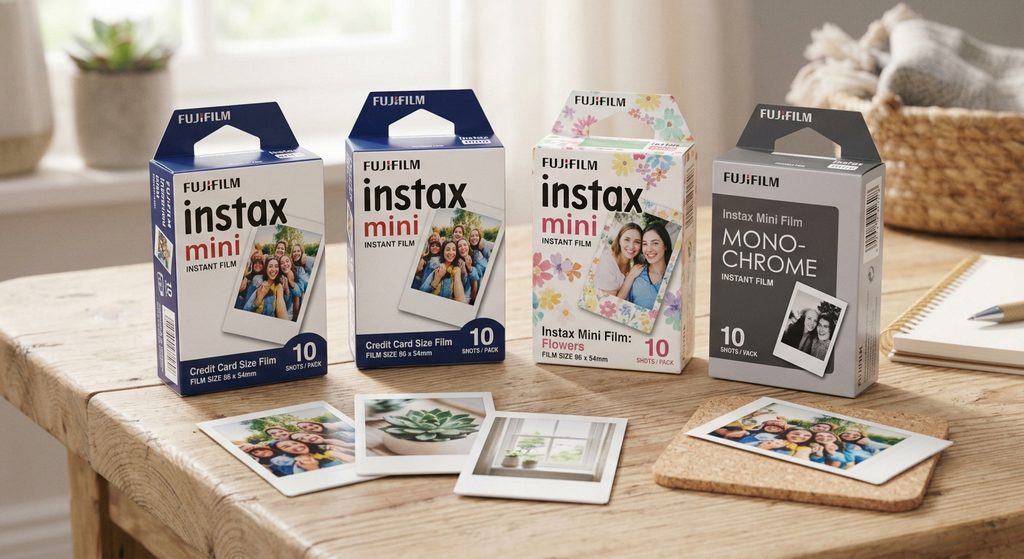
Instax Mini film produces credit-card-sized photographs with classic white borders, helping you preserve special occasions, create scrapbooks, and share tangible memories with friends and family.
Fujifilm Instax Mini Photo Album
Best for organizing printed memories
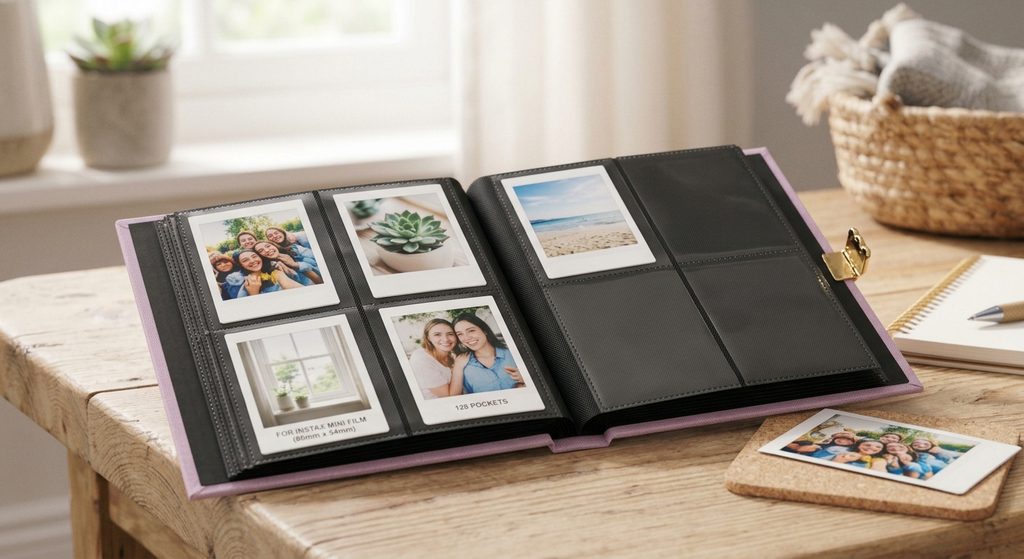
The Instax Mini Photo Album provides a convenient way to organize instant prints, protect them from everyday handling, and revisit photographs from holidays, birthdays, school events, and celebrations.
Related accessories to consider: a compatible camera case, extra Instax Mini film packs, and a photo display frame can make instant photography more convenient.
What Is a Fujifilm Instax Mini Instant Camera?
A Fujifilm Instax Mini instant camera is an instant-print camera that captures photographs and develops them directly onto compatible Instax Mini film. Instead of saving every picture as a digital file, it creates a physical photograph you can share, keep in a wallet, or place in a scrapbook.
Fujifilm offers several Instax Mini models, including the Instax Mini 12 and other models with different features, designs, and controls. Although their specifications vary, they share the same basic purpose: making instant photography simple and enjoyable.
Key Features of the Fujifilm Instax Mini Instant Camera
Most Instax Mini cameras are designed for straightforward operation. Depending on the model, useful features may include:
- Instant photo printing: Produces physical photographs shortly after taking a picture.
- Compact design: Makes the camera convenient to carry to parties, holidays, and everyday outings.
- Automatic exposure: Supported models automatically adjust settings to help produce appropriately exposed images.
- Close-up or selfie mode: Certain models include features that help with portraits and nearby subjects.
- Simple controls: Many models use straightforward buttons or lens-barrel controls, making them accessible to beginners.
How Does an Instax Mini Camera Work?
The camera exposes special instant film when you press the shutter button. The film then exits the camera, and its built-in chemical process develops the photograph over time.
For the best results, use compatible Fujifilm Instax Mini film, follow the instructions for your specific camera, and allow the photograph to develop naturally. Avoid shaking or bending the print while it develops.
Who Should Use One?
An Instax Mini camera is suitable for people who enjoy physical photographs, creative projects, travel memories, parties, and personalized gifts. However, if you need extensive editing, large digital files, or inexpensive pictures in high quantities, a digital camera or smartphone may be more practical.
How to Use a Fujifilm Instax Mini Instant Camera
Using a Fujifilm Instax Mini instant camera is straightforward once you understand how to load the film, take a photograph, and allow the print to develop. Although the exact controls differ between models, most Instax Mini cameras follow a similar process.
Step 1: Insert the Batteries
Check your camera’s instruction manual to identify the correct battery type and installation procedure. Some models use AA batteries, while others have different power requirements.
Make sure the batteries are inserted in the correct orientation and that the battery compartment is securely closed before switching on the camera.
Step 2: Load Compatible Instax Mini Film
Open the film compartment and insert a compatible Instax Mini film cartridge, aligning the yellow marks on the cartridge and camera where indicated. Close the compartment without forcing it.
Turn on the camera and press the shutter button to eject the protective dark slide. Do not open the film compartment while unused film remains, because exposing it to light can ruin the remaining sheets.
Step 3: Frame Your Photograph
Look through the viewfinder and position your subject in the frame. Keep in mind that the viewfinder and lens may not show exactly the same area, particularly when photographing nearby subjects.
If your camera includes a selfie mirror or close-up mode, use these features according to the model’s instructions.
Step 4: Take the Picture
Hold the camera steadily, aim at your subject, and press the shutter button. For clearer results, choose a well-lit location and avoid covering the flash or lens with your fingers.
Step 5: Let the Photo Develop
The printed photograph will emerge automatically. Place it somewhere safe and let it develop naturally, following the film manufacturer’s instructions. Avoid shaking, bending, or pressing the photograph during development.
Tips for Better Instax Mini Photos
- Photograph subjects in good lighting.
- Keep a suitable distance from your subject.
- Use the correct close-up setting for selfies and nearby objects.
- Check your remaining film before important events.
- Store unused film according to its packaging instructions.
Following these steps will help you use your Fujifilm Instax Mini instant camera confidently and capture memorable photographs with fewer mistakes.
How to Fix Common Fujifilm Instax Mini Instant Camera Problems
A Fujifilm Instax Mini instant camera is designed to be easy to use, but occasional problems can affect its operation or photo quality. Fortunately, many common issues can be resolved by checking the batteries, film supply, camera settings, and lighting conditions.
The Instax Mini Camera Will Not Turn On
If your camera does not power on, check whether the batteries are depleted or installed incorrectly. Replace them with the recommended battery type, following your model’s instructions.
Also, inspect the battery compartment for obvious dirt or damage. If the camera still will not start, consult Fujifilm support rather than attempting to dismantle its internal components.
2. The Camera Will Not Print Photos
When the camera fails to eject a photograph, first check the remaining film count and battery condition. Weak batteries can prevent some models from operating correctly.
If a film pack appears stuck, do not pull the film out or force the camera mechanism. Follow the instructions for your particular model to avoid damaging the film or camera.
Photos Appear Too Dark or Too Bright
Poor lighting, strong backlighting, and incorrect shooting distance can affect exposure. Try photographing your subject in evenly lit surroundings and avoid pointing the camera directly toward a bright light source.
For models with automatic exposure, allow the camera to adjust its settings before taking the picture.
Photos Come Out Blurry
Blurry photographs can result from camera movement, a subject that is too close, or insufficient lighting. Hold the camera steadily, check the recommended shooting distance, and use the appropriate close-up mode when available.
The Film Counter or Flash Behaves Unexpectedly
Check the camera manual to understand the film counter and flash indicators for your model. If an indicator remains unusual after replacing the batteries or restarting the camera according to the instructions, contact Fujifilm support.
Important troubleshooting tip: Never force open the film door while unused film remains, and do not attempt to remove a jammed film sheet by pulling it through the rollers.
How to Get Better Photo Quality With a Fujifilm Instax Mini Instant Camera
Getting clear, attractive photographs with a Fujifilm Instax Mini instant camera depends on lighting, shooting distance, camera stability, and proper film handling. Although instant cameras offer fewer manual controls than many digital cameras, a few practical techniques can help you capture better results.
Choose the Right Lighting
Good lighting is one of the most important factors in instant photography. Natural daylight often works well for portraits, outdoor activities, and group photographs.
When photographing indoors, switch on suitable lights and avoid placing your subject directly in front of a bright window. Strong backlighting can make faces appear darker than expected.
Maintain the Correct Shooting Distance
Every Instax Mini model has a recommended shooting distance and, where applicable, a dedicated close-up mode. Check your camera manual before photographing subjects at close range.
For portraits, position yourself within the recommended distance and keep your subject comfortably inside the viewfinder’s frame. Remember that the viewfinder may not align perfectly with the lens, especially for close-up pictures.
Keep the Camera Steady
Hold the camera with both hands and press the shutter gently. In dim environments, use a stable stance to reduce camera movement and improve your chances of capturing a sharp image.
Protect and Handle Your Film Properly
Use compatible Instax Mini film and store unused cartridges according to the packaging instructions. Avoid exposing unused film to excessive heat, humidity, or direct sunlight.
After printing, let each photograph develop naturally. Do not shake, bend, squeeze, or press the image, as unnecessary handling can interfere with the development process.
Experiment With Composition
Make your photographs more interesting by trying different angles, backgrounds, and subject arrangements. Leave enough space around people’s faces, remove distracting objects from the background, and take advantage of colorful surroundings.
Pro tip: Take a moment to check your lighting and framing before pressing the shutter. Since each photograph uses a sheet of film, careful preparation can help you avoid unnecessary prints.
Conclusion
The Fujifilm Instax Mini instant camera is a convenient way to capture special moments and turn them into physical photographs you can share, display, or preserve in a scrapbook. With its compact design, straightforward operation, and compatible instant film, it offers an enjoyable photography experience for beginners and experienced instant photography enthusiasts alike.
To get the best results, load the correct film, use suitable lighting, maintain the recommended shooting distance, and handle printed photographs carefully while they develop. If problems arise, checking the batteries, film supply, and camera settings can help resolve many common issues.
Whether you are capturing birthdays, holidays, or everyday memories, understanding how your Instax Mini works can make every photograph more rewarding. Explore related guides on instant camera accessories, film storage, and photography tips to improve your experience.
Frequently Asked Questions About the Fujifilm Instax Mini Instant Camera
How does a Fujifilm Instax Mini instant camera work?
A Fujifilm Instax Mini camera exposes compatible instant film when you press the shutter button. The photograph is ejected automatically and develops through a chemical process, producing a physical print within a short time.
What film does a Fujifilm Instax Mini camera use?
Most Instax Mini cameras use Fujifilm Instax Mini instant film. Always check your specific camera model’s instructions before purchasing film to ensure compatibility.
How long does an Instax Mini photo take to develop?
Development time varies with environmental conditions and the film used. Allow the photograph to develop naturally according to the manufacturer’s instructions, and avoid shaking or bending it.
Why are my Instax Mini photos coming out white?
Completely white or unusually pale photographs may indicate a film exposure problem or another camera issue. Check the film-loading instructions, avoid opening the film compartment unnecessarily, and contact Fujifilm support if the problem continues.
Why is my Fujifilm Instax Mini camera not turning on?
The most common things to check are battery charge, battery orientation, and the battery compartment. Use the battery type recommended for your model and consult its manual if the camera remains unresponsive.
Can I use an Instax Mini camera without film?
You may be able to power on the camera or operate certain functions without film, depending on the model. However, you cannot produce an instant photograph without a compatible film cartridge.
Is the Fujifilm Instax Mini instant camera good for beginners?
Yes. Many models offer simple controls and automatic exposure, making them suitable for beginners, parties, travel, and creative projects. Remember that each photograph uses a sheet of film, so thoughtful framing helps reduce waste.
How can I make my Instax Mini photos clearer?
Use good lighting, hold the camera steadily, maintain the recommended shooting distance, and select the correct close-up mode when necessary. Keep the lens clean using the method recommended by the manufacturer.
This website is a participant in the Amazon Services LLC Associates Program, an affiliate advertising program designed to provide a means for us to earn fees by linking to Amazon.com and affiliated sites.