
This website is a participant in the Amazon Services LLC Associates Program, an affiliate advertising program designed to provide a means for us to earn fees by linking to Amazon.com and affiliated sites.
A projector lens enhancer can help improve the viewing experience by optimizing image focus, sharpness, magnification, and optical performance, depending on the type of lens or accessory used. Whether you want a clearer home theater picture, a larger projected image, or better image quality for presentations, understanding projector lens enhancement can help you choose the right solution.
However, not every blurry or dull projector image requires an additional lens. Sometimes, adjusting the focus ring, cleaning the lens, correcting the projection distance, or changing the image settings can make a significant difference.
In this guide, we explore what projector lens enhancers are, how they work, which accessories are worth considering, and practical ways to improve projector image quality. We also cover common problems, useful products, and expert-backed setup tips to help you get the best performance from your projector.
Best for Enhancing Projector Image Quality
Choosing the right projector lens accessory depends on your setup, screen size, projection distance, and desired image improvement. Here are three products worth considering for specialized projector enhancement.
Epson Panamorph Anamorphic Lens Kit
Best for widescreen cinema
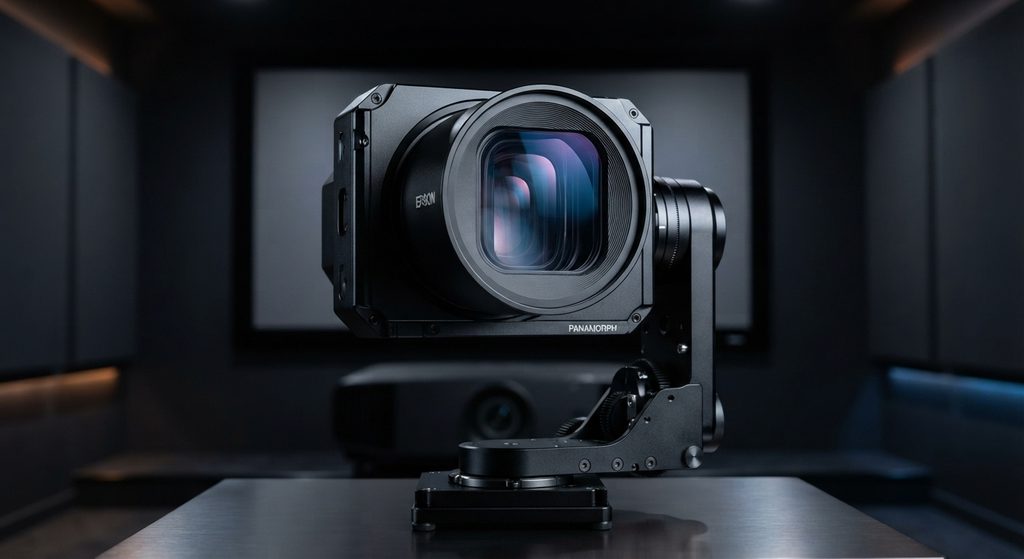
This lens expands compatible projector setups for cinematic 2.40:1 screens, helping display widescreen movies with the intended aspect ratio and without unwanted image distortion.
Compatibility: Epson PowerLite Pro Cinema 6010.
Epson ELPLM15 Middle-Throw Zoom Lens
Best for professional projection
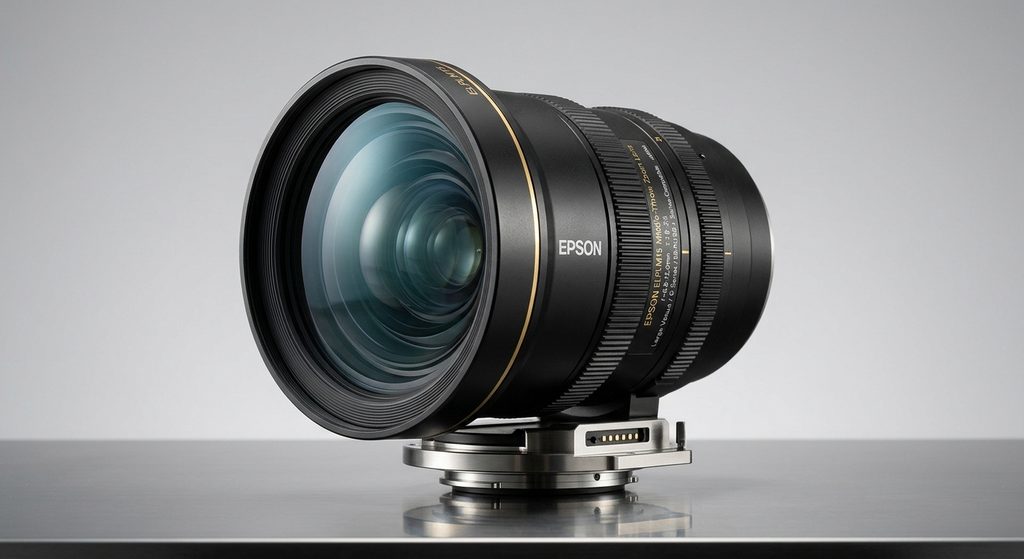
Its optical zoom and lens-shift capabilities provide flexible projector positioning, supporting large displays while allowing installers to adjust image size and placement without digital enlargement.
Designed for compatible Epson Pro Series projectors.
Epson ELPLM11 Middle-Throw Zoom Lens
Best for large-screen installations
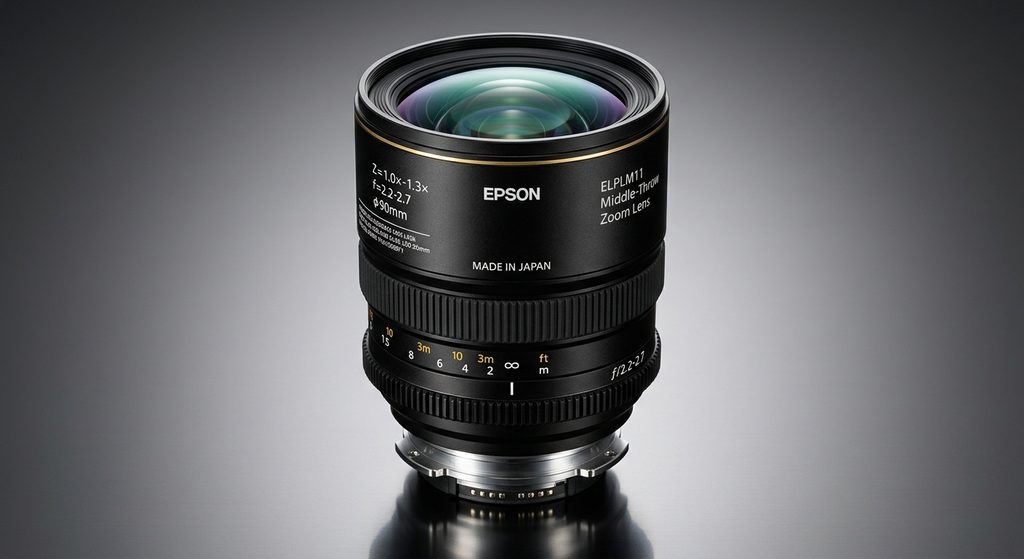
This interchangeable optical lens supports flexible throw distances, large projection surfaces, and optical image positioning, making it useful for professional environments requiring adaptable screen arrangements.
Supports compatible Epson Pro Series projectors and selected EB-PQ models.
Product specifications
Other related products worth considering:
- Microfiber projector lens cleaning cloth.
- Optical lens cleaning solution approved for projector lenses.
- Projector ceiling mount with adjustable positioning.
- Compatible replacement projector lens.
- Projector calibration test patterns.
Important: These products are not universal attachments. Check your projector’s model number and manufacturer’s compatibility guide before purchasing. A lens enhancer also cannot increase the projector’s native resolution or light output simply by being attached.
What Is a Projector Lens Enhancer and How Does It Work?
A projector lens enhancer refers to an optical accessory, replacement lens, or adjustment solution designed to improve particular aspects of projected images. Depending on its design, it can help with image magnification, projection positioning, widescreen formatting, or optical clarity.
The projector lens is responsible for directing light from the internal imaging system onto a projection surface. Its optical elements influence sharpness, focus uniformity, distortion, and overall image quality.
A lens enhancer can work in several ways:
- Optical magnification: Certain optical attachments change how an image is projected, allowing specific screen formats or image sizes.
- Improved projection positioning: Compatible interchangeable lenses provide different throw ratios and optical zoom capabilities.
- Widescreen enhancement: Anamorphic lenses help compatible projectors display cinematic widescreen formats.
- Focus optimization: Some professional projectors offer advanced peripheral focus adjustments to improve sharpness around image edges.
It is important to distinguish optical enhancement from digital image processing. Digital zoom and keystone correction manipulate the image electronically, whereas optical lenses change how light travels through the projector.
For example, Epson’s Panamorph Anamorphic Lens Kit is designed to help compatible projectors display widescreen 2.40:1 content. Similarly, Epson’s interchangeable lenses offer different projection distances and positioning options. Epson US+2
Ultimately, the best projector lens enhancer depends on the problem you want to solve. If your image is blurry, cleaning and focusing the existing lens may be more effective than purchasing an additional optical accessory.
Types of Projector Lens Enhancers and Their Uses
Projector lens enhancers come in different designs, each serving a specific purpose. Understanding these types helps you identify the right accessory for improving your projector’s performance without spending money on unnecessary equipment.
Here are the main types to consider:
Anamorphic Projector Lenses
Anamorphic lenses are designed to expand horizontally compressed images into wider cinematic formats. They are particularly useful for home theater enthusiasts who want to watch movies in a 2.35:1 or 2.40:1 aspect ratio.
These lenses can help compatible projectors use their available imaging area more effectively. However, they require proper installation and projector compatibility.
Wide-Angle Projector Lenses
Wide-angle lenses allow projectors to produce larger images from shorter distances. They are useful in small rooms, classrooms, and meeting spaces where moving the projector farther away is difficult.
Telephoto Projector Lenses
Telephoto lenses allow a projector to create a large image from a greater distance. They are commonly used in auditoriums, conference halls, churches, and large home theaters.
Zoom Projector Lenses
Optical zoom lenses let users adjust image size without physically moving the projector. Unlike digital zoom, optical zoom changes the lens configuration while preserving the projector’s native image resolution.
Replacement and Specialty Lenses
Some projectors support interchangeable lenses for different installations. These include lenses designed for short-throw projection, long-throw setups, and specialized professional applications.
When selecting an enhancer, always check the projector’s supported lens models, throw ratio, and mounting requirements. A lens designed for one projector may not work with another, even if both products share the same manufacturer.
How to Improve Projector Image Quality Using Lens Enhancers
Improving projector image quality involves more than installing an additional lens. The right optical accessory, proper adjustments, and regular maintenance can significantly improve focus, sharpness, and viewing comfort.
Here are practical ways to get better results.
Choose the Correct Optical Lens
Start by identifying the image problem you want to solve. If you need a larger picture from a short distance, consider a compatible wide-angle lens. For distant projection setups, a telephoto lens may be more appropriate.
Always check the manufacturer’s compatibility specifications before purchasing.
Adjust the Projector Focus
A poorly focused lens can make text, movie scenes, and presentation graphics appear blurry. Slowly turn the projector’s focus ring until the image becomes sharp.
If your projector offers motorized focus, use its adjustment controls to achieve more precise results.
Optimize Projection Distance
The distance between the projector and screen affects the image size and focus. Positioning the projector within its recommended throw-distance range helps prevent unwanted distortion and sizing problems.
Keep the Lens Clean
Dust, fingerprints, and smudges can interfere with light transmission and reduce image clarity. Use a clean microfiber lens cloth and manufacturer-approved cleaning materials.
Avoid applying household glass cleaners directly to the projector lens.
Use Optical Zoom Instead of Digital Zoom
When available, optical zoom is preferable because it adjusts the projected image through the lens rather than digitally cropping or resizing the picture.
For the best results, combine proper lens selection with accurate alignment, suitable screen placement, and appropriate projector settings.
Common Projector Lens Enhancer Problems and How to Fix Them
Although projector lens enhancers can improve specific aspects of image projection, they may also introduce problems when incorrectly selected, installed, or adjusted. Understanding these issues can help you troubleshoot your setup and avoid unnecessary replacement costs.
Here are common projector lens enhancer problems and their solutions.
Blurry or Distorted Images
A blurry image may result from incorrect focus, poor lens alignment, incompatible optical accessories, or projection distances outside the recommended range.
How to fix it:
- Adjust the projector’s focus ring.
- Check whether the lens is correctly installed.
- Confirm that the projector is positioned within its recommended throw distance.
- Clean the lens using an appropriate microfiber cloth.
Darker Projected Images
Some additional optical elements can reduce the amount of light reaching the screen. This may make the projected picture appear darker, particularly when using multiple optical attachments.
How to fix it:
- Remove unnecessary optical accessories.
- Check the projector’s brightness settings.
- Clean the lens and projection surface.
- Use an appropriate image mode for your viewing environment.
Uneven Image Sharpness
Sometimes, the center of the projected image appears sharp while the corners remain blurry. This can indicate lens limitations, incorrect alignment, or compatibility issues.
How to fix it: Check the projector’s positioning and lens alignment. If the problem persists, consult the manufacturer’s recommendations for compatible lenses.
Lens Compatibility Problems
An incompatible lens may fail to mount correctly or produce distorted images.
How to fix it: Verify the projector model, lens mounting system, and supported optical specifications before purchasing an enhancer.
Installation Difficulties
Professional optical lenses may require precise positioning and calibration.
How to fix it: Follow the installation instructions and seek professional assistance when necessary.
How to Choose the Best Projector Lens Enhancer for Your Setup
Choosing the best projector lens enhancer requires understanding your projector’s optical capabilities, room dimensions, screen size, and intended use. The right accessory should solve a specific projection problem without compromising image quality or introducing unnecessary installation difficulties.
Consider these important factors before making a purchase.
Check Projector Compatibility
Compatibility should be your first consideration. Not every projector supports interchangeable lenses or external optical attachments.
Check your projector’s model number, lens mount, supported accessories, and manufacturer’s specifications. This helps prevent purchasing an enhancer that cannot be installed or used correctly.
Consider Your Projection Distance
Your room size determines which lens type may work best.
- Short-throw lenses are suitable for smaller rooms.
- Standard-throw lenses work well in conventional home theaters and meeting rooms.
- Long-throw lenses are useful for auditoriums and larger venues.
Compare the lens throw ratio with your available projection distance and desired screen width.
Understand Your Image Quality Requirements
If you want sharper images, investigate focus adjustment and lens quality before purchasing magnification accessories. If you want a cinematic widescreen experience, an anamorphic lens may be more appropriate.
Remember that an optical accessory cannot automatically improve native resolution, contrast, or brightness beyond the projector’s capabilities.
Evaluate Optical Zoom and Lens Shift
Optical zoom allows you to change image size without moving the projector. Lens shift helps reposition the image vertically or horizontally without relying entirely on digital keystone correction.
These features are particularly valuable for permanent home theater installations.
Consider Price and Installation Requirements
Compare the cost of compatible lenses, installation requirements, warranty coverage, and replacement availability. Professional cinema lenses can be expensive, so ensure their benefits justify the investment.
Ultimately, the best projector lens enhancer is one that addresses your specific needs while maintaining compatibility and preserving the projector’s optical performance.
Conclusion
A projector lens enhancer can improve specific aspects of projection, including image positioning, magnification, widescreen formatting, and installation flexibility. However, choosing the right accessory requires understanding your projector’s compatibility, lens specifications, and viewing environment.
Before investing in an additional lens, try cleaning the existing lens, adjusting focus, and optimizing projection distance. If you need specialized optical performance, consider compatible anamorphic, wide-angle, telephoto, or interchangeable zoom lenses.
For the best results, prioritize optical quality and manufacturer compatibility over inexpensive universal attachments. A properly selected lens can make your home theater or professional projection setup more flexible and enjoyable.
Frequently Asked Questions About Projector Lens Enhancers
What is a projector lens enhancer?
A projector lens enhancer is an optical accessory or compatible replacement lens designed to improve specific projection characteristics, such as image magnification, positioning, widescreen formatting, or focus performance.
Can a projector lens enhancer make images sharper?
It can improve optical performance when the original lens is unsuitable for the application or when a compatible specialty lens provides better focus characteristics. However, an additional lens will not automatically sharpen every projector image.
Do projector lens enhancers increase brightness?
Not necessarily. Additional optical elements can actually reduce light transmission. To improve brightness, consider projector specifications, lamp or laser performance, screen gain, and room lighting.
Can I use a magnifying lens to improve projector image size?
Some optical magnifying attachments can change projected image size, but ordinary magnifying glasses are not designed for projector optics. They may introduce distortion, chromatic aberration, and uneven focus.
Are projector lens enhancers universal?
No. Many professional projector lenses use manufacturer-specific mounting systems and optical specifications. Always confirm compatibility before purchasing.
How do I improve projector lens clarity without buying an enhancer?
Clean the lens carefully, adjust the focus ring, position the projector correctly, and ensure the projection surface is clean and flat. Also check the projector’s resolution and image settings.
Is an anamorphic lens worth buying?
An anamorphic lens can be worthwhile for dedicated home theater installations with compatible projectors and widescreen screens. It is generally unnecessary for ordinary presentations or casual movie viewing.
Can a projector lens enhancer fix keystone distortion?
Not directly. Keystone distortion is primarily an alignment issue. Correct projector positioning or appropriate lens shift can help, while digital keystone correction adjusts the image electronically.
9. What is the difference between optical zoom and digital zoom?
Optical zoom changes the lens configuration to adjust image size while retaining the projector’s native resolution. Digital zoom electronically resizes or crops the image and can reduce effective image detail.
How often should I clean my projector lens?
Clean it whenever dust or fingerprints become visible or image clarity appears affected. Follow the manufacturer’s cleaning instructions and avoid abrasive materials or excessive pressure.
This website is a participant in the Amazon Services LLC Associates Program, an affiliate advertising program designed to provide a means for us to earn fees by linking to Amazon.com and affiliated sites.