
This website is a participant in the Amazon Services LLC Associates Program, an affiliate advertising program designed to provide a means for us to earn fees by linking to Amazon.com and affiliated sites.
A Duck Hunt game with a gun projector setup combines the nostalgia of classic shooting games with the excitement of playing on a large projected screen. However, the original Nintendo Entertainment System (NES) version of Duck Hunt uses a light gun that depends on the display technology, so it does not work reliably with most modern projectors and flat-panel TVs.
If you want to recreate the classic experience, understanding how the original Zapper works and which alternatives are compatible with modern displays is essential. Some players prefer connecting original hardware to a compatible CRT television, while others explore modern light guns, sensor-based systems, or retro gaming solutions designed for projected images.
In this guide, you’ll learn how the Duck Hunt gun works, what equipment you need, how to approach projector compatibility, and which accessories can help you create an enjoyable retro gaming setup. Whether you’re a longtime Nintendo fan or introducing the game to a new generation, the right combination of hardware and display technology can make the experience more rewarding.
Best for Duck Hunt Gaming with a Gun Projector
If you want to play Duck Hunt on a projector, your equipment must support the game’s aiming system. The original NES Zapper is designed for CRT televisions, so a modern projector generally requires a compatible light-gun system and suitable software.
Best for modern projector gaming
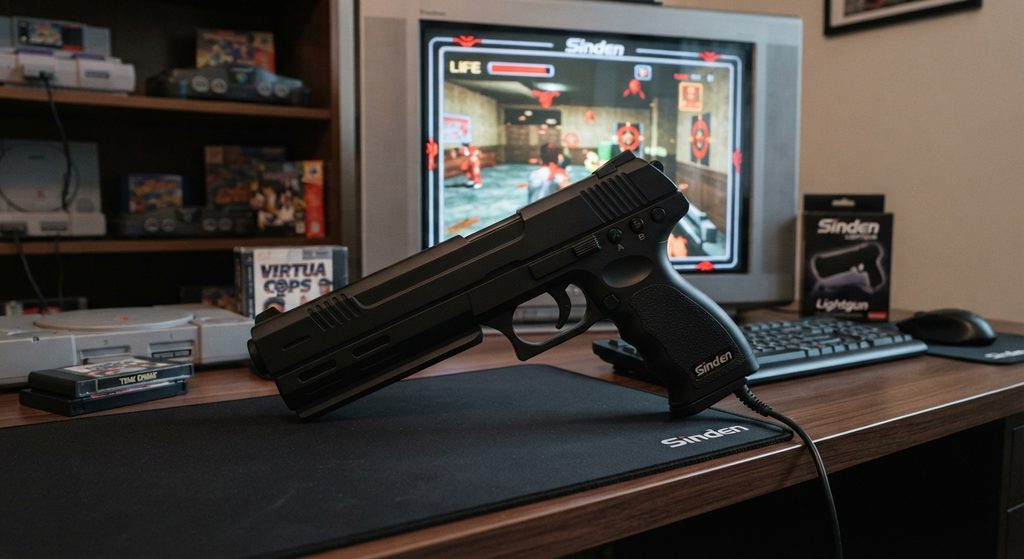
The Sinden Lightgun uses camera-based tracking and a visible screen border, making it a practical option for compatible PC-based Duck Hunt emulation on a projector with suitable software and calibration.
Best for authentic retro gaming
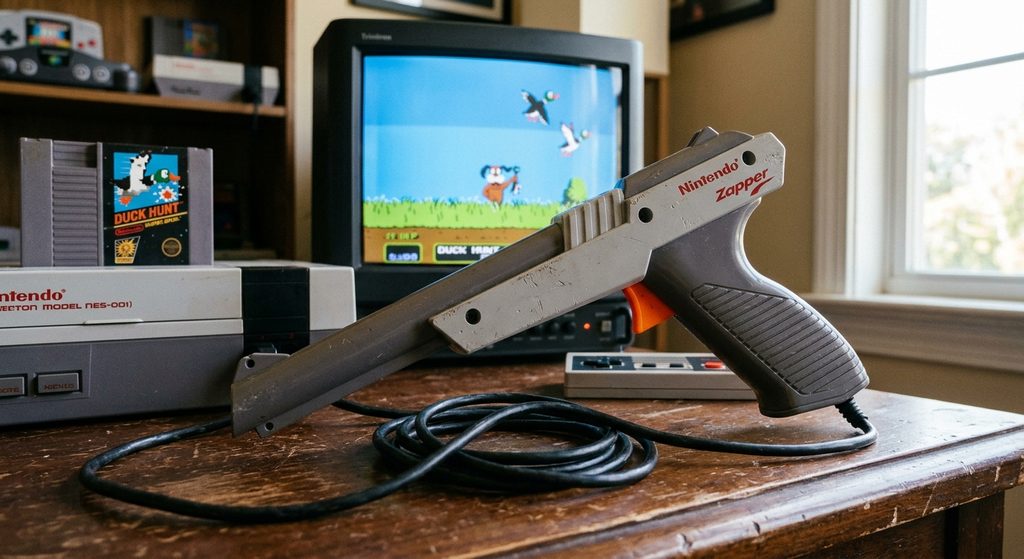
The original NES Zapper preserves the classic Duck Hunt experience when paired with a compatible NES console and suitable CRT television. It is not a direct solution for modern projectors.
Best for a custom arcade setup
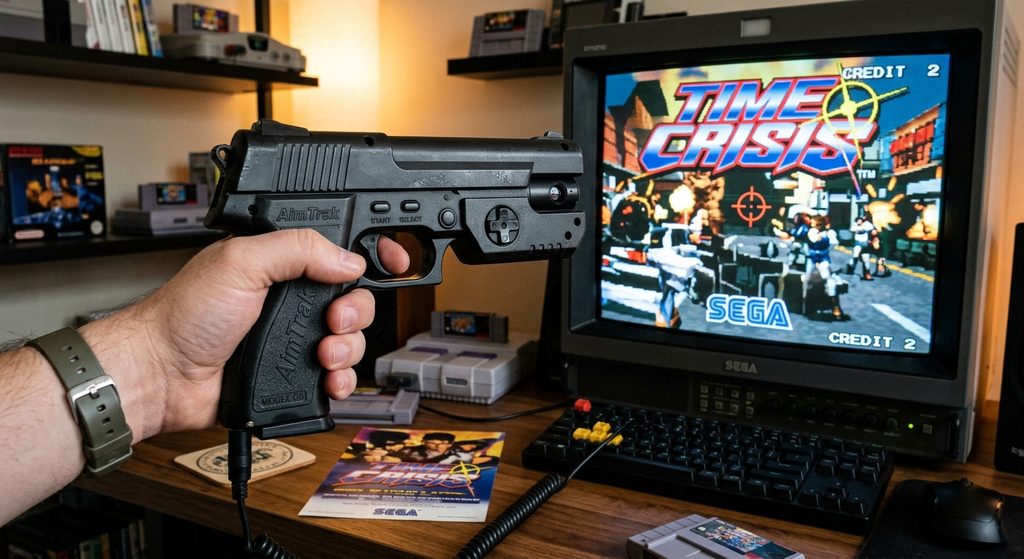
AimTrak is an alternative for building a PC-based light-gun gaming setup. Check its sensor requirements, software compatibility, and projector calibration needs before choosing it for Duck Hunt.
Related products and accessories
- Projector screen: A flat, matte surface helps provide a clear image for tracking systems that support projected displays.
- Gaming PC or compatible retro gaming system: Runs the game or emulator required by your chosen light gun.
- Infrared sensor bar: Required by some tracking systems, but not by every modern light gun.
- HDMI cable: Connects a compatible PC or gaming device to your projector.
- Projector mount or tripod: Helps keep the projected image stable during gameplay.
Important: These products are not automatically interchangeable. Before purchasing anything, confirm that the gun, game software, tracking method, and projector work together.
How Does Duck Hunt Work with a Gun Projector?
Playing Duck Hunt with a gun projector setup depends on how the game detects shots and how your chosen light gun tracks the projected image. The original NES version uses the Nintendo Zapper, which was designed to work with compatible CRT televisions rather than modern digital projectors.
How the Original Duck Hunt Gun Works
The original NES Zapper detects light from the television screen to determine whether a shot hits a target. When you pull the trigger, the game briefly changes the screen display, allowing the system to identify whether the gun is aimed at the correct target.
This method relies on the characteristics of CRT displays. Modern projectors create images differently, so the original Zapper generally cannot identify targets correctly when pointed at a projected image.
How Modern Light Guns Work with Projectors
Modern light-gun systems can use cameras, infrared tracking, or other sensing technologies to determine where you’re aiming. For example, camera-based systems such as the Sinden Lightgun can use a visible border around the game image to help calculate the aiming position.
A typical setup may involve:
- A PC running compatible Duck Hunt software or an emulator.
- A projector connected to the PC through HDMI.
- A light gun supported by the selected software.
- Calibration settings that align the gun’s aim with the projected screen.
Why Compatibility Matters
Not every light gun supports every game or projector. Input lag, screen size, lighting conditions, tracking hardware, and software configuration can all affect aiming accuracy.
Before buying equipment, verify that your chosen gun supports the game and projected display method. A large image alone does not guarantee accurate shooting, but a compatible, properly calibrated system can recreate much of the fun of classic light-gun gaming.
How to Set Up Duck Hunt on a Projector
Setting up Duck Hunt on a projector requires compatible gaming hardware, a suitable display, and a light gun that can accurately detect your aim. The exact process depends on whether you want to use the original NES console or a modern PC-based gaming system.
Step 1: Choose Your Gaming System
First, decide whether to use original NES hardware or a PC running compatible Duck Hunt software. For an authentic experience, the original NES, game cartridge, and Zapper work best with a compatible CRT television.
For projector gaming, a PC-based setup with a compatible modern light gun is generally more practical.
Step 2: Connect Your Projector
Connect your computer or compatible gaming device to the projector using HDMI or another supported video connection. Position the projector so the game image is clear, stable, and large enough for comfortable aiming.
Choose a flat projection surface and reduce excessive ambient light if your tracking system requires controlled lighting.
Step 3: Install and Configure the Light Gun
Install the required drivers and software for your selected light gun. Follow the manufacturer’s instructions to calibrate the gun and align its aiming position with the projected image.
Depending on the system, calibration may require a visible screen border, infrared sensors, or camera-based tracking.
Step 4: Test Gameplay
Launch Duck Hunt and test the controls before beginning a full game. Check whether the gun registers shots accurately across the entire projected image.
If aiming is inconsistent, review calibration, tracking sensor placement, software compatibility, and display latency.
Important: Do not assume that connecting an original NES Zapper directly to a projector will work. The original gun relies on CRT-specific light detection, while modern projector setups generally need a compatible alternative or specialized hardware modification.
Common Problems When Playing Duck Hunt with a Gun Projector and How to Fix Them.
Playing Duck Hunt with a gun projector can be entertaining, but compatibility and aiming issues may prevent the game from working as expected. Identifying the cause of a problem makes troubleshooting easier and helps you avoid buying unnecessary accessories.
The Original NES Zapper Does Not Register Shots
The original Nintendo Zapper relies on the way compatible CRT televisions display light. Most modern projectors use different display technology, so pointing the original gun at a projected image usually will not produce reliable results.
How to fix it: Use a compatible CRT television with the original NES setup, or switch to a modern light-gun system designed for your gaming platform and display.
The Light Gun Aims at the Wrong Location
Incorrect calibration can cause the gun’s reported aiming position to differ from the position where you’re pointing it. This issue may become more noticeable when using a large projected image.
How to fix it: Repeat the calibration process, check the tracking sensor placement, and confirm that the game’s displayed resolution matches the configuration supported by your light-gun software.
Shots Register Slowly
Projector image processing, computer performance, and input latency can introduce delays between pulling the trigger and seeing a response.
How to fix it: Enable the projector’s Game Mode if available, disable unnecessary image processing, and check your gaming system’s performance.
Tracking Becomes Unreliable
Bright ambient light, obstructed sensors, or an unsuitable projection surface can interfere with certain tracking systems.
How to fix it: Follow the manufacturer’s lighting recommendations, keep sensors unobstructed, and recalibrate the gun after changing the screen position.
Pro tip: Test your equipment before purchasing additional accessories. Confirm that your light gun explicitly supports your game, software, and projected display.
Is a Duck Hunt Gun Projector Setup Worth It?
A Duck Hunt gun projector setup can be worth it if you enjoy retro gaming, want a large-screen arcade experience, or plan to use the equipment for other compatible light-gun games. However, the best setup depends on your budget, technical experience, and whether you prioritize authenticity or modern convenience.
Benefits of Playing Duck Hunt on a Projector
The biggest advantage is the large projected image. Instead of playing on a small television, you can create a home arcade atmosphere that makes Duck Hunt more engaging for family game nights, parties, and retro gaming sessions.
A modern PC-based setup can also offer flexibility. Depending on your hardware and software, you may be able to play other compatible light-gun games using the same projector and controller.
Additional benefits include:
- Large-screen entertainment: Enjoy a bigger gaming image than many traditional television setups provide.
- Flexible installation: Position the projector on a stand or mount it in a dedicated gaming room.
- Potential for expansion: Add compatible arcade games and accessories over time.
Potential Drawbacks to Consider
The main challenge is compatibility. The original NES Zapper generally does not work with modern projectors because its detection method depends on CRT display technology.
Modern light guns may require additional hardware, software configuration, calibration, and a compatible computer. These requirements can increase the overall cost compared with simply connecting a console to a television.
Projector brightness, input lag, room lighting, and available space can also influence the experience.
Who Should Consider This Setup?
A projector-based Duck Hunt setup is most suitable for retro gaming enthusiasts who enjoy experimenting with hardware and creating custom arcade systems. If you want the simplest and most authentic way to play the original game, an NES console with a compatible CRT television is usually the more straightforward choice.
Final verdict: Choose a projector for the big-screen experience, but verify light-gun compatibility before investing in equipment.
Conclusion
A Duck Hunt game with gun projector setup can bring classic arcade excitement to a large screen, but choosing compatible equipment is essential. The original Nintendo Zapper was designed for CRT televisions, which means it generally cannot work directly with modern projectors. Fortunately, modern light guns, compatible PC software, and proper calibration can provide an alternative for players who want a big-screen gaming experience.
Before purchasing equipment, check the compatibility of your light gun, gaming system, software, and projector. Consider input lag, tracking requirements, room lighting, and your budget to avoid common setup problems.
Whether you choose an authentic NES experience or a modern projector-based arcade, Duck Hunt remains a fun way to revisit retro gaming. Start with compatible hardware, test your setup carefully, and enjoy bringing this classic shooting game to life.
For further reading, explore guides on retro gaming projectors, modern light-gun controllers, and setting up a home arcade.
Frequently Asked Questions About Duck Hunt Game with Gun Projector
Can you play Duck Hunt with a gun projector?
Yes, you can play Duck Hunt on a projector with the right equipment. However, the original NES Zapper generally does not work with modern projectors because it relies on CRT-specific light detection. A compatible modern light gun, PC, and suitable game software can provide an alternative.
Does the original Nintendo Zapper work with a projector?
Generally, no. The original Nintendo Zapper was designed for compatible CRT televisions. Modern projectors use different display technology, so the gun cannot reliably detect targets on the projected image. You can still use the original Zapper with an appropriate CRT television and compatible NES hardware.
What is the best light gun for playing Duck Hunt on a projector?
The Sinden Lightgun is one option to investigate for PC-based projector gaming because it uses camera-based tracking and a visible screen border. AimTrak is another option for compatible arcade setups. Before purchasing either, verify support for your operating system, game software, and intended projection arrangement.
Can I play Duck Hunt on a projector without a CRT television?
Yes, provided you use a compatible alternative to the original Zapper. A PC running suitable Duck Hunt software or an emulator, together with a modern light gun, may allow you to play on a projector. Check the software and controller requirements before setting everything up.
Does projector input lag affect Duck Hunt gameplay?
Yes. Input lag can make aiming feel delayed, especially in a fast-paced shooting game. Enabling Game Mode, reducing unnecessary image processing, and using a responsive gaming system can help. Your light gun’s tracking method and calibration also affect accuracy.
Do I need a special projector screen for light-gun gaming?
Not necessarily. Many compatible tracking systems can work with an ordinary, flat projection surface, but requirements vary. Some systems need a visible border or specific sensor arrangements. Always follow the light gun manufacturer’s instructions.
Is a Duck Hunt projector setup expensive?
The cost depends on the equipment you already own. A projector and PC-based setup may require a compatible light gun, software, and accessories, while the original NES setup requires compatible hardware and a CRT television. Compare total costs before choosing.
This website is a participant in the Amazon Services LLC Associates Program, an affiliate advertising program designed to provide a means for us to earn fees by linking to Amazon.com and affiliated sites.