
This website is a participant in the Amazon Services LLC Associates Program, an affiliate advertising program designed to provide a means for us to earn fees by linking to Amazon.com and affiliated sites.
A Meta Quest 3 stick drift fix can help restore accurate controller movement when your virtual character moves unexpectedly, even when you are not touching the joystick. This frustrating problem can interfere with VR gaming, navigation, and other activities that require precise controller input.
Fortunately, not every instance of Meta Quest 3 controller stick drift means your controller needs replacing. The problem may be related to temporary software glitches, incorrect joystick calibration, dust around the thumbstick, or worn internal components.
In this guide, you will learn how to identify the possible causes of Quest 3 stick drift, troubleshoot common controller problems, and explore practical solutions. We will also discuss when cleaning may help, when professional repair is worth considering, and what replacement options are available if the joystick is damaged.
Best Products for Fixing Meta Quest 3 Stick Drift
Choosing the right accessories or replacement components can help when troubleshooting Meta Quest 3 controller stick drift. Although some drift problems can be addressed through software adjustments and careful cleaning, worn or damaged joystick components may require professional attention or controller replacement.
Here are three useful products to consider.
Meta Quest 3 Touch Plus Controller (Replacement)
Why we picked it ?
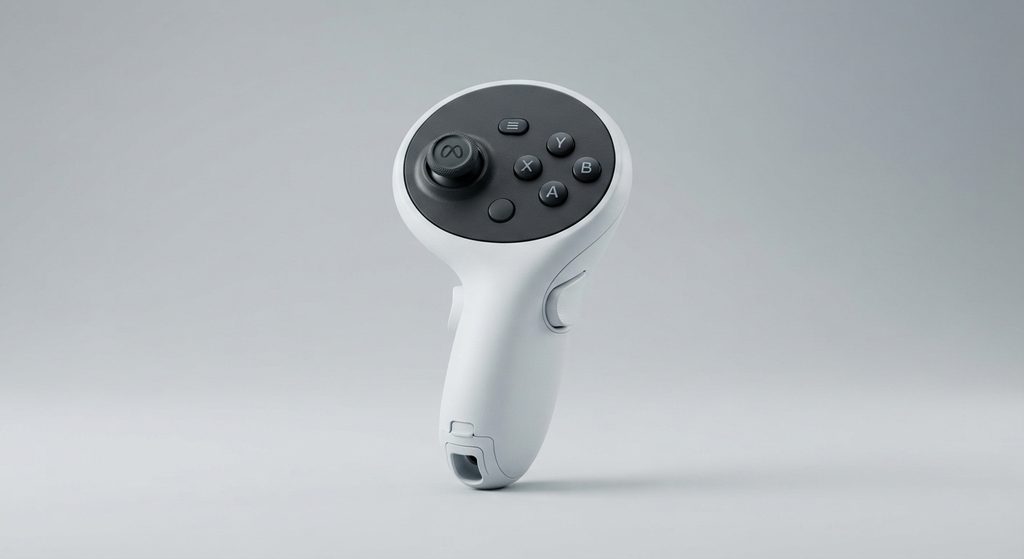
A genuine replacement controller is worth considering when persistent stick drift results from worn or damaged joystick hardware. It provides an alternative to attempting complicated internal controller repairs.
Microfiber Electronics Cleaning Cloth
Why we picked it ?
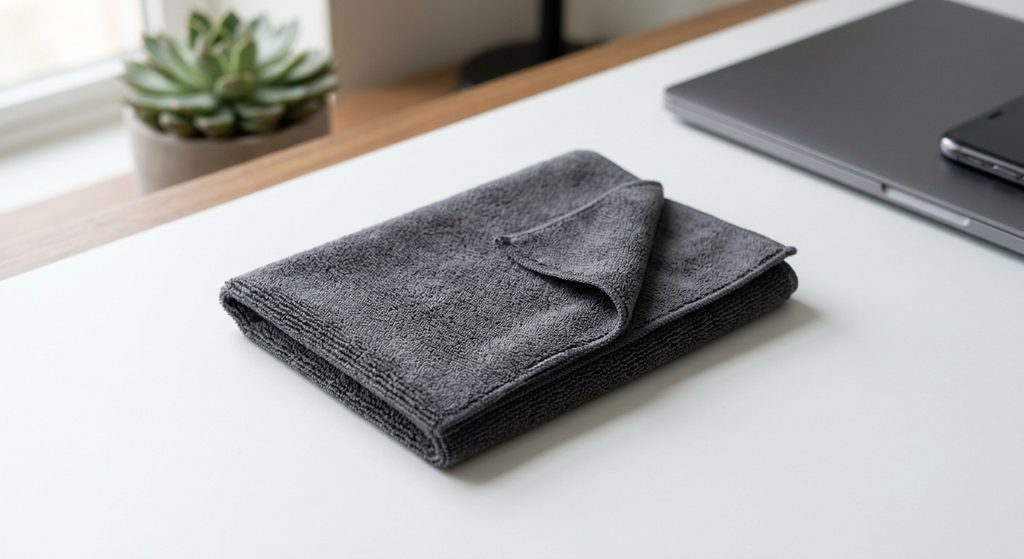
A soft microfiber cloth helps remove surface dust and fingerprints without scratching controller surfaces. It is useful for routine maintenance and keeping your Quest 3 controllers clean.
AA Alkaline Replacement Batteries
Why we picked it ?
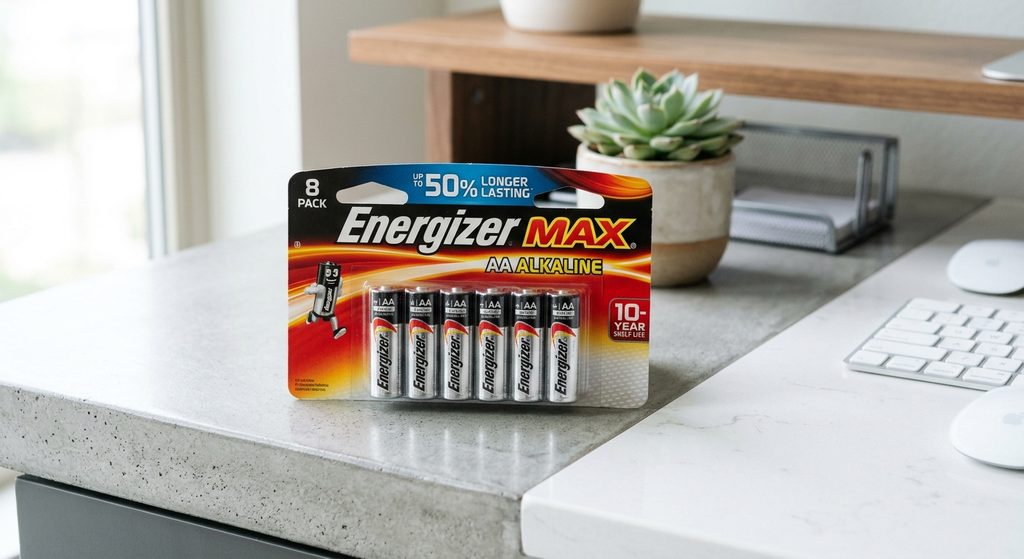
Fresh AA batteries help rule out low-power problems when troubleshooting controller responsiveness. Although batteries do not repair joystick drift, they provide a useful basic diagnostic step.
Product selection note: These products serve different purposes. A replacement controller addresses persistent hardware problems, while cleaning supplies and batteries support basic maintenance and troubleshooting.
Important: Avoid opening your controller or attempting internal joystick replacement before checking your warranty and contacting Meta Support. Internal repairs can damage delicate components. iFixit Repair Guide+2
What Causes Meta Quest 3 Stick Drift?
Understanding what causes Meta Quest 3 stick drift is the first step toward finding the right solution. Stick drift occurs when your controller registers joystick movement even though you are not physically touching the thumbstick.
This can make your character move unexpectedly, cause menus to scroll continuously, or make aiming difficult during VR games.
Several factors can contribute to this problem.
Common Causes of Meta Quest 3 Controller Stick Drift
Dust and debris: Small particles can accumulate around the joystick mechanism, potentially interfering with its movement or sensor readings.
Wear and tear: Repeated gaming sessions can gradually wear down internal joystick components, affecting how accurately the controller detects movement.
Software glitches: Temporary tracking or controller communication issues can sometimes produce unusual input behavior.
Low battery power: Weak batteries can contribute to inconsistent controller performance, although they are not a typical direct cause of true stick drift.
Physical damage: Accidental drops, excessive pressure, or other physical impacts may damage internal joystick components.
How to Recognize Stick Drift
Your Meta Quest 3 controller may have stick drift if you notice:
- Your character moves without touching the joystick.
- Menus scroll continuously in one direction.
- Your camera moves unexpectedly during gameplay.
- The joystick does not consistently return to its neutral position.
- Movement becomes inconsistent even when the controller is stationary.
Helpful tip: Test the affected controller in more than one game or application. If the same unwanted movement occurs across different experiences, the problem may be related to the controller rather than a particular game.
Identifying the likely cause helps you choose an appropriate Meta Quest 3 stick drift fix without immediately spending money on replacement hardware.
How to Fix Meta Quest 3 Stick Drift Using Basic Troubleshooting Methods
Before considering controller replacement, try a few basic troubleshooting steps. Sometimes, Meta Quest 3 stick drift is caused by temporary software issues or inconsistent controller responses that can be resolved without replacing hardware.
Here are some practical solutions to try.
Restart Your Meta Quest 3 Headset
Restarting your headset can resolve temporary software glitches that affect controller responsiveness.
- Turn off your Meta Quest 3 headset.
- Wait approximately 30 seconds.
- Turn it back on.
- Reconnect your controllers if necessary.
- Test the joystick in a game or application.
Replace the Controller Batteries
Low battery power can sometimes cause inconsistent controller behavior.
Remove the affected controller’s AA battery and replace it with a fresh, compatible battery. Check that the battery is inserted correctly, then test the joystick again.
Reconnect the Affected Controller
Controller connection issues can sometimes affect normal input behavior.
Open your headset’s controller settings and follow the available unpairing and pairing instructions. Once reconnected, check whether the joystick responds correctly.
Check for Software Updates
Outdated headset software can contribute to compatibility and performance problems.
Open your Meta Quest 3 settings and check for available system updates. Install any available updates using the official update process.
Important: Test your controller after each troubleshooting step. This makes it easier to identify which change, if any, improves the problem.
If the drift continues after these checks, the issue may involve joystick contamination, calibration, or internal hardware wear.
How to Clean a Meta Quest 3 Controller Joystick Safely
Dust and debris around the thumbstick can interfere with normal joystick movement. If your Meta Quest 3 controller has developed stick drift, cleaning the exterior joystick area may help when contamination is contributing to the problem.
However, cleaning is not guaranteed to fix stick drift caused by worn or damaged internal components.
Steps for Cleaning Your Meta Quest 3 Controller
Follow these precautions when cleaning your controller:
- Turn off your headset: Power down your Meta Quest 3 before beginning the cleaning process.
- Remove the battery: Take out the controller’s AA battery to prevent accidental activation.
- Inspect the joystick: Look around the thumbstick for visible dust, dirt, or debris.
- Clean the exterior: Use a clean, dry microfiber cloth to wipe the joystick and surrounding controller surface.
- Check joystick movement: Gently move the thumbstick through its normal range to check whether it moves freely.
- Reinsert the battery: Once the controller is clean and dry, reinstall the battery and test its performance.
What Should You Avoid When Cleaning?
Cleaning your Quest 3 controller requires care because its internal electronic components are delicate.
Avoid the following:
- Pouring water or cleaning liquids into the joystick opening.
- Spraying household cleaners directly onto the controller.
- Forcing the thumbstick beyond its normal range of movement.
- Inserting sharp objects into the joystick mechanism.
- Opening the controller without appropriate repair knowledge.
Helpful tip: Avoid aggressive cleaning methods or applying excessive pressure around the thumbstick. If the joystick continues drifting after exterior cleaning, stop and consider contacting Meta Support or a qualified repair professional.
How to Identify When Your Meta Quest 3 Controller Needs Repair or Replacement
Sometimes, basic troubleshooting and cleaning are not enough to resolve Meta Quest 3 stick drift. If your controller continues registering unwanted joystick movement, an internal component may be worn, damaged, or malfunctioning.
Knowing when to seek professional repair can help you avoid unnecessary troubleshooting and additional damage.
Signs Your Meta Quest 3 Controller Needs Repair
Watch for these common warning signs:
- Persistent stick drift: The joystick continues registering movement even after restarting the headset and cleaning the exterior.
- Unresponsive thumbstick: The joystick does not consistently register movement when pushed in different directions.
- Physical damage: The thumbstick appears damaged, loose, or unable to return to its normal resting position.
- Inconsistent movement: Your character or cursor moves unpredictably despite using the controller normally.
- Recurring problems: Stick drift disappears temporarily but repeatedly returns during gameplay.
Should You Repair or Replace Your Controller?
The right option depends on the condition of your controller and whether it is still covered by warranty.
Consider these options:
- Contact Meta Support: Explain the problem and ask whether your controller qualifies for warranty assistance or an available replacement service.
- Consider professional repair: If the warranty has expired, ask a qualified electronics repair technician to inspect the joystick mechanism.
- Replace the controller: If the internal joystick is significantly damaged or repair is not economical, replacing the affected controller may be more practical.
Check Your Warranty Before Attempting Repairs
Before paying for a replacement or opening the controller, review your warranty coverage and applicable consumer protection options.
You can visit the official Meta Quest Support page to find troubleshooting guidance and available support options.
Important: Do not assume every instance of stick drift requires a new controller. A proper diagnosis can help determine whether the problem is software-related, contamination-related, or caused by hardware damage.
How to Prevent Meta Quest 3 Stick Drift in the Future
Preventing Meta Quest 3 stick drift starts with proper controller care and regular maintenance. Although joystick wear cannot always be avoided, a few simple habits can help reduce unnecessary stress on the thumbstick and keep your controllers working reliably.
Here are some practical ways to protect your Meta Quest 3 controllers.
Keep Your Controllers Clean
Dust and debris can accumulate around the joystick during regular gaming sessions.
Use a clean, dry microfiber cloth to wipe the controller’s exterior regularly. Avoid allowing dirt, food particles, or moisture to enter the joystick opening.
Avoid Applying Excessive Pressure
The thumbstick is designed to move within a specific range. Pressing it aggressively or forcing it beyond its normal movement can contribute to premature wear.
Use gentle, controlled movements when playing VR games.
Store Your Controllers Properly
Proper storage helps protect your controllers from accidental damage and environmental contamination.
- Keep controllers in a protective storage case.
- Avoid leaving them on the floor or near areas where they can fall.
- Store them away from excessive heat and moisture.
- Keep them away from pets and small children.
Remove Batteries During Long Storage Periods
If you will not use your controllers for an extended period, consider removing the batteries according to the manufacturer’s storage recommendations.
This can help prevent battery leakage and potential internal damage.
Check Controller Performance Regularly
Pay attention to changes in joystick responsiveness. If you notice unusual movement, investigate early rather than continuing to use a controller that may have a developing hardware problem.
Helpful tip: Good controller maintenance cannot guarantee that stick drift will never occur. However, keeping your Meta Quest 3 controllers clean, handling them carefully, and storing them properly can help extend their useful lifespan.
Conclusion
Fixing Meta Quest 3 stick drift starts with identifying the underlying cause of the problem. Dust accumulation, temporary software glitches, low battery power, and worn joystick components can all contribute to controller performance issues.
Fortunately, simple troubleshooting steps such as restarting your headset, replacing batteries, reconnecting controllers, and carefully cleaning the joystick may help restore normal functionality.
If the problem persists, consider contacting Meta Support or seeking professional repair before purchasing a replacement controller. Remember that regular cleaning, careful handling, and proper storage can help maintain your controllers over time.
With the right troubleshooting approach, you can address unwanted joystick movement and enjoy a more reliable Meta Quest 3 VR gaming experience.
Frequently Asked Questions About Meta Quest 3 Stick Drift Fix
Why is my Meta Quest 3 controller drifting?
Meta Quest 3 controller drift can occur because of dust accumulation, worn joystick components, physical damage, or software-related problems. The controller may register movement even when you are not touching the thumbstick.
Can I fix Meta Quest 3 stick drift without replacing the controller?
Yes. You can try restarting your headset, replacing the AA battery, reconnecting the controller, checking for software updates, and carefully cleaning the joystick exterior. However, hardware-related drift may require professional repair or replacement.
Does cleaning the Meta Quest 3 joystick fix stick drift?
Cleaning may help if dust or debris is interfering with joystick movement. Use a dry microfiber cloth and avoid introducing liquids into the controller. Cleaning cannot repair worn or damaged internal components.
How much does it cost to repair Meta Quest 3 stick drift?
Repair costs depend on the cause of the problem, warranty coverage, replacement part availability, and repair provider. Contact Meta Support or a qualified repair technician for an accurate estimate before purchasing replacement components.
Can a software update fix Meta Quest 3 controller drift?
A software update may resolve certain software-related controller problems. However, it will not repair physical damage or worn joystick components. Check for available updates through your headset settings.
Should I replace my Meta Quest 3 controller if it keeps drifting?
Consider replacement if the joystick has persistent hardware-related problems and repair is unavailable or uneconomical. Check your warranty first because you may qualify for assistance from Meta.
Can I prevent Meta Quest 3 stick drift?
You can reduce unnecessary controller wear by keeping the joystick clean, avoiding excessive pressure, storing controllers safely, and handling them carefully. Regular maintenance helps, although it cannot completely prevent joystick wear.
This website is a participant in the Amazon Services LLC Associates Program, an affiliate advertising program designed to provide a means for us to earn fees by linking to Amazon.com and affiliated sites.